Tagged 'automatic'

Dirtizer 2

2 votes

A very helpful plugin which can make your materials dirty in one click!
- You can control the level of dirtiness.
- You can make it dry or wet.
- Dirtizer supports Multi-materials (you can set random dirt to all materials at once)
- You can add your own textures of dirt. (Organize your textures in "Dirtizer" folder as you want)

Bouncy Bones for max 2009-2010-2011

2 votes

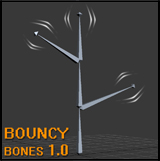
Bouncy Bones 1.0

Bouncy Bones 1.0 by Jonah Shafer

The script is compatible with max 2009, max 2010, and max 2011.  I have not tested with 2012, but the 2011 version might work for that as well.  If someone can confirm this for me that would be great!  The files are available for download on my website in the sharing section.

Custom Normals Tool

3 votes

makeLODs - 3D Studio Max automatic LOD creation script

2 votes

Script i wrote to automate one of tasks i spent too much time on:
Automatic LOD creation, with customisable reduction percentages and nice naming sheme.

Any feedback / suggestions are welcome.

After running this script, you can find it under category _Piro_Tools, with name makeLODs 0.3.

Presentation on how it works: https://www.youtube.com/embed/D33Shhms5O8

Smooth to Prevalent Smoothing Group

15 votes

Works in face sub-object level of editable polygon base objects.
Assigns the prevalent smoothing group found within the current selection of faces to the entire selection of faces (removing any other smoothing groups).

Feel free to modify as you like.

Quick Blueprint Creator

6 votes

This is my version of a blueprint maker.
Key features: drag n drop image, blueprints are always shaded even in wireframe mode.
Enjoy ;)

Boujou2Max

1 vote

Boujou2max plug-in poster

Boujou2max imports raw markers from Boujou as an animated cubes or dummies. This is a good solution for raw motion tracking without camera solve.

Place Objects according to normal

3 votes

This script will place objects according to the normal of the face you place them on.
You can add multiple objects in a list and let the script random pick one of those, or disable the random button and choose yourself.

Script features:

- Add multiple objects to a list and start placing them.
- Place them with the first click, then move your mouse to rotate the object and click again to confirm.
- Cancel placement at any time.
- Random select objects from the list.
- Add a Z-Offset to the objects.
- Place objects according to the normal they are placed on.

DeltaMushToSkin

7 votes

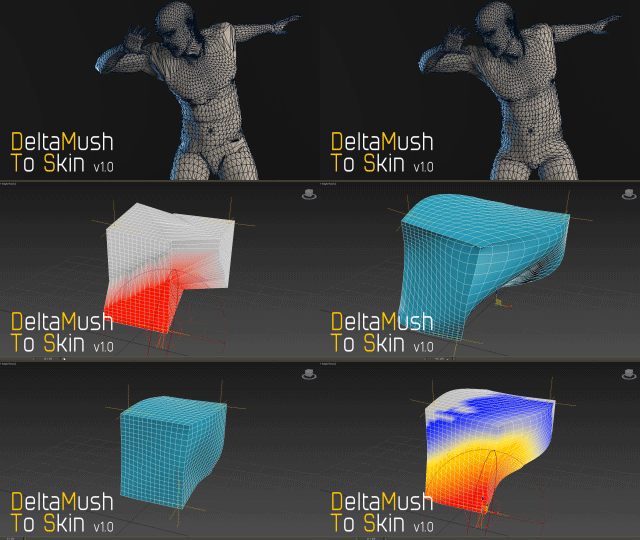
DeltaMush to Skin is a c++ 3ds Max modifier which smooths deformations while preserving details with "converting" to Skin feature - the plugin solves Skin weights matched as close as possible to the DeltaMush result. It enables the user to export such rigg to the game engine like Unity, Unreal etc. The whole process is incredibly fast thanks to multithreaded optimization.


DeltaMushToSkin

3 votes

DeltaMush to Skin is a c++ 3ds Max modifier which smooths deformations while preserving details with "converting" to Skin feature - the plugin solves Skin weights matched as close as possible to the DeltaMush result. It enables the user to export such rigg to the game engine like Unity, Unreal etc. The whole process is incredibly fast thanks to multithreaded optimization.


Syndicate content