3ds Max | All

AlignObjectToFace

8 votes

"Align an Object to the face normal of a geometry object (Mesh - Poly - Patch or NURBS).
Similar to AutoGrid - but for existing objects. "

AlignUVWMapGizmoOnAverageNormal

6 votes

This script has 2 goals:
1) It is a tutorial for people learning Maxscript
2) It also help artists save time when setting UVs on meshes or patches.

alignVertex.ms

6 votes

Just a short script that enables you to set a shortcut for the Align Vertex option you have in editable poly.

AlignView2Face

8 votes

A 3ds max 4 version of the R3 script (which used to be a RCmenu).
Select a single geometry object, click button, pick a normal on the surface of the object by clicking and holding the mouse, release mouse to set view. NOTE: Does not work as Action Item for QuadMenus yet. (Bug in MouseTrack?)

AlignView2Object

12 votes

"Select a single object (anything except objects with Targets) - press button - select an Axis to align and Perspective/User view mode and press OK to align the view to the object or cancel to reset to the original view (as well as possible).

alignViewportToFace

6 votes

Aligns the viewport to the selected face. Thanks to Carl-Mikael Lagnecrantz for some code inspiration.

Tutorial:
Select an editable poly object, select a face, run the script. Now you have a new view perpendicular to that face.

AlignViewToFace

6 votes

Aligns the perspective view to the face that is under the mouse while keeping the distance to the selected object (the distance will pretty much the same as between the view and the face to align to). It does not matter if the object has modifiers applied and the view will not be distorted into some strange rotation but kept aligned to the world axis.

AlignViewToFace Right-Click Menu

6 votes

Implements an additional RightClick Menu option when a single Object is selected. It lets you align an Isometric User View to an object's face. Please read the notes in the source. Thanks to Richard Green (Artbot) and E.K. Anna Hennequet for the idea.

All for UE5

3 votes

Description:
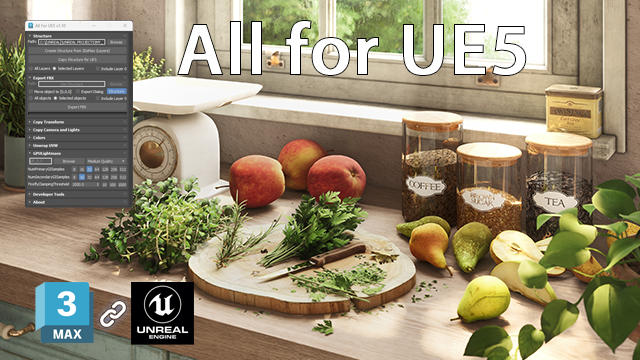
This MaxScript is designed to save time working with Unreal Engine 5.
For UE5.4 and newer, use the console command: Interchange.FeatureFlags.Import.FBX 0
For UE5.0–5.3, no console command is needed.
AllForUE5

Features:
- Create folder structures based on the layer names;
- Export objects from 3ds Max to Unreal Engine;
- Copy the Position/Rotation/Scale;

All in one Randomizer - QRandom

2 votes

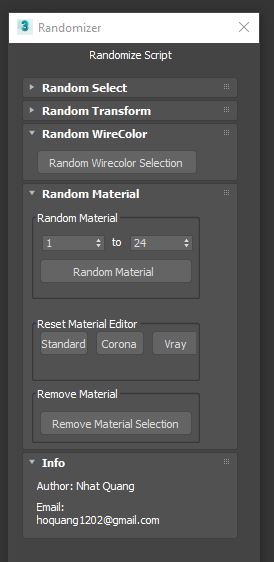
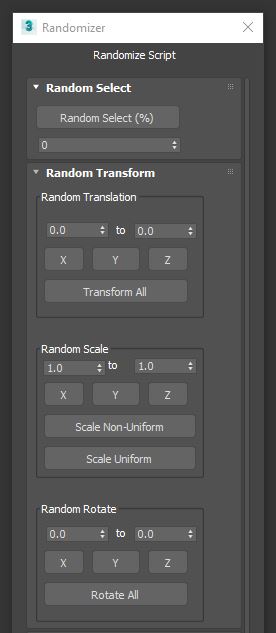
QRandom is an all in one random tool. Please see the UI to know its functionality. Thank you for using my script. Hope if this help your work. Love to see your comments and feedback.

Syndicate content