3ds Max | All

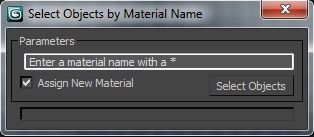
Select Object By Material Name

66 votes

Select Object By Name

Select Objects By Material Name

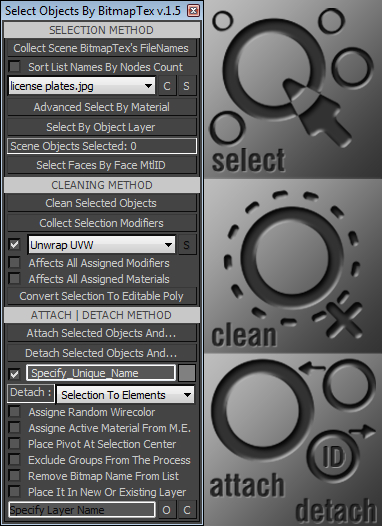
Select Objects By BitmapTex

17 votes

•••••••••••••••••••••••••••••••••••••••••••••••••••••••••••••••••••••••••••• VERSION 1.6
v15
With this tool you can quickly perform certain operations that normally require more time to perform, such as:
. Selecting all scene objects by choosing a specified bitmap texture used in the current scene file. >>>
. Selecting objects with the same material as the first object in the selection.

Select Objects By Sub-Material

1 vote

Select Objects By Sub-Material (SOBSM) is a simple free script that allows you to quickly select all objects in your scene that use a selected sub-material from a Multi/Sub-Object material.

Unlike the native "Select Objects By Material" tool, which only selects objects by exact main (parent) material match, this script analyzes material IDs assigned to faces/polygons. This allows you to select objects by a specific sub-material, even when a Multi/Sub-Object material is assigned to the entire object and the desired sub-material is only used on a portion of its faces.

The script works with both material editors in 3ds Max - the Compact Material Editor (Medit) and the Slate Material Editor (SME). Select a sub-material in any editor, run the script, and all objects that use this sub-material (on faces with the corresponding ID) will be selected.           

Select objects by wirecolor

0 votes

A macroscript tool for selecting objects based on their wireframe color. This macro needs to be loaded as a quad menu item. Unzip the macro and place it in your macroscripts folder (typically: C:\Program Files\Autodesk\3ds Max XXXX\UI\MacroScripts). You'll find the macro under "DAS Tools" when you go to "Customize\Customize User Interface\Quads\Category: All Commands". The macro is called "Select By Color". Place the macro in any right-click quad. If you are not familiar with loading macroscripts see the max help regarding Customizing the User Interface.

Select objects from selected keyframes

0 votes

Small script by request.
Selects the object(s) which has one or more keyframe(s) selected.

select open spline knots

0 votes

Just sharing some code I already inside of other scripts for someone that asked. This is really basic maxscript that will loop through your selection and select at sub-object vertex level any "open" vertices. No error checking, lots of situations that will break it. (Selecting objects that aren't "editable spline", even a circle primitive will error.) If you have multiple objects selected, it maintains that selection, but if you select just one of them and go into subobject, your verts will be selected. Just a starter for folks to use.

Select opened spline

10 votes

It selects opened splines in selected spline.

Select Opposite

4 votes

Unfortunately Character Studio does not give the user the ability to create shortcuts to some of the most useful tools it has to offer. This script detects which Biped bones are selected and then mirrors the selection i.e. left arm to right arm. This script supports multiple selections of bones and unlike Character Studio - it can be run on combinations of bipedal and regular bones.

Select Poles ( MultiEdge )

0 votes

This script will find all objects with Poles (places where more than 5 edges coming from one vertex) and select them (Objects and Poles too).
Its useful to make clean polygonal model prepared for subdivision and avoid mesh artifacts.

Select Polys by VertexCount

8 votes

Selects polys with a given vertex count

Syndicate content