3ds Max | All

Intensity Shifter

5 votes

Simple little macroscript that shifts your light multiplier up a specified percentage

Track Crawler v1.0

17 votes

TrackCrawler v1.0

TrackCrawlerUI

This script works with 3dsmax2009 (with creative extentions) or 3dsmax2010 since they included soundtrax (as ProSound).

There is an older version of the script that works with previous versions but the SoundTrax plug-in is required.

It can be found here: http://www.scriptspot.com/3ds-max/lip-sync-helper-v0-33


Functionality:

Mandelbrot Set Generator

2 votes

This MAXScript will generate the Mandelbrot set using a 2D array of cubes. I made it purely for fun, but want to share it in case someone else finds it useful.

Mandelbrot Set in MAXScript (Algorithm Iteration Animation)

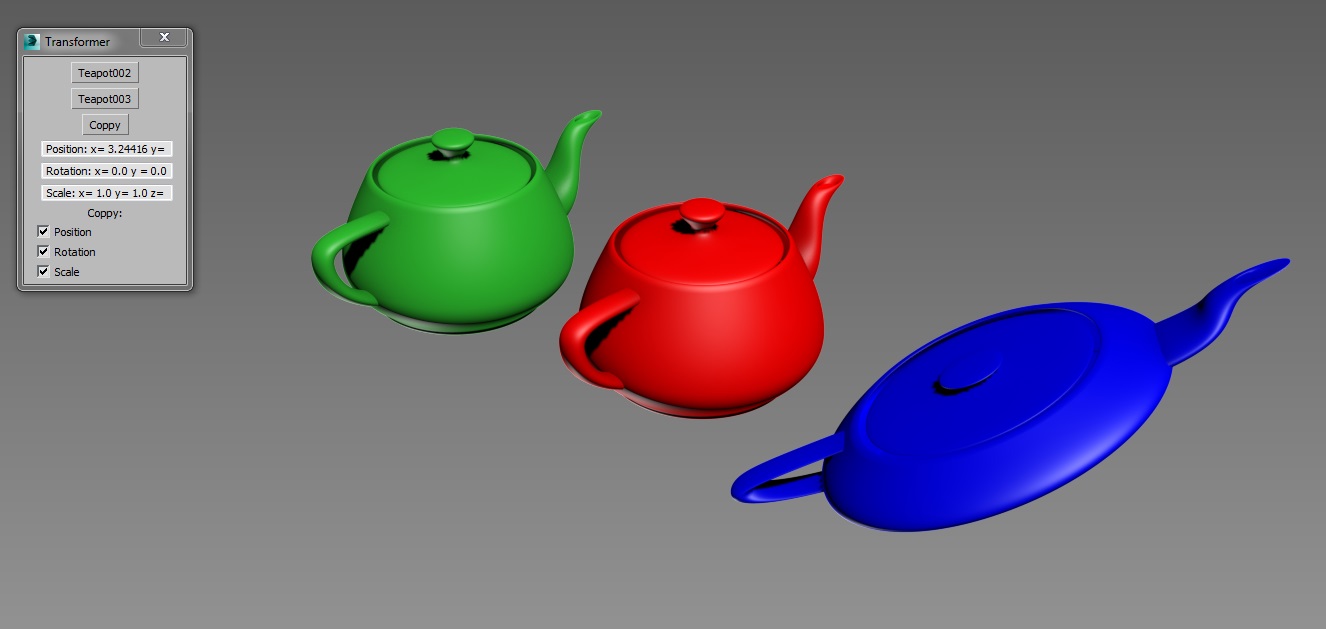
Transformer

2 votes

Simple tool created for copying position, rotation and scale transformations between objects.

Copy position, rotation or scale from one object and paste it to any other.

Norman3D's MaxScript Pack #1

0 votes

Norman3D's MaxScript Pack #1 is a set of tools that will allow you to do some cool effects with verts and vectormaps. The pack also contains help files and tutorials for all the tools.

All of these tools should be compatible with current-gen and mobile platforms.

The pack contains the following scripts:

 3D Vector Displacement

This tool will allow you to bake vert positions to different channels in your mesh. These positions can then be retrieved by a vertex shader and used to morph between the shapes.

 

3dsMax Ini Backup

-11 votes

As you know max 2014 has a bug about resetting to default configuration when max crash, it's becomes pain in the ass when you open max after crash your setting back to default, toolbar become big, caddy become active again , etc... This script do backup and restore max ini setting, so you can go back to previous setting that you already backup. You can specify directory where to save the ini file.

Hope its useful to you.

Thanks

Note : after do restoring do restart max.

MXS Dictionary

1 vote

A very simple pure mxs implementation of a dictionary to store key-value pairs.

It is somewhat "fake" in that it is not using any hashing but an internal array of tuples. Which means the bigger it gets the slower it will be to work with. So its usage is probably quite limited. If you however desperately need a dictionary data type and can't use any fancy dotNet, this should work down to Max version 9.

Example usage:

-- Either copy/paste into your script or bundle the file with your main script file and use
fileIn "dict.ms"
-- or
include "dict.ms"

RH Object Compare

15 votes

It is ment to be used to compare the amount of visual difference between LODs. Select 2 objects, select if you want to compare them by rendering them out or just by taking a screenshot from the viewport and press start. The script will show an image with red, green and blue colors wich are a representation of the amount of difference between both objects.

Explode face in Object

1 vote

Another script to explode the faces of a mesh into individual polygon.

Liked Category OpenCUI

1 vote

To continually not found among heaps of categories that category into which most inputs for setup hotkeys. For instant access to the category Customize-> CustomizeUserInterface-> desired category ...

Чтобы постоянно не искать среди кучи категорий ту категорию, в которую чаще всего залазишь для установки хоткеев. Для мгновенного доступа в категорию Customize->CustomizeUserInterface->Нужная категория...

Syndicate content