3ds Max | All

HDRI Material Override Toolbar

6 votes

Simple floating 'toolbar' example where you can quickly toggle reflection override for the current viewport (any custom picked hdri map will work) and set its rotation. Since it's just a viewport override, all the materials applied to the objects will be left untouched. Comes in handy for example when checking for shading errors.

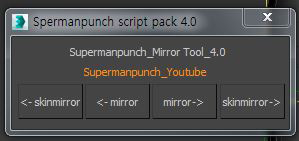
Skin Mirror Tool

Hide | Unhide MtlID Faces

3 votes

••••••••••••••••••••••••••••••••••••••••••••••••••••••••••••••••••••••••••••••••••••••••••••••••••••• VERSION 1.2

With this tool you can easely hide-unhide, set-get or select E-Poly object faces by material ID.

MCG Visibility

1 vote

Control Visibility with a modifier. This way if you create some keys, then come back at some later stage, the modifier stays with the object and you can continue/change the keys...you don't have to find the 'script' that you first used with to create them and drag it back into the viewport.

It works for a selection of objects but I would advise you to be careful with it as it works fine at first but if at some later stage you comeback and select not the same selection...and do some edit, the new keys will apply only to the new selection.

Delete Render Elements Output Path

0 votes

If you take a file that already had a defined save path, and you want to change the output path, it does not work with the path of the render elements and you have to use Asset Tracking and press the Strip Path option to delete them before putting the new path. .

Now with a simple button click you have it. Click on the button and you will see that the Output Path of your render elements will be deleted and now you can define the new path.

Works with Corona Renderer only.

Script Grabber

4 votes

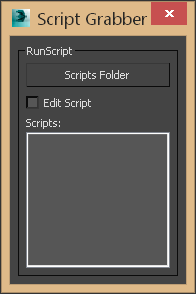
This script will search the selected directory and it's sub directories for max script files. Once they are loaded you can:
-Double click will run the script, if the edit script option is checked then it will open the script for editing.
-Right click will open the contianing folder.

Script Grabber 1.0

Delete Unselected

0 votes

Delete all non-selected objects in 3dsMax scene, including hidden and frozen ones, leaving just the ones you need in the scene.

This simple script is very handy when you need to re-save only one or a few models from a complex scene, but keeping all the scene setups. It’s also good for exporting objects to external software that requires scene data from 3dsMax.

Color

3 votes

Color is a 'plugin' script that allows you to use a flat solid RGB color as a texturemap - instead of having to use checker or gradient textures to create one.

File Organizer

0 votes

organizer

File Organizer leaves an object ready to save in the library. With this Script, the next time you merge some object to your scene it will be perfect.

DepthMatte

7 votes

Saves an image that represents the current environment ranges in the scene by changing all objects in the scene to a black matte color and rendering the scene with white fog. Good for doing postprocess fog and postprocess depth of field.

Syndicate content