3ds Max | All

MCG Simple Pulley

0 votes

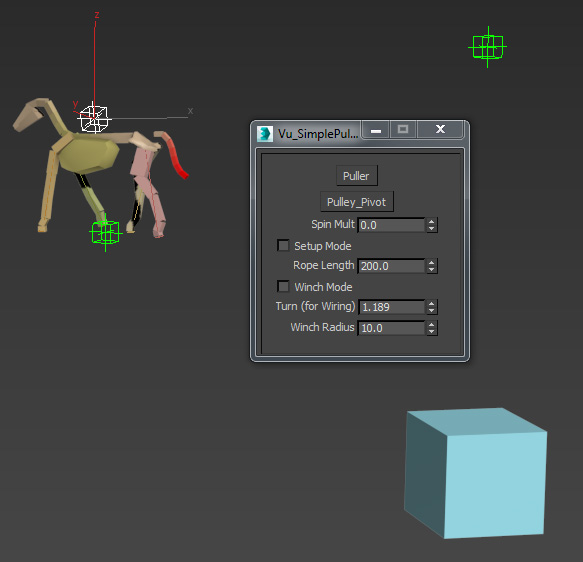
This is a Simple Pulley system. It creates an anim controller for your crate. Naturally, there ain't no rope in it :). Can be used for linear pulling or winching.


Hey this is very likely to be my last 'share' folks. Just that I don't wanna clutter you with anymore 'gimmicky' stuff....or 'junk'. It's been a good learning experience for me. Thanks very much to all those who helped me. You know who you are.

Vu.

Camera Track set

5 votes

Includes 3 scripts - EasyCameraTrack - Reverser and MotionTrans that aid in camera tracking.

splineManager

6 votes

Lets you modify various controls for all selected splines.

Mass Randomizer

2 votes

This is an updated version of Arda Kutlu's script "Mass randomizer",
it can now handle groups, you can also select a random amount of sub-object elements.

update 2.0.2 : as requested by dmitry belonosov, you can now shuffle objects position, there is a new button in the position tab.
I didn't add group support for this function, i'll do it in next update...

Hand Controller

8 votes

The first of these scripts creates hands from boxes. You can link them to any character. The second script controls the fingers with a few sliders. This one has saved my ass many times. NEW Features! Support for 3 -4 - or 5 fingers. Supports multiple h

multisubobject material from folder

1 vote

Please use this on a trial scene first

This script creates a multi-subobject material from selected maps in a folder.
Please see that you select only compatible map types as it can give errors

VertexMapCopy

11 votes

This macroscript let's you copy one UVW Channel to another - and also
from or to Vertex Color / Illumination / Alpha. You can also delete
channels. Along with the vertexmap plugin - it is possible to use more
'vertex colors' in max5 - cause you can paint them and apply most vc
tools on the normal vc channel then copy it to another channel and use

Time Slider Control

0 votes

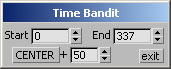
A macroscript tool for interactively controlling the Time Slider. Creates a tiny dialog window allowing the user to set the end and begin time of the Track Bar/ Time Slider. Stays open until you close it and gives you the ability to center the Track Bar time range around the current frame. Great for character animation or any detailed work where you find yourself moving back and forth through the time range.

CopyClick

12 votes

-- Copy by Click
-- V1.0

-- How it works?
-- 1. Select objects
-- 2. Execute CopybyClick
-- 3. Click to make a instance of selection
-- 4. ESC or rightclick to cancel

------------------------ THE CODE ------------------------

macroScript CopybyClick
category:"AGGTools"
buttonText:"CopybyClick"
tooltip:"Copy by Click"

(

fn CopyClick =
try
(
maxOps.cloneNodes $ cloneType:#instance newNodes:&nnl
select nnl
Sel=selection
p = point pos:Sel.center
p.pos.z = 0
ClickPos = pickPoint snap:#2D ()
ArrayFiltroGroupHead = #()

MCG Cosmic Vibrator

0 votes

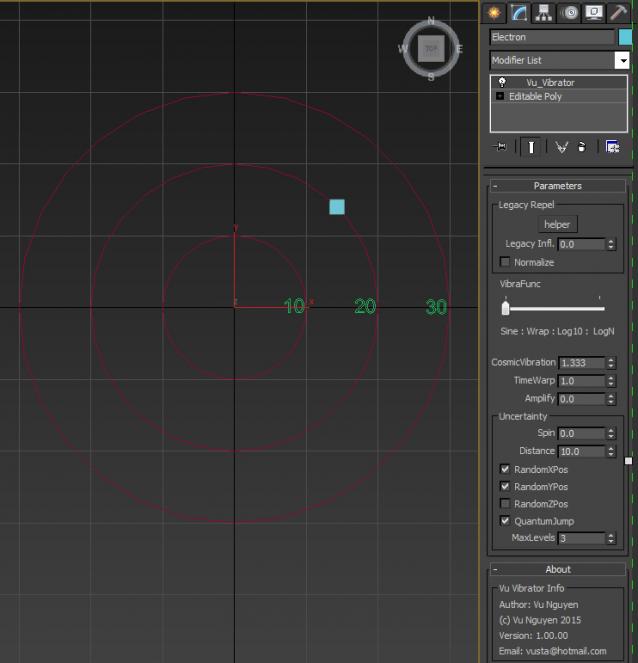
Put some vibes into your objects. Teach the kids about electrons and the Uncertainty Principle...

 Ver 2.00.00: Added colours so that as the electron jumps to different levels it will take on different colours depending on MultiMatIDs. Or if using vertex colours, it will become whiter the higher it jumps.

You can simply put the 3 files into your current tools directory and overwrite.

If view is blocked from Youtube, try this http://1drv.ms/1H2QJxW

Syndicate content