3ds Max | All

How to install my scripts in 3ds max

0 votes

Hello everybody,

In this tutorial I show how I install my max scripts in 3ds max.

Wish you a nice day :)

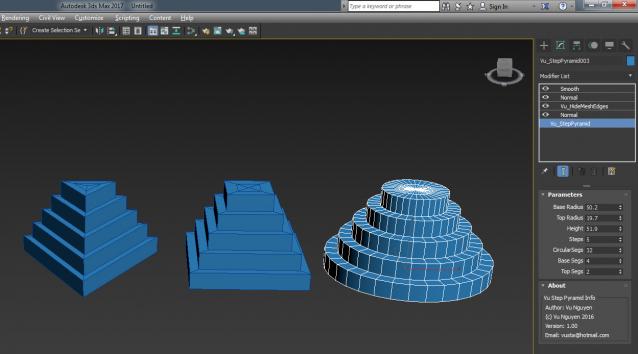
MCG Step Pyramid

1 vote

Creates Step Pyramid geometry

ver 1.01: added Taper for Devo fans...

ver 1.02: added Hermite Curve

also snuck in Caps so you can do this...

Refresh Icons

0 votes

Macroscript for making a button that refreshes button icons using colorMan.reinitIcons(). That's basically the entire script right there. :)

ParticleTracker

6 votes

Track particles and attach objects to them over a range of time and within certain bounding volumes.

Reference Plane Creator

11 votes

It is a utility that:
- Creates 3 types of references from side - front - and top views (independently) with your selection of
- Creates a correct size plane (the size of the image) at world center [0 -0 -0]
- Puts the plane in a seperate layer (for easy hiding abilities)
- Creates a material with the diffuseMap as the image and toggles it on

Bookmarks

1 vote

Bookmarks is a tool to help animators to stay organized.
It is inspired from the bookmarks tool in Maya.

You can quickly create visual bookmarks on scenes or individual objects,
change their color, range, name, comment, link a camera...etc

Then you can use them to navigate your animation, isolate specific time ranges, move/scale keyframes, retime...etc

santa Trajectory Limiter

4 votes

Sometime when we are working with complex animation scene we want to view a part of portion of trajectory for an animated object (as because the total trajectory line is showing us so much complex view) there we can use this script. Here we can mention the starting limit and the end limit of trajectory display. Then the script will show you only the trajectory of range given by you. You also can interactively enable or disable and control the trajectory line. If you face any problem for trajectory structure or position you can refresh it anytime.

FumeFX Grid Settings Deep Copy

0 votes

This script copies settings from one grid to another. It does not touch output paths, size etc, but it'll merge the other parameters from one grid to one or more other grids. Handy if you have a lot of grids, do a change in one and need to apply the same changes to all the other grids.

Current version has a couple of limitations. It does not support copying all effectors and keys from colors.


Worm Face

3 votes

Worm Face

Worm Face allows you to pick/drop textures on the faces of objects in your scene without having to go into sub-object mode or edit Multi/Sub-Object materials. Currently picks from any object but only drops onto Editable Poly.

I built this tool to emulate the same features in the Texture Application Tool that is in Hammer.

Thanks to denisT on the Area forums for insight and sample code to pick faces in the viewport.

Animation Baker

0 votes

Hello everyone :)

here's my first free script for baking objects animation, hope you find it useful

Best Regards,,
Mahmoud Hesham

Syndicate content