3ds Max | All

RnQ-RenderingAndQuit

0 votes

Simple tool to turn off your PC at the end of rendering.

5 lines long script that does exactly this:

-Save the current max file.
-Launch the rendering.
-When the rendering end, close the current session and turns off the PC.

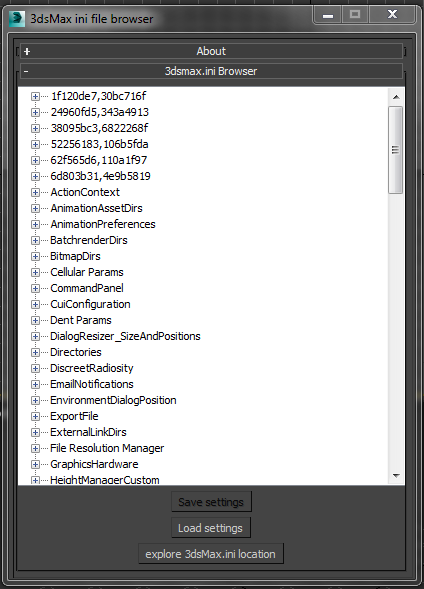
Selectively inspect backup and restore 3dsMax.ini settings

3 votes

Selectively backup and restore 3dsMax.ini settings with this tool.

  • Click on a item in the tree. Use the ‘Save Settings’ button to backup that sections settings.
  • Use the ‘Load Settings’ button to import saved settings from a file. This will over right the current 3dsMax settings.
  • Use the ‘explore 3dsMax.ini location’ button to open the Windows Explorer at the folder.

Free to download as part of my scriptpack.

Alexander.cui

6 votes

Default MAX interface with all plugins and scripts added.

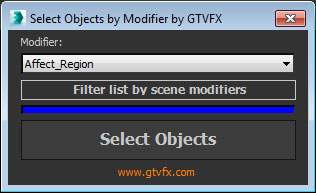
GTVFX-SEL_selectByModifierClass

0 votes


Selects objects that have the chosen modifier in their stack

At startup the list populates with all available modifiers in your session of Max. Use the button below the list to filter it down to only the modifiers currently present in your scene. This can take a few seconds for large scenes.


Lightscape Bitmaps

3 votes

Converts bitmaps that are not supported by Lightscape in supported bitmaps - and cropped bitmaps to non-cropped ones.

UI_Align_Pos_Rot_Scale_Pivot_To_Pivot.ms

7 votes

Align Position Rotation and Scale of selection to target from Pivot to Pivot

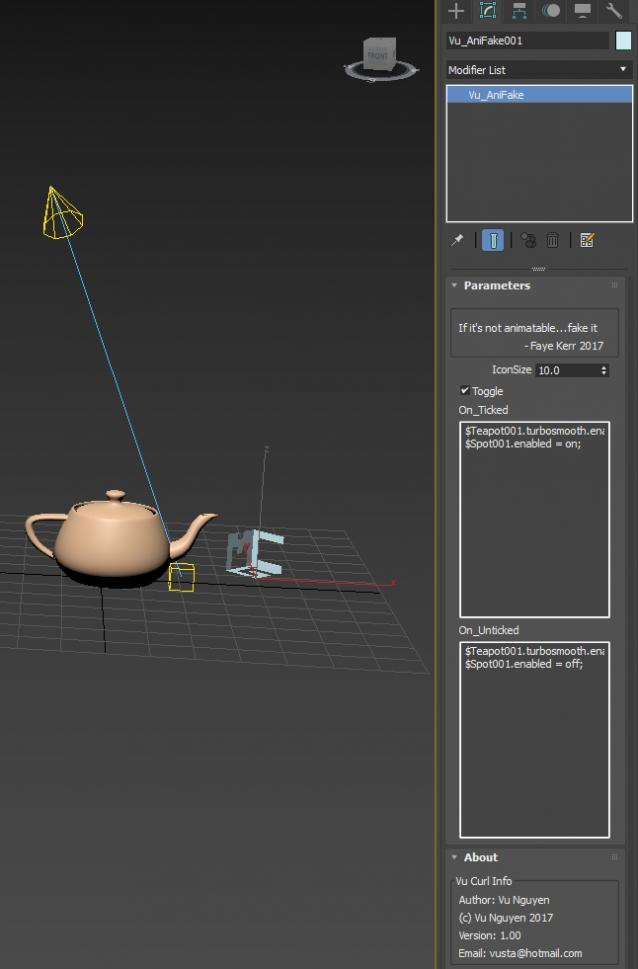
MCG AniFake

0 votes

This might get you out of a tight spot when you HAVE to animate some property that's not animatable (usually On/Off), similar to my VisToCamMod...but this is more generalised.

Who knows, you could probably even use it as some sort of Pre-Render script...but I'm not a scripter so can't do too advanced explorations there....

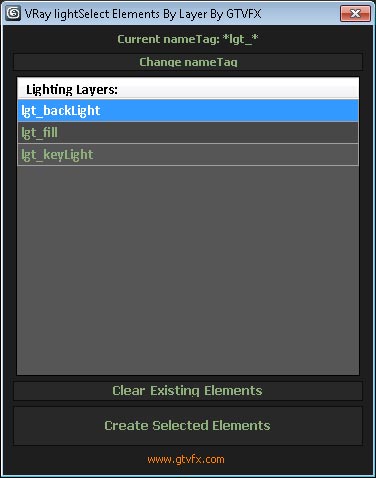
GTVFX-SCA_createLightSelectElements_ByLayer

1 vote


Manages the creation of VRay Light Select Elements based on a layer naming convention.

All lights on a layer will be included in that Light Select Element.

Layers are found by matching the pattern of the nameTag variable. You can change this variable if necessary for your pipeline by using the slender button at the top of the dialog.

Default nameTag = "*lgt_*"  (fe: lgt_sun, lgt_key, etc...)


 Updates:

Particle Flow - Random Seed

0 votes

Script to assign a random value to all the "seed" particle flow operators present in the scene

Set Sliding Key

3 votes

This simple script will set a sliding key for a biped character.

Syndicate content