3ds Max | All

Hide/Unhide Biped

1 vote

A simple tool that allows you to hide or unhide all bipeds in the current scene.

Viewport View Selector

1 vote


What this script do:

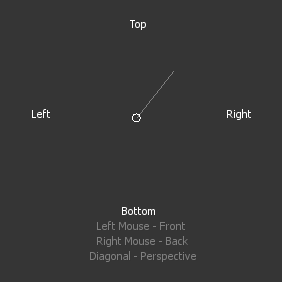
This script allow you to select viewport view using gestures and left/right mouse button.

How to use it:

 Assign shortcut. Press a button an interface will appear.

ClearMedit

4 votes

"Clears slots in the materials editor with a default standard or raytraced material.
version 1.60 Cleaned some code."

Refine by Intersect

1 vote

3DSMax Script for Refining Selected Shape if 3ds Max Version is 2019+ or Creating Editable Spline Shape according to 4 Points .

MatMaster

7 votes

Lets the user configure material presets and assign them globally to materials in the scene. For example - define a preset with Self-Illum = 100 - Wire = ON - TwoSided = ON - and assign to selected objects' materials to turn them all into wireframes with a si

MCG Bar Code

0 votes

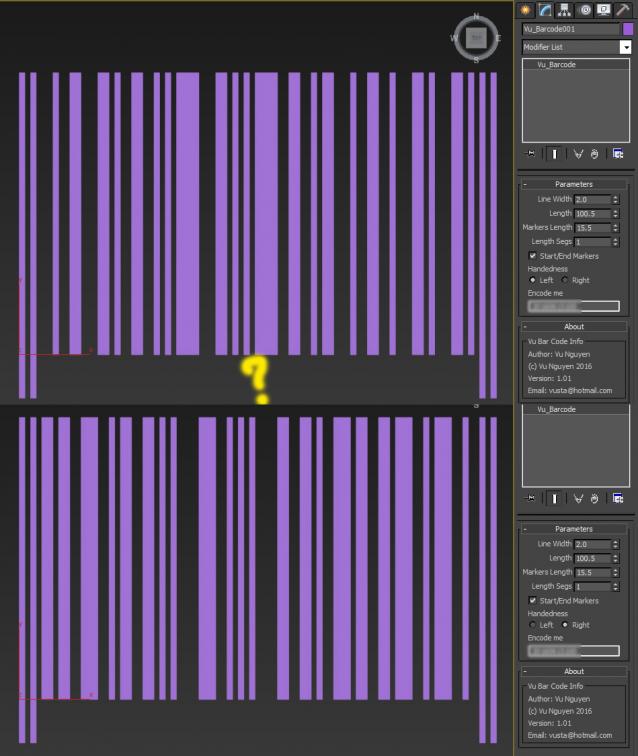
Encodes number into Bar Code. Please note this does not actually conform to an actual standard..it simple encodes a number into left handed bar code.

https://en.wikipedia.org/wiki/Universal_Product_Code

I don't care about righties...

ver 1.01: ok ok..include Righties

subSelection

2 votes

Random select objects in a selection. For example , you have to make different color bricks among hundreds of bricks. So all bricks could be a selection, then adjust the parameters to random select certain of bricks.
*Put the file in "Scripts\Startup" , then restart 3DS MAX.
*It is in Utilities drop list.

Fire Flame Generator

0 votes

Fire Flame Generator is a script that is efficient in automatically adding simple 2D fire flame & smoke images to your 3dsMax scene. It can be applied flexibly in Archviz projects while saving a lot of time for 3D Artists.

.: Compatible with 3dsMax 2018 & higher

.: Compatible with V-Ray & Corona Renderer

.: Compatible with all System Units

.: Version: 1.0

.: Author: Wuan Hyu

Free to download and use.
Coupon code discount 100%: “cgtricks”

Insert Logo

2 votes

Script will insert an image (for example logo) into rendered image. Usefull - when for some reason - it can't be done later in post production.

Create_HI_BoneChain_From_Selection.ms

4 votes

This script is for use with the naming convention described in the Tutorial section.It lets you create a bone chain based on the orientation of a selected object.Once creation is complete you will be prompted for the name of the part that the bone chain is for.

Syndicate content