3ds Max | All

PlanTo3D

1 vote

What is PlanTo3D?

PlanTo3D is a powerful and innovative plugin for 3ds Max that simplifies the process of transforming 2D floor plans into detailed 3D building models. Designed for architects, interior designers, and 3D modelers, PlanTo3D saves time and effort while delivering professional and precise 3D models.

Select_Edge_Loop_For_Removal.ms

3 votes

While you have an edge selected executing this script will select theedge loop then select the verts associated with them.

Strip Paths

0 votes

A FAST Script for Stripping All Paths (Bitmaps, IES, Proxies ....) Without Changing Render Paths .

LockUnlock_Disable_All_For_Selection.ms

2 votes

UnLocks Move - Rotate and Scale for the selected object(s)

Scrip-Trace

5 votes

Simple raytrace renderer made with MAXScript. Just don't try it with a very complicated scene... Try a simple primitive first...

NamedSelections Import/Export

2 votes

This script keeps you from losing named selections during a merge. Just run the export script on the original scene - then run the selection importer on the destination scene.

RLA-ForceChannels

3 votes

Forces the generation of all RLA-specific optional channels. This way images in VFB will have all channels without the need to always save an RLA to disk. When needed - the VFB can be saved to RLA manually.

UnHideBIP

0 votes

Unhides the biped skeleton. Love it!

PEN_findmodifier

4 votes

Finds modifiers in your scene based on class name of modifiers. It has some defaults added to a drop down list but you can type in your own.
However - first you need to know the class name of the modifier that you are looking for.

Select by list

1 vote

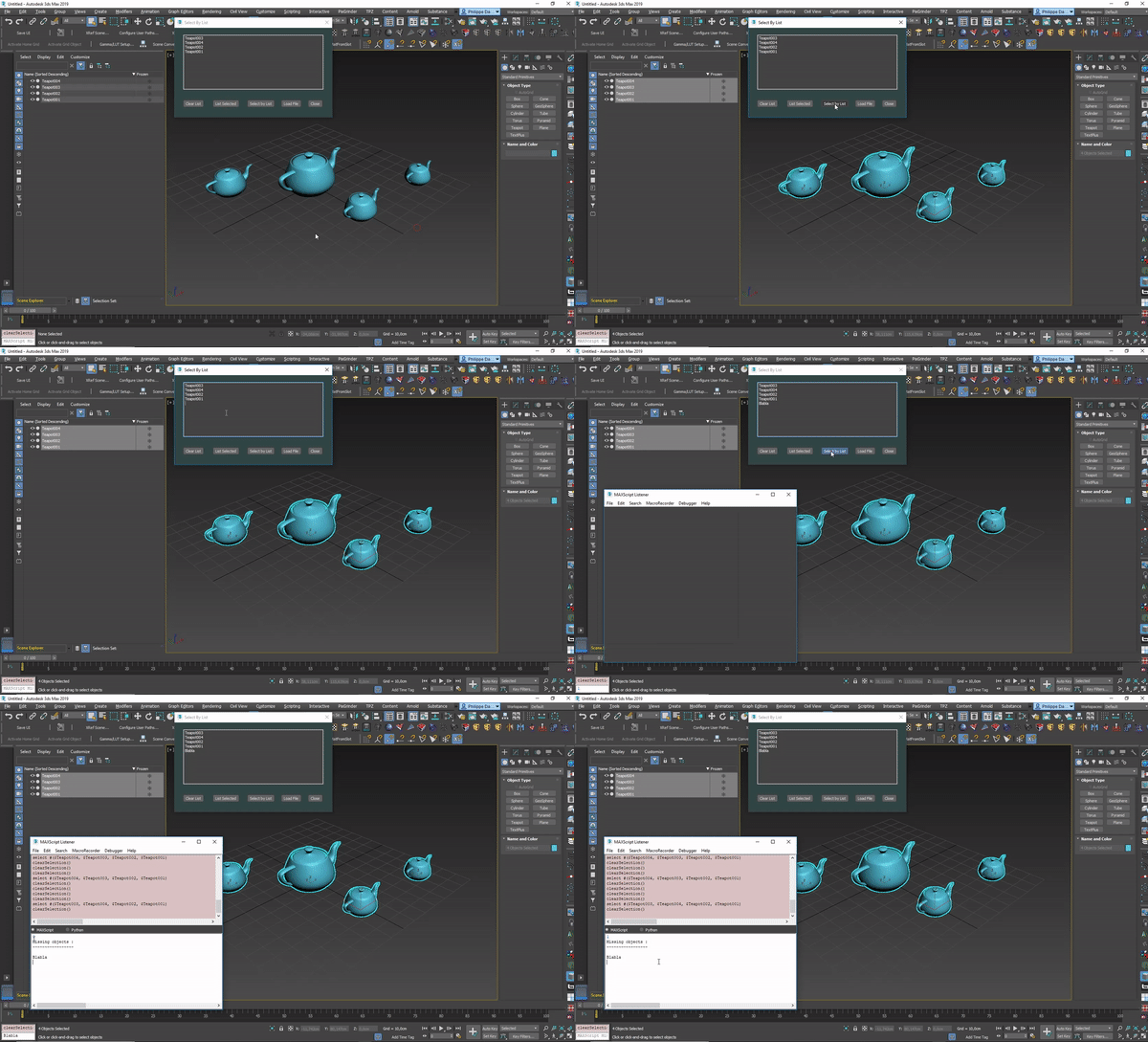
Small script I wrote to select objects easily by list of names.
Also reports missing objects.

To use this script, just drag&drop it in your 3dsmax window.
Or Menu : Maxscript -> run script -> pick the script file in the good directory.

Check this video for help:
https://vimeo.com/355444780

Syndicate content