3ds Max | All

3DS Max - Easy Modeling - Carved Sphere

0 votes

In this tutorial, we will learn how to create this carved sphere, and learn about some spline operations, like attaching, trimming, welding, etc,... We will also learn about the Lathe modifier, and Chamfer modifier, where will see how to fix some issues when using those modifiers by modifying some of their parameters. Plus some other stuff, so keep watching it until the end.

Copy Transform to Unreal Engine

1 vote

Copy Transform to Unreal Engine of selected object in 3ds max scene.
Open Customize window in 3ds max and select Hardway category and drag toolbar item into toolbar.

Usage

To copy transform from 3ds max:
* Select object and press button on toolbar.

To insert transform for selected object in Unreal Engine
* Just Shift + Left Click in Transform rollout caption or paste via context menu.

Lesson 20 - 3DS Max - Total Beginners - Displace Modifier - Part 2

0 votes

In this second video related to the Displace modifier, we will see how we can use a Bitmap or a Procedural map to control the strength of the pulling forces coming out from the Gizmo. We will also see how we can add multiple Displace modifiers to create a more complex result. Finally, we will learn how to use a UVW Map (optional) to control the mapping of the texture used by the Displace modifier.

Multi Spline

1 vote


Multi Spline object combines spline objects to one object while preserving original splines.

Time and Frame Manager

0 votes

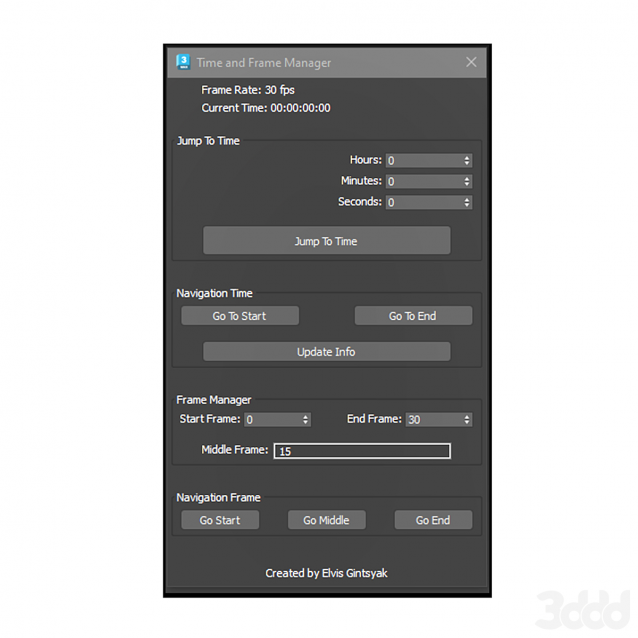
Time and Frame Manager

FurniList

0 votes

A useful tool for furniture designers and small businesses that require the cutting of various materials (natural wood, laminated wood, MDF, plexiglass, etc.) without the use of CNC machines. It is a real time saver for quickly obtaining the consumption when cutting the panels.

IMPORTANT:

Vertex Distance

1 vote

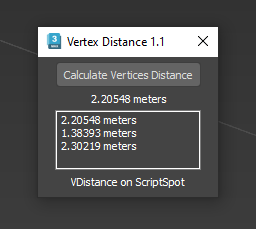
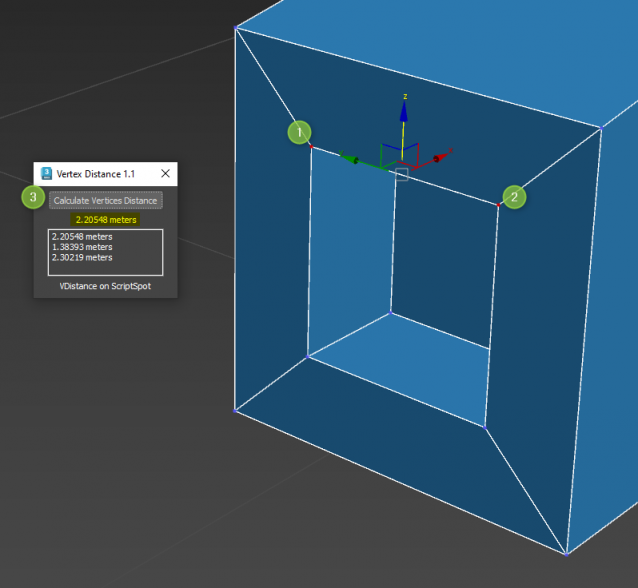
Quick and easy way to know distance between 2 selected vertices

Works on Editable Poly only. Select 2 vertices and Go !

PickMaterial

2 votes

This script is intended to pick material in viewport and send it to material editors (both Slate and Classic),it will automatically open material editor if it isn't opened yet.
If you pick a Multi/Sub-Object material it will load the material applied on the picked polygon rather than the all Multi/Sub-Object material.
As long as the script button is highlighted in blue , you can continue picking materials
To exit the script you can either right-click or click the script button

EReminder

2 votes

EReminder – Your Friendly Save Reminder for 3ds Max (Free Tool!)

Deletetd

0 votes
Syndicate content