ScriptSpot is a diverse online community of artists and developers who come together to find and share scripts that empower their creativity with 3ds Max. Our users come from all parts of the world and work in everything from visual effects to gaming, architecture, students or hobbyists.
Align Pivot to DIrection(vector) allows you to align the X, Y,Z or XYZ axis of the local pivot of each of the selected objects to the direction(vector), defined by two picked in the scene points. SNAP will be turned ON automatically. If the Shift key is down when the axis is choosen the pivot will be moved to the first picked point.
Version 1.1 should works properly with Pen(tablets).
PURPOSE:
Future versions 3dsmax may does not have proper ColorCorrect version written in time. It might be a problem opening old scenes with ColorCorrect in new 3dsmax. The task is to ease this conversion.
OR if you just don`t like ColorCorrect plugin and wish to convert to standart Color Correction.
ACTION:
Replaces ColorCorrect instances with standart 3dsmax Color Correction saving this data:
- source color
- source map
- gamma
- HSV and HSL saturation values
- HSV and HSL hue values
- mono and invert switches
note: Be careful - other ColorCorrect data will be ignored.
Submitted by Marco Brunetta on Wed, 2008-05-07 07:48
47
votes
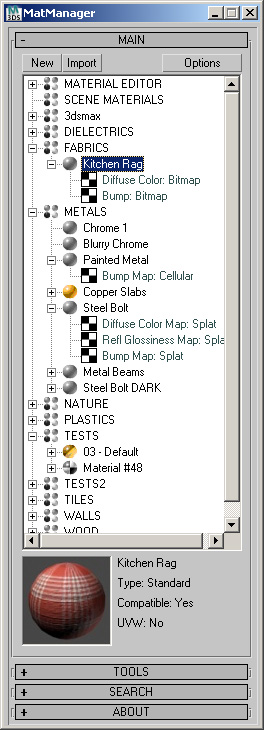
MatManager is a collection of tools created to help
you, the artist, control your materials and allow you to make the most of
them. It was designed to complement 3D Studio, keeping a clean and
streamlined interface where every action takes as few clicks as
possible.
Submitted by Alaa alnahlawi on Wed, 2015-08-26 04:17
8
votes
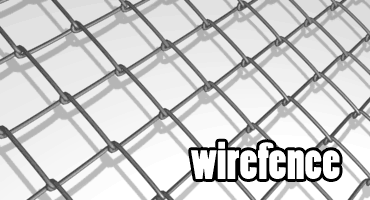
Brick Wall Builder is a scripted plugin created using 3ds max MCG and as the name tells it creates a various shapes of brick walls with huge amount of flexibility like you can choose multiple kinds of stones and apply a random materials to them in addition to changing the position,rotation and scale uniformly or randomly. It's as simple as just picking the shape and the brick and it will do the rest, and when you are done with distribution you like and thought of changing the shape length do worry also has the ability of maintaining the count and distribution while you are doing so.
How to install: After downloading and unzipping the file go to Scripting menu and choose Install Max Creation Graph. after installing you will find it in command panel creation tab under VFXarabia category.
Please for more info check the tool videos or the tool page on my website: http://goo.gl/SsLwxK
Submitted by Borislav Petrov on Fri, 2006-10-20 20:45
14
votes
CAD-like Linear Dimensioning based on Tape Helper objects. Support for Rendering - Text and Arrow styles - colors - size and position etc. Updated - support for some common units (m -cm -km -mm - dec.feet - dec.inches)