3ds Max | All

Visual Pivot Placer

38 votes

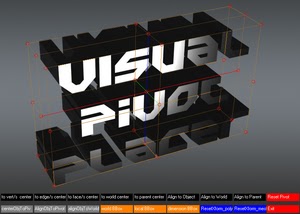
The image above says all. :)

Places the pivot of the selected object/s in one of the red colored circle.

For Editable Poly object/s you can place the pivot in the center of selected vert/s. edge/s, face/s.

Click with LMB on one of the red circle will tread all selected objects as one and the pivots of all objects will be in the same place.

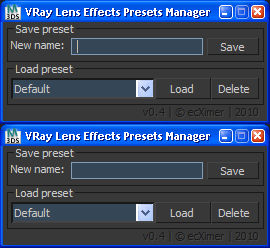
VRay Lens Effects Presets Manager

38 votes

Save settings lens effects for Vray.

Save settings lens effects for V-Ray

Set Selection filter

38 votes

Script for quick set the Selection Filter.
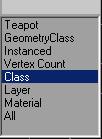
Allows you to create custom filters
for Classes (for example-Box),
for Superclasses (for example-Geometry),
by objects Layers,
Modifiers, Materials, Vertex count or Instanced objects.

v. 0.22
Adds ability to set filter by layers of selected objects.

v. 0.23
Adds ability to set filter by classes of selected objects.

Relink Assets

38 votes

Hi this is my version of a tool for relinking (missing) bitmaps which can not be found for whatever reasons (changed paths, moved files etc.). It is pretty straightforward and works with almost any type of asset (maps, HDRIs, IES files) as long as it can be referenced and seen in the asset browser. Due to copyright restrictions I can not publish the code right now but I hope that it can help you anyways until max itself has a better management for assets.

Instructions

Commercial Training Options

37 votes

If you would like to learn more about MAXScript, there are currently several affordable training options available to suit nearly any budget.

Notepad++ MXS Language Definition

37 votes

Maxscript language definition files for the notepad++ editor.

Select Every N-th-no UI

37 votes

If you want to select every 2nd or 3rd or 4th, etc edges, just select the first edge, skip the desired number of edges and select the second edge, then execute the script.

If you want to see the time that script needs to make a selection, just start MAXScript Listener.

Instalation: Drag 'n drop two mzp files in 3ds max, then go to Customize - Customize User Interface. Under "miauu" category you can find "Gap Loop" and "Gap Ring" scripts.

On the video below the script works 3 times slower, because of Camtasia and my old, single core PC.

HDR dome light for max 2009

37 votes

I have modified the amazing script HDR dome light from Chris Subagio and now it works in Max 2009;
also, I have added some new features, and now it works OK if you link it to a moving object.

It uses Spot lights with Shadow Map, so it´s very fast, about 7 seconds the renders I have attached
in a Quad Q6600 2´4Ghz.

But it has a little problem: if there are many dome lights in the same scene linked to many moving
objects, the global illumination has changes along the time, with brighter and darker frames.

This is not always, only sometimes.

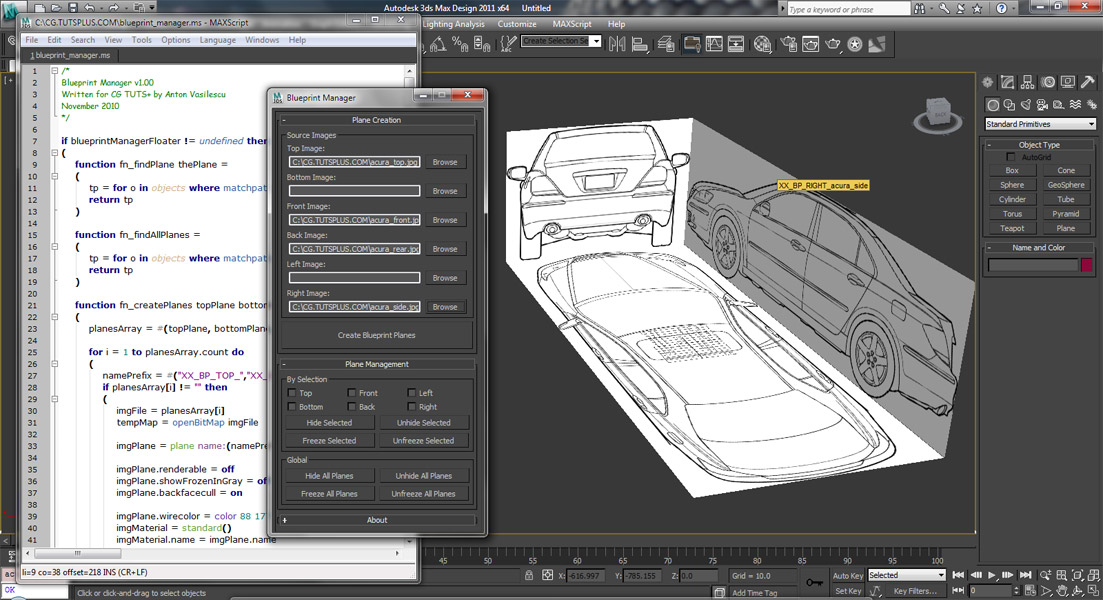
Coding a 'Blueprint Manager' script series

37 votes

This three-part video tutorial series is looking at how to create a ‘Blueprint Manager’ script in 3Ds Max.

Spritey v0.1.1

37 votes

-- UPDATE(2022) : only fixed the link for this. Nothing else.

- v0.1.1 functions: Spritey takes a cell-spaced spritesheet and uses the texture space to create UV coordinate animation based upon your specified cell numbers.

- Example: 4 rows of 6 columns of sprite images on 1 texture/material makes 24 frames of animation. 32 rows of 32 columns of sprite images on 1 texture/material makes 1024 frames of animation.(After the animation is created, you can manipulate the frames, animation, fps, etc, for playback as you see fit.)

- Why make Spritey ?

Syndicate content