3ds Max | All

Grab Viewport Plus

56 votes

Grab Viewport Plus

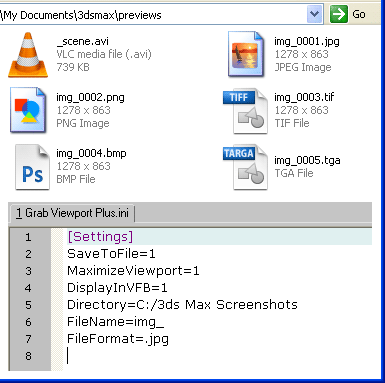
A requested script that add a few options to the standard Max screenshot tool:
   incremental save in given folder and prefix name,
+ forced toggle to Expert mode and maximize Viewport.

Mass Randomizer

56 votes

Mass Randomizer 1.9

The ability to Randomize

Super Material PRO

56 votes


ScriptOrganiser and Organiser[new]

56 votes

WPF in 3ds Max

55 votes

James Haywood covers the basics of integrating WPF inside 3ds Max 2011 using dotNet 3.5

Quoted from article:
"Some time ago I wanted to start getting my head around WPF, and especially how I could integrate tools made with WPF into Max. So I decided to start with something simple, which was to take an existing script that displays a progress bar using standard Max controls and convert it to WPF.

infoOverlay

55 votes

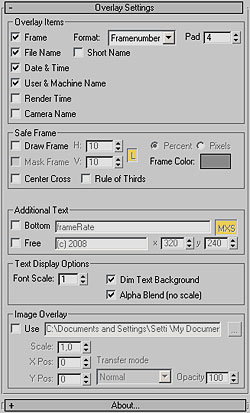
infoOverlay UI screenshotUpdated to v0.9 - This Render Effect displays additional information such as frame number - file name - render time etc. as overlay onto your rendered image. Useful for previews - previzualisation and other non-final renderings - should work with any 3dsmax-compliant renderer. All parameters animatable. 
Contour Generator

55 votes

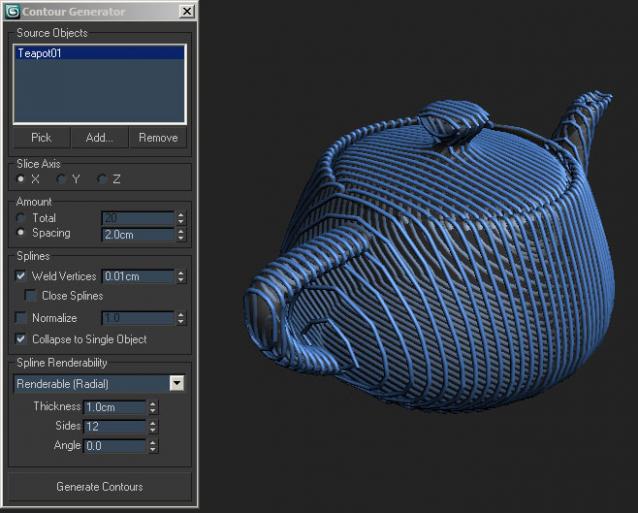
UIA small tool which creates cross-section splines of one or several objects in the scene.

Tutorial #005 - Superflow Elements Advanced

54 votes

Superflow

V-MOTION Solutions Tutorial on Advanced Techniques with Superflow Elements

Software: 3ds Max

Topics:
- SF Elements Advanced
- Using SmartArray & Quick Clone
- Path Distribution
- Integration with Pflow
- Realtime Rig for particle emission
- Pflow Setups discussed
- Rendering with Krakatoa
- and more...

Length: 40 minutes / Download Tutorial for High-Res

Try the Superflow Elements Demo: http://www.v-motion.co/download/down.pl?ID=6

How to create a realtime feather system with ParticleFlow

54 votes

this is a very optimized solution to drive the behavior of particles by the deformation of a surface without to use script or complex rigs, this system can be useful not only to animate but just to model objects that have a large number of elements like tiles on a roof or to drive fractured objects to follow a deforming surface and so on, if you like this please let me know so I will produce more tutorials about the various implementations of this system

Hair Tweaker

54 votes

A simple UI for making hair tweaks much faster. All selected objects you can create guides with one click. Turn on/off dynamics on multiple objects at once. Adjusting viewport spline percentages. Great for tweaking hairs while working.

Syndicate content