3ds Max | All

EdgeFinder

52 votes

Example

I wrote a script that finds the edges of a mesh and creates an edge map and/or creates roughed up edges on the mesh. Just pick a mesh and choose your settings and the script will render out a map for you. The script tessellates the the mesh and colors the vertices black where ever it finds corners, so you can choose if you want the high poly mesh or just bake a edge map to use on the low poly mesh.

Updated!

AutoBack File Loader Zorb

52 votes

*v1.31 - Bug fixes, removed error on opening on some max versions
*v1.30 - Now supports displaying 133 different date formats!! (Use the "Change Date Format" option in the right click menu)
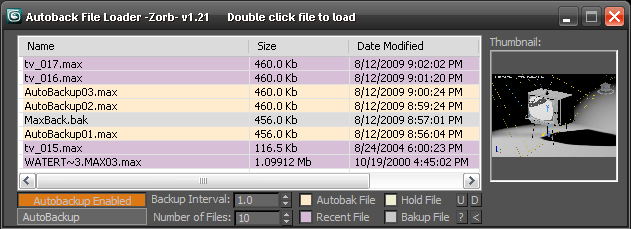
*v1.21 - Updated for 2010 and added thumbnail support!

Tired of navigating to the autoback dir, selecting view as detail then sorting by date to find your latest autobak file. then comparing it to your last good saved file? This script will make it easy for you. Brings up a list of max files in your autobak dir, max hold files and your last opened file, sortable by date, size and name. Double clicking will load the file, right clicking will give you a delete option.Sort settings and files displayed are saved between sessions

Unzip to your Max root dir, will be available in macroscripts under "Zorb Tools", or run it as a script from the scrips directory

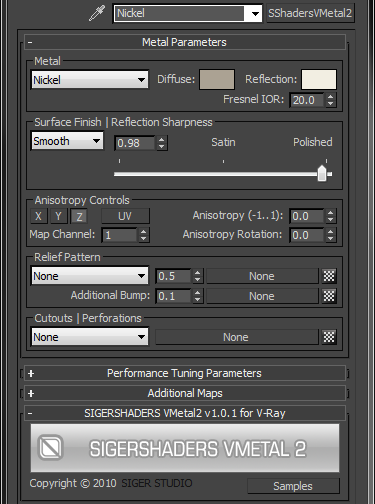
SIGERSHADERS VMetal2

52 votes

The SShadersVMetal2 is integrated right into 3ds Max and becomes one of the Material options available within the Material Editor. It is expertly programmed Shader that control many components of the V-Ray Material based on specific Material criteria. You can customize everyone Preset flexibly and, the main thing, quickly, to adapt for the needs. This Metal Shader exposes only the settings that are important to creating a highly realistic and optimized material.

miauu's Select Edges by lenght

52 votes

With this script you can select edges which is less, equal or grater than the value that you want. Also, you can measure the lenght of single or multiple edges.

Instalation: Drag-n-drop mzp files in 3ds max. Go to Customize-Custumize User Interface, under "miauu" category you will find the script.

UIMod

52 votes

UImod is a new UI for modifiers that is displayed in overlay of your active viewport in 3ds Max.

You can make a button from the modifierstack of your selection. This will save all the modifiers on this object and all the values of the properties of the modifiers. You can see this in the video where I change some checkboxes and values of modifiers.

Right clicking on the button gives you the properties of the button. You can change the name and folor of the button. More options will be coming soon.


Tutorial #003 - Superflow Elements

52 votes

Superflow

V-MOTION Solutions Tutorial #003 - Superflow Elements

Software: 3ds Max

Learn how to use Superflow Elements

Topics discussed:
- Installation
- User Interface
- Quick Array Creation
- Rotation / Translation Controllers
- Animation Controllers & Workflow
- Realtime Spline Rig

Length: 11 minutes / Download Tutorial for High-Res

Download Superflow Elements: www.v-motion.co

Superflow - Bachelor Thesis: superflow.ian-clemmer.com

QuickTools

52 votes

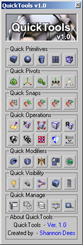
QuickToolsA collection of useful maxscripts and max features combined into one tool window. Most of the scripts I wrote myself. Some I did not write - but included as I use them regularly and find them to be extremely efficient work flow enhancers - furthermore I found no need to reinvent already solid wheels. Full credit is given to all script's authors both in the code comments and on the about page - however if for some reason I have neglected to give proper credit please let me know and I will rectify any and all such oversights. Furthermore - should anyone be unhappy that these are included I can remove them from the public release version. Finally any tools not categorized by those first descriptions are just standard max affairs to which I have given more convenient access - or are standard max affairs that have been slightly altered to suit certain production needs.

Texture Atlas Generator

51 votes

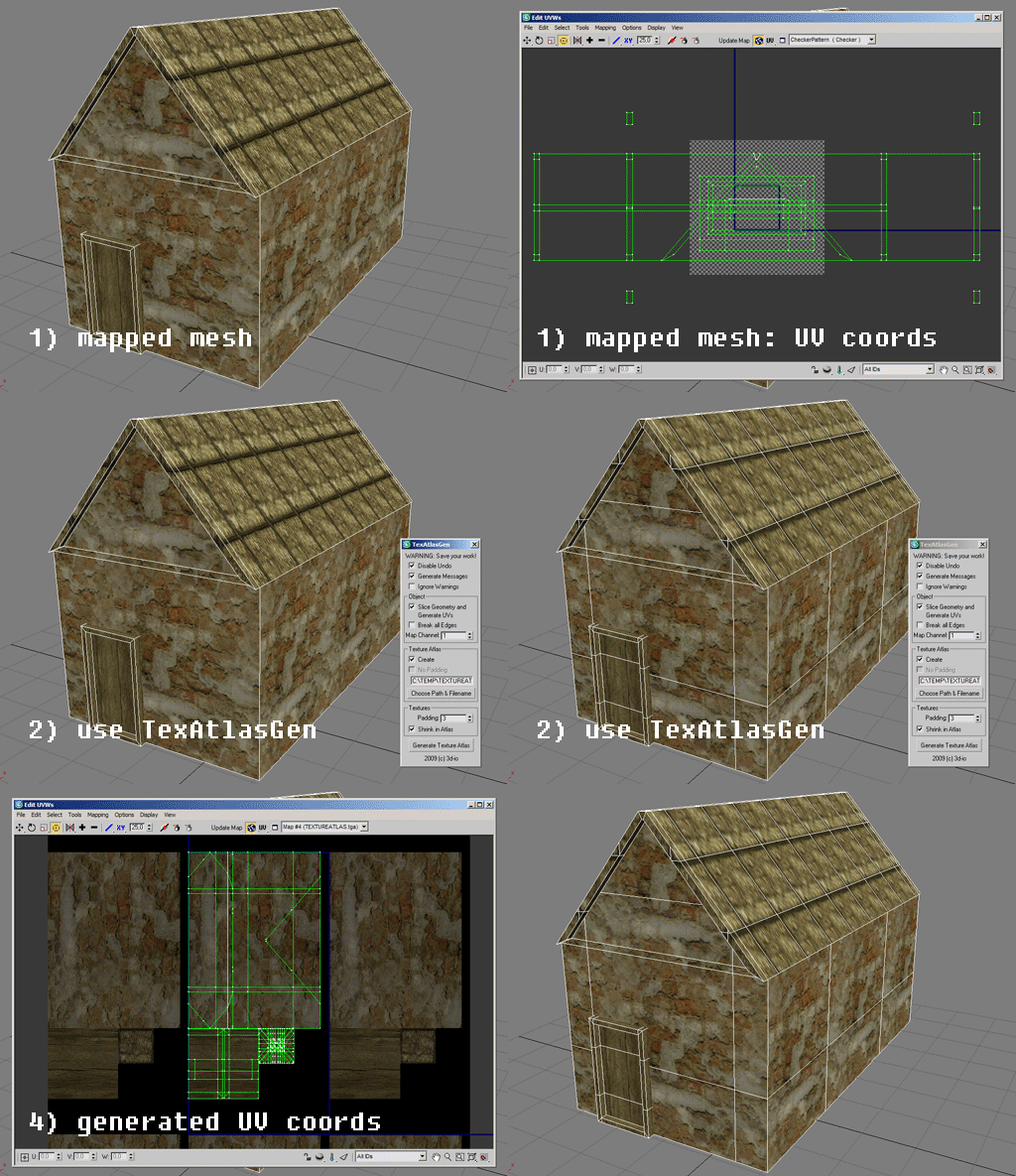
This script generates a texture atlas out of the selected objects, and manipulates their UVs (and if necessary, their geometry as well). Currently only Multimaterials and/or Standardmaterials (with bitmaps in diffuse channel!) supported.
Texture atlasses especially are important for real time applications and game development. Check http://developer.nvidia.com/object/texture_atlas_tools.html to see performance comparisons.

Features:
- geometry slicing
- padding
- simple packing algorithm
- editing many objects at once, thus creating only one atlas for all of them

Instance Tool

51 votes

Instance tool analyze the geometry objects in the scene and finds groups of objects that could be represented as instances of one of them. Then the user can turn every group into actual instances and choose which object from the group will be preserved. The objects in the group are objects that have the same topology (could be morph targets of one another) and the difference between them could be described with transformation alone.

Material Manager

51 votes

Material Manager


A new version of Material Manager is done.

New features:

Search function, Save to separate matlibs, Render any thumbnail, Render missing thumnail, Render with "ctrl" held down, renders liquid stuff, Saves screen position and many more.

Syndicate content