3ds Max | Scripts

another AE exporter

2 votes

gifanim


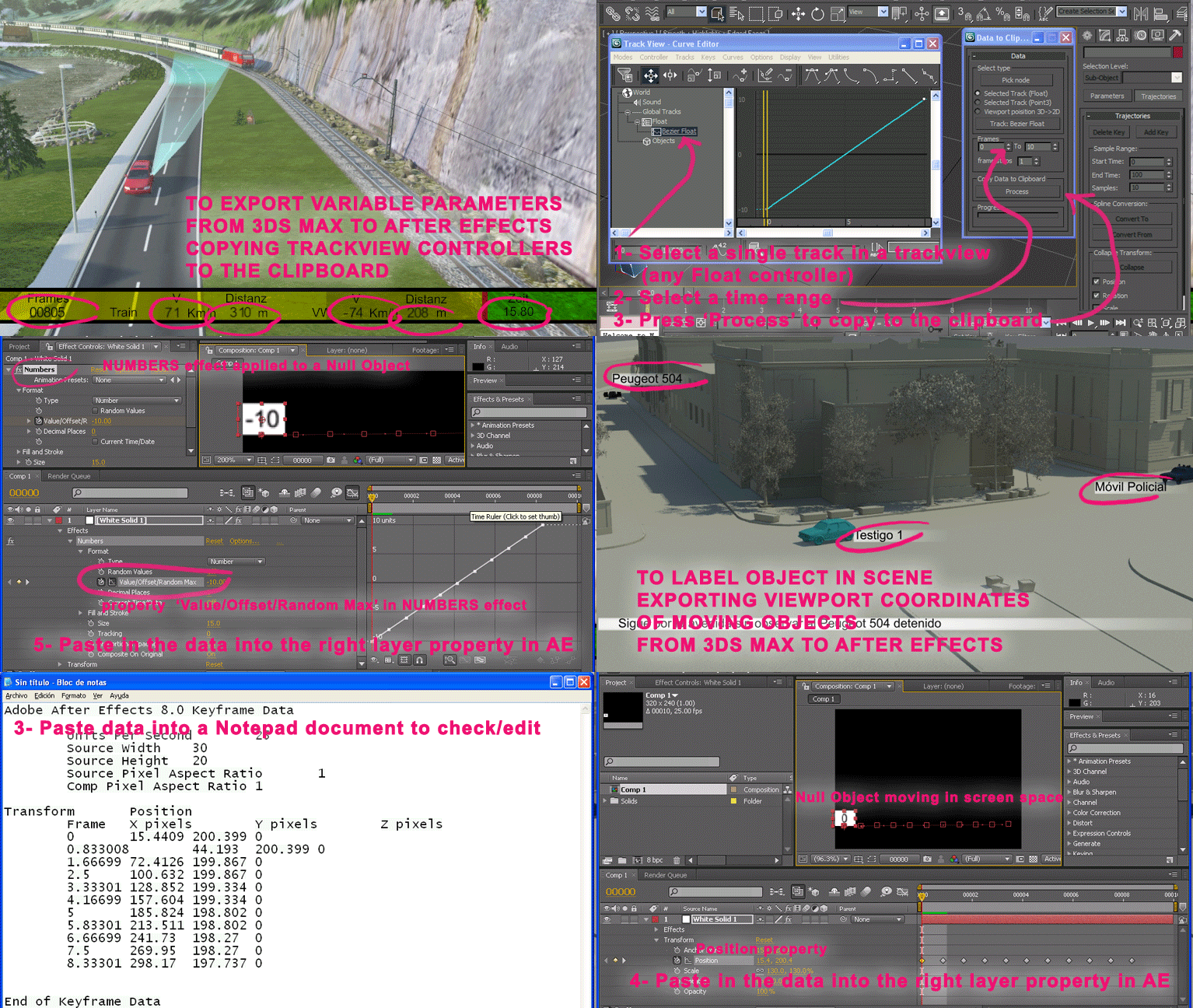
Export position coords. of selected object to be imported in After Effects.
Or export float controller values to show in a text layer in After Effects.
3D position coords. are translated to viewport coords. Intended to locate a label in 2 dimensions on the animated object in AE.

Hide By Category

3 votes

Hide objects by their ctegory.

It will hide objects based on their class. For example if the spline object is selected the script will hide all  spline objects. If the light object is selected the script hide all  spline objects.

Installation: drag and drop the mcr file in max viewports. Go to Customize - Customize User Interface - "miauu" category and search for "Hide By Category" script.

tweetMax

3 votes

Joystick Creator

2 votes

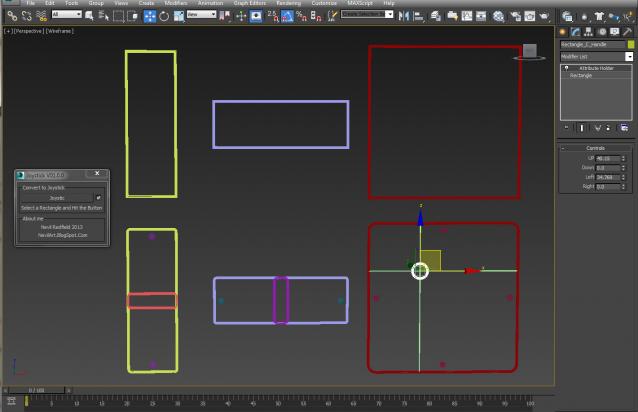
Quick Joystick Creator For Rig

1: create A rectangle and select that
2: run script and hit the Button

Unequal sides on the rectangle making Slider
A perfect Square making the 2D Joystick.

Custom Attribute generating on the joy calculating the joy value automatically, the only thing left to you, wire that to your controller.

Display By Category

2 votes

This script was requested by titane357 here: click

It will display objects based on their class. For example if the spline object is selected the script will hide all other objects and only the spline objects will remain visible in the viewports. If the light object is selected only the light objects will remain visible.

ArchiCAD import wizard

14 votes

ArchiCAD import wizard takes care of your exported ArchiCADâ„¢ geometry. it allows filtering out unwanted objects and cleans up the geometry by welding overlapping vertices - without affecting the shape - or degrading detail quality. it also creates a named selection set for every import step - allowing better scene management.

rdg::quickRenameSelected

7 votes

This macroscript lets rename the selected object without switching to Modif-Panel. Handy - if you have to rename a lot of objects without a common name-structure.

fbx into layers by revit category

0 votes

fbx into layers by revit category

1 vote

QuickLattice

6 votes

7/31 -- fixed the errors in the script that stopped from working. added a youtue vid to explain what it does

5/31 -- fixed some bugs; added better explanation

Syndicate content