3ds Max | Scripts

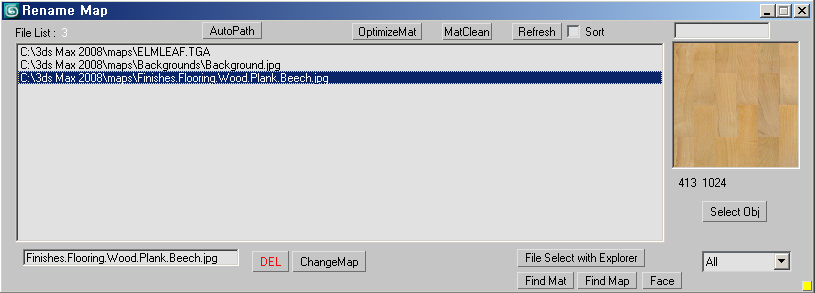
renameMap

17 votes

this script is possibility to change a bitmap name and delete and other thing for current Max scene.
you can choose select mode that All, select Object and Missing Map.

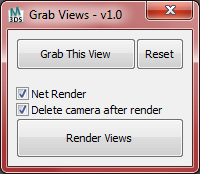
View Grabber

20 votes

The purpose of this script is to help grab a bunch of still shots based off of the perspective viewport, or other cameras in the scene and to prepare them for rendering.

Large Object Manager

12 votes

Allows you to set objects over a certain number of faces to appear as a box. Aids navigation in polygon-heavy scenes.

LightRigger

43 votes

LightRigger is a free Maxscript-based, draft-quality Global Illumination lighting system for the 3ds max Default Scanline Renderer.  It is based on the well known "old-school" principle of a light dome, but LightRigger takes the concept much further.

Variable Control

16 votes

I made quickly a small script to control if a variable is already used or not.
It gives you the variable value as well.

SymMapping_Tools for max

17 votes

This tool was created by inspired from XSI symmetry mapping with some additional feature for max and its saved on external files for easy to use. Works on editable_poly object.

Quick X-View

15 votes

This is a script utility that allows to see-throught (X-View) the objects during the work. Excellent for the stages of modeling with a reference image. Implements the function of 3dsMax of See-Through (Alt+X key).

Quick XView

NiezMatte

11 votes

first time make script
save the project before use it, it can render sequence as you set the time range in render setup (F10), and set the output path also.
this script makes the objects that selected will be render as white and other will be black and makes environment background off and be black and set the renderer to scanline, but it keeps the time range and output , so you should change the output path or will be overwrite.

cheers

Dennis WK

Quick Layer Organizer

31 votes

Simply create a layer and name it specific to what should go into the layer, for example "CHAR" for character geometry. Any character geometry you make you just need to remember to include "CHAR" in the object's name and when the Quick Layer Organizer is run it will find any objects with "CHAR" in the name and put them into the "CHAR" layer. Any objects that don't match the name a layer will remain in whatever layer they are currently in and the default layer is ignored during the organization.

DUM (Dynamic Utility Menu)

29 votes

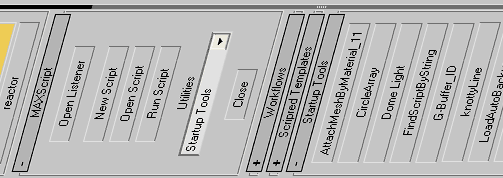
Smart utility menu for your scripts.
Easy customizable (noted inside the code).

DUM

Syndicate content