3ds Max | Scripts

MaxMechanic

2 votes

MAXMECHANIC v1.0

MaxMechanic is answer for 3ds max users request to fix it blind spots. MaxMechanic is a plugin for 3ds max that automatically scan entire scene like in case of antivirus to find and solve most common technical problems causing low 3ds max efficiency,along with number of powerful modules to clean mesh, convert materials,bitmaps,find missing assets and many more useful tools to everyday work.

AutoMatAssigner

3 votes

GuideLines
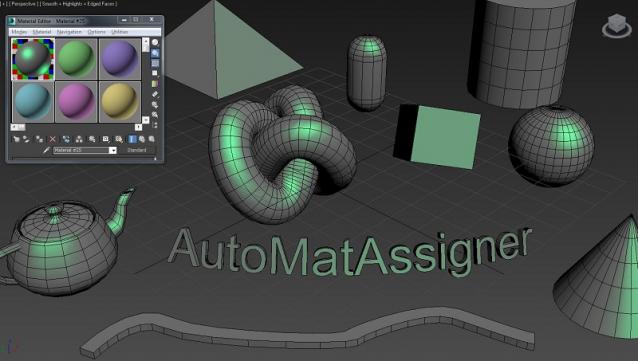
AutoMatAssigner script assign material and black
wire color for each new object created.
The material assign is the material editor first slout.
The script is designed to help the artist on the creating process
by emphasize the wirecolor and polygons from the objects.
To use it - run the Automat.ms and it will run as long as 3ds max open.

Test on 3ds max 2014

enjoy,
l-nio

Script Grabber

4 votes

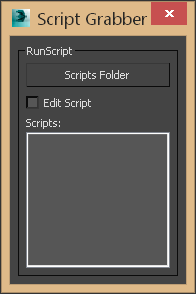
This script will search the selected directory and it's sub directories for max script files. Once they are loaded you can:
-Double click will run the script, if the edit script option is checked then it will open the script for editing.
-Right click will open the contianing folder.

Script Grabber 1.0

Renamify

16 votes

Rename the selected objects and preview the changes before committing. Replaced by Renaming Army Knife

Realtime Color Pick

1 vote

Simple color picker window to interactively, in real-time, change the color of selected objects

Multi AI Importer

0 votes

Written for the purpose of importing multiple AI (Illustrator) files coming out of Photoshop (paths) along with corresponding JPG images as textures. The script imports all, or selected, ai files, converts to polys, applies UVW maps, points to corresponding texture map, and collapses if needed.

JPG textures should be named the same as the AI files to work correctly.

(used extensively on Zack & Quack)

3DS Max File Version

2 votes

This VB-compiled tool serves just to test which version of Max was used to create the saved Max file. Since 3DSMax doesn't do a good job at writing its version in the file's properties - I use this tool to find out what version it was created in so I can go back to the proper 3DSMax to edit the file.

If you have multiple versions of Max installed and want to know what version you used on an old project - use this tool to find out.

DistanceConnect

3 votes

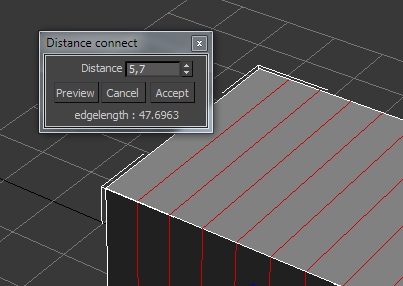
Connect edges every given distance.

Caddy Preferences

18 votes

In 3dsMax 2011, Autodesk introduced the new Caddies for manipulating Editable Poly subobjects. Many users have found these caddies to be troublesome and annoying, as they are often moving around unexpectedly and often blend in to the viewports so well you forget they are present.

Smooth Manager

2 votes

Hey guys, I just made a tool which manages common smoothing modifiers under one tool in 3DS Max.Do let me know what you think of it. Thanks!


TurboSmooth Section


MeshSmooth Section


Tessellate Section


Syndicate content