3ds Max | Scripts

Purge Unused Materials

2 votes

A simple macroscript to delete all unused materials from the Compact Editor Material Slots AND the Slate Material Editor Views.
The Compact Editor Code is from the existing Macro found under the Compact Material Editor "Utilities" menu.
I have added the code to also purge the SME at the same time.

You might want to check out the "Purge Empty Layers" macroscript as well. There are some awesome scene management tools out there but these are both small, simple tools without a lot of overhead for doing a little housekeeping before saving your file.

Change Textures (Assets) Extensions

4 votes

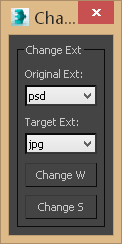
This small script will allow you to change the assigned texture extensions from one type to another either globally or to selected objects, the reason why I created this tool is you might face one of the following scenarios:

Find And Bind - Vray Hdri & Sun

13 votes

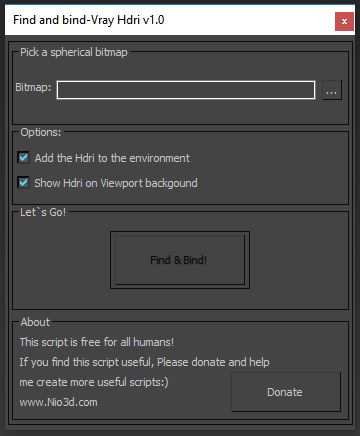
Find And Bind maxscript will scan your hdri and find the sun location.
After that,it will create V-Ray sun in this position and bind it to V-Ray Dome light.
You can rotate the rig by rotation the dome light or in the VrayHDRI map(horz rotation).

L-nio

Scripts List

6 votes

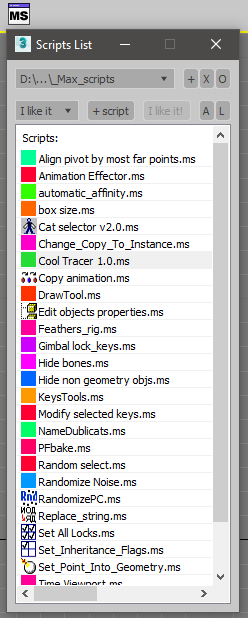
All your scripts at hand, Manage scripts folders and create favorite list. Access to your lovely scripts by two clicks or hotkey.

To install the script drag ScriptsList.mzp to 3dsmax window or run it.

ExpertMode Modifiers Control

9 votes

This little tool will allow you to control modifiers of selected object without accessing the command panel especially when it's active Expert Mode. Tooltip on the image below shows list of actions.

objectPicker

4 votes
try(DestroyDialog OP_EDITOR) catch()
rollout OP_EDITOR "ObjectPicker" width:240 height:550
(
	global fileX = #()
	global bgPath
	global OP
	global OPTimer
	global OPselection = #()
	global OPselectionIND = #()
	global OPstartPos = [0.0,0.0]
	global anyButton = undefined
	global OPmouseCurs = dotnetclass "System.Windows.Forms.Cursor"
	global OPkoef = 1.0
	--------------------------------------------forMove
	global OP_p
	global OP_move = false
	global OPCtrlSave = #()
	global OPposSave = #()
	--------------------------------------------forUndo
	global OP_UNDO = #()

3DS Max - Copy Paste Objects Between Scenes

7 votes

This is a script I created to help the user in copying and pasting
objects between multiple opened 3DS Max scenes.
Under the hood, it's a quick merge operation that is done without
Any prompt. If there is a name conflict, the coming object will be renamed. Also if there is a material's name conflict, the coming object
will preserve its own material but the material will be renamed.

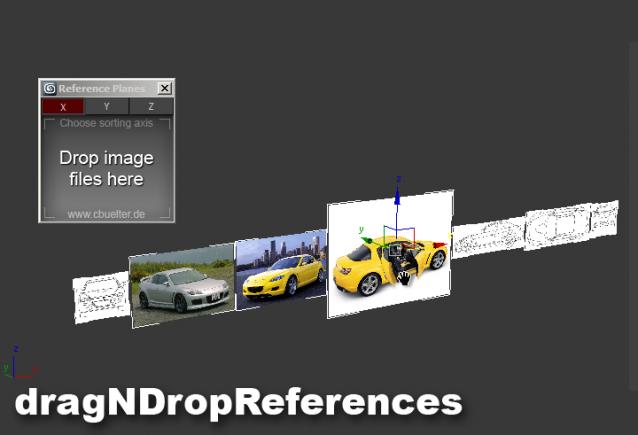
Drag & Drop Reference Images

17 votes

Slice Soft

1 vote

Hi, this is a faster slicer tool, an easy way to slice and cap your models.

Shape Now

0 votes

Hi, this is a simple script to transform a model poly to the spline wire form from that.

macroScript shape_now category:"#Scripts"
(
rollout shape_now "shape_now"
(
button btn1 "shape now" pos:[05,05] width:110 height:30
on btn1 pressed do
(
modPanel.addModToSelection (Edit_Poly ()) ui:on
subobjectLevel = 5
modPanel.setCurrentObject $.modifiers[#Edit_Poly]
actionMan.executeAction 0 "40021" -- Selection: Select All
max select all
$.modifiers[#Edit_Poly].ConvertSelection #Element #Edge
subobjectLevel = 2

Syndicate content