3ds Max | Scripts

Rename Objects Extended

16 votes

It's like Multi-Rename Tool in Total Commander.

Rock Generator 2 2018

1 vote

Rock Generator V2 2018 Script for 3dsMax

This script generates procedural random shaped rocks both low poly and highpoly.
Lowpoly mesh matches too close to highpoly mesh so you can easily bake normal map from highpoly to lowpoly.
Lowpoly mesh is automatic relaxed uvw mapped.
Lowpoly mesh has clear non-overlapping uvs.
You can change advanced parameters or you can simply click "random seed" then click "generate detailed rock" it will give totally different results.
If you want to create same rock more than once, you can use same seed number to generate rock.

Dynamax

4 votes

Dynamax allows Dynamesh like workflow in 3dsmax.

This is the second release of Dynamax.
DynaMax is a perfect solution for free-form sculpting because it removes all need for focusing on topological constraints. It’s possible to change the overall shape of any DynaMax by pushing or pulling, adding various pieces of geometry to combine into one, or even removing geometry in a manner similar to what you can do with Boolean operations.
It's usefull for sculpting in 3dsmax.

Dynamax V2 is out !

Whats new:

--Mspheres:

id_changer

7 votes

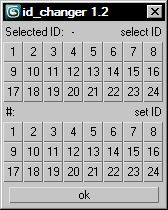
Selecting or applying material ID's with one click!

Rollout with button grid for selecting or setting material ID's of selected polys up to ID 24. Works with editable poly only. Displays selected poly's material ID if they're same.
Ctrl + click add specific IDs. Alt + click deselects specific IDs.

Examples:
Want to set some specific material ID up to 24 to selected polys? One click.
Want to select polys with same material ID's of selected poly? One click.

rdg::multiSubTools

10 votes

This tool generates a MultiSubMaterial with a random colored standard material for every materialID of the selected object.
Select a object and press 'generate material' to generate the MultiSubMaterial.
'shuffle colors' reassigns new random colors to the MutlSubMaterial of the selected object.

incrementalSave

57 votes

This macroscript is a replacement for the save function. It saves incremental file versions while keeping the name of the latest - most-up-to-date version always the same as the original file. This is good for XRef'ing because the filename does not change. Just add it to your File menu and/or define Ctrl+S as shortcut.
New: Old file versions will now be saved to a subdirectory
v0.61 update: Bug fix to handle non-standard number prefixes; small improvements to the UI and error messages

Time slider

2 votes

You can easily modify the frame rate in 3DMax, the start and end frames of time.

Simple and practical gadgets, hope you like

Updated:

   1.3 made a small modification to make it look more reasonable, real-time update rate and the number of frames

   Installation:

  Copy the script to the root directory of the largest

  For example:

   C: \ Program Files Files \ Autodesk \ 3ds Max 2014 \ scripts \ startup \

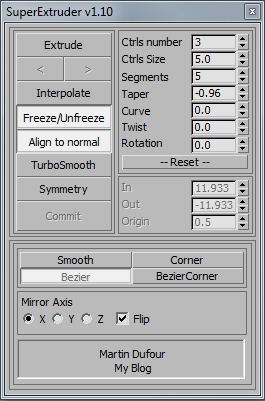
SuperExtruder

43 votes

Braided hair

11 votes

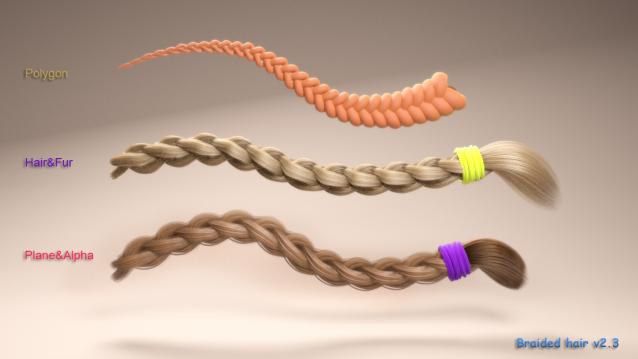
This script is useful for generating and rigging braided hair and any repeatable pattern in less time.

Spliner

4 votes

GuideLines

Spliner is a tool for flatten splins on one axis and conform the spline on mesh.
The script is working on a copy of the selected shape so you can always tweak
your base shape and run the script.
Spliner works only on shaps with no modifiers on top(stability reason).

The script is base on a script made by Klaas Nienhuis – www.klaasnienhuis.nl

Syndicate content