3ds Max | Scripts

Prime passes

0 votes

automated workflow for product rendering

in order to speed up your workflow in product rendering , avoiding long time rendering process, this script is for you.

auto passes available

--color pass
-- diffuse pass
--rim pass
--reflection
--blurry reflections
--AO

multi-path animation tools

2 votes

multi object path deform
just make some splines and choose object to follow and it will make it looks great
timing control , random timing

BCS_Projector (Boxify-Cylindrify-Spherify)

2 votes

With this modifier, you can project your object into either a box, a cylinder or a sphere.

In box mode, you will have ability to modify the width, length and height.

In cylinder mode, you can change the radius, the height and the direction.

In Sphere mode, you can only change the radius.

There is also a global parameter in percentage that control the overall deformation effect.

VrayOverScan

0 votes

Ever had to change your renderwidth but keep the same renderheight?
When changing only the with you know everything changes.

What if this wasn't necessary true?

Now you can change your renderwidth only without changing everything else!

AND THAT IN YOUR VRAYPHYSICAL CAMERA!

Methode based on a post by peter guthry (based on a methode by VisualEyesMedia)

Just drag and drop in your viewport and work your magic...

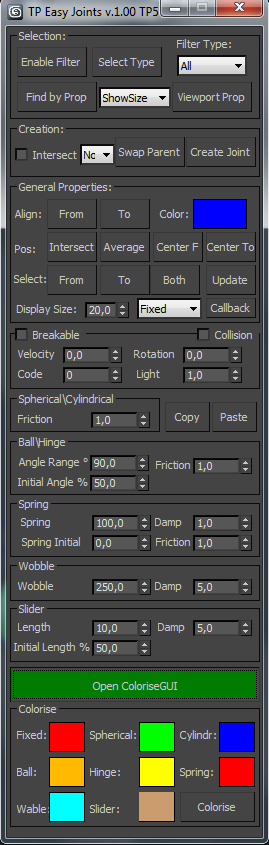
TP easy joint

3 votes

Script for easy creation cebas Thinking Particles joints between two objects and tweak their properties.

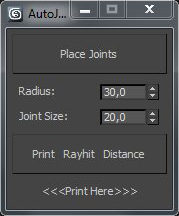
TP autojoint script

1 vote

Script for placing cebas TP joint helpers(Shape collision only) between objects.

It's a fast and "dirty" way to make lot of joint helpers with auto linking to objects.

The good idea is to check distance between objects BEFORE press button "Place joints".

In other case it can freeze and create a thousand of joints.

Require a "TP easy joint script" to work with joint properties after approval placing.

 
.

Rs PointCache Merger

6 votes

This script can be used as an alternative to comercial mesh-cachers like Boomer Labs SuperMesher or Thinkbox Xmesh with the limitation that this works only on animated meshes or objects that does not have any topology changes.

Rotate UVs

16 votes


This script was requested in one bulgarian forum.

The main purpos of it is to find the longest edge of the selected UV island and rotate that island around this edge on predefined angle.

You can align selected UVs horizontally or vertically around the selected edge(this can be the longest edge or the any other edge).

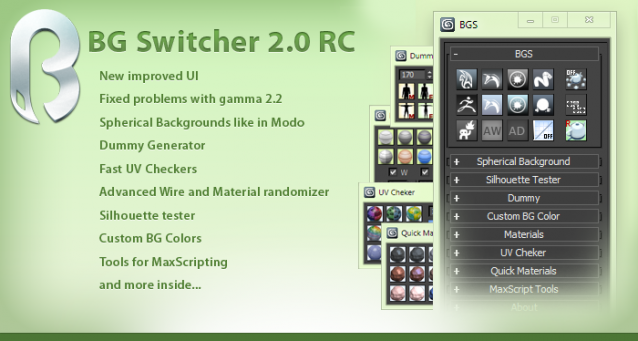
BG Switcher

153 votes

animManager

0 votes

An easy way to manage multiple animations in a file.

animManager allows you to create Tagged key frame or range of key frames and store it in the max file, you can then quickly navigate to keyframes or switch between range of frames using. animManager sits at the bottom of the viewport, and has very simple UI to work with.

animManager stores all the data inside the max file, hence you don't have to worry about carrying an external file with the maxfile.

 Updates :

  • Minor bug fixes..

Thanks

Syndicate content