3ds Max | Scripts

Isolate By Material V2.0

0 votes

An update of the script called Isolate_By_Material. This new version uses the Isolate functionality as opposed to the hide functionality used in the first version, which is more logical since sometimes you have some hidden objects before you isolate the objects and you don't want to unhide them just to bring back the objects.

You can download the script from the description area on YouTube

(script) 2600 presets of sun, sky, and clouds for Corona Renderer

1 vote


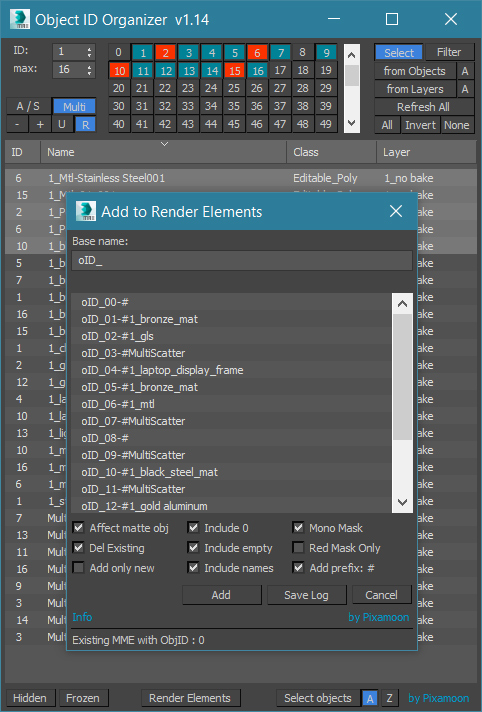
Object ID Organizer

24 votes

.
New:
 - Select / Filer from selected Layers
 - assign Unique or Random IDs for multiselection
 - new '-' and '+' buttons to shift selected IDs by +1 or -1
 - added 'Add name prefix: #' (in Add to Render Elements) - for automatic channels in Pulze Post Manager

Free test versions available - Please check end of description
.

Object ID Organizer is similar to my previous Material ID Organizer.

It helps to quickly organize / inspect Object IDs in the scene and create MultiMatteElelemnts or Corona CMultiMatte.

Color Mixer

6 votes

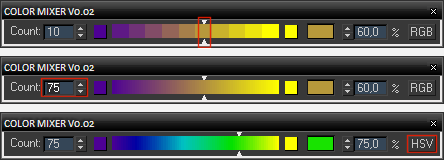
Simple color mixer. You can change the number of segments of the gradient control and move the slider or enter a percentage to get a desired blend of two colors in RGB or HSV color space. The width of the dialog can be changed.

Color Mixer UI

Advanced Bend Modifier

6 votes

A maxscript that gives the user more control over the bend modifier
It lets the user input a width and the script will move the center to get the correct width

features:

- uses smart snap to snap to a custom grid
- easily choose angle and direction
- apply new bend modifier with correct offset
- auto update current bendmodifier with selected settings
- realtime update of all settings!
- support for all 4 directions and 4 angles (90 180 270 360)
- choose your final width
- modify multiple selections at same time
- snap position to grid

Timeline Extended

0 votes

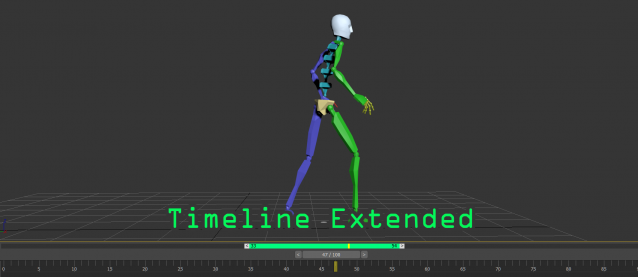
A timeline extended tools for easily playback on specific range, this tool was created by the ideas of pro animator.
This tool is very useful for those who are doing animation and want to have extra control to focus on specific time range.
Here is the main features:
- allow to playback sub-range of animation without changing the timing configuration
- drag the range panel(green bar) to quickly adjust the position
- quickly adjust the sub-range duration by dragging the start/end handles

MotionFX

73 votes

MotionFX is a powerful tool for motion graphics and visual effects in 3D MAX.

Spline to Stylized Hair

3 votes

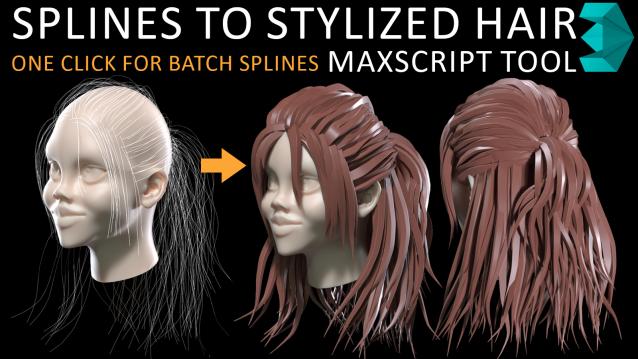
in my hairstyle workflow i tried to turn each spline to stylized hairs but there was limitations such as lack of ability to deform a hair mesh along to all individual spline at once so i have made this MAXSCRIPT tool for helping myself turn a batch of splines to stylized hairs in one click. also there is multiple parameters for tweak hair segments ,thickness and rotation. i decided to publish this as a useful and time saving product 

Corona Copy Material Slot

1 vote

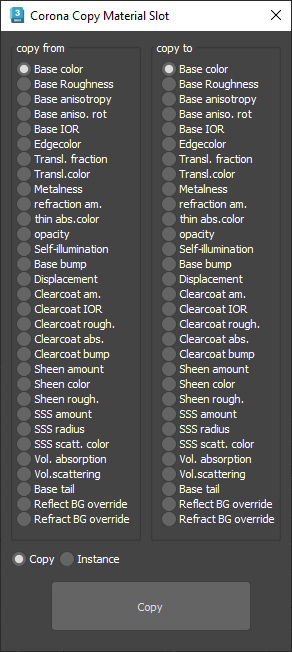
This is only for Corona Physical Materials, i might do a legacy version later..

This script is intended to batch copy from slot to slot within the same material,

For example, you can copy a bump map to a displacement map or the diffuse map to selfillumination on multiple material at once.

you can use my other script to add some color correction with a saturation set to -1, to create bump or roughness maps from your diffuse map.

Tx preview

7 votes

Hi, that's just simple script + .reg file to enable Tx previews in windows Cool

After running it:
- Tx files can be opened in any image viewer program
- enable Tx as window Thumbnails or Icons

Syndicate content