3ds Max | Scripts

ScreenEdge UI

59 votes

This script runs a script / changes a setting when you click on one of the edges of the UI (left, right, top) and even provides for alternates when pressing left/middle/right button and ctrol/shift/alt keyboard.


When you first run this script nothing is displayed on the screen. It doesn't have a UI per se, it just "works" after you run it.

library collector

17 votes

A simple script that can be used to merge individual .mat files (material libraries) into one big file. Pretty lame interface, but it gets the job done. Feel free to modify as needed.

Showcaser

0 votes

Instance Materials and Maps by Name and Class

1 vote

Free 3ds Max script for fast clearing a scene from duplicates of materials and maps.
Often after importing a file from DWG, FBX, or other 3D formats, a lot of duplicated materials and maps appear in the scene.

This script will help clean up your scene from such materials and maps.

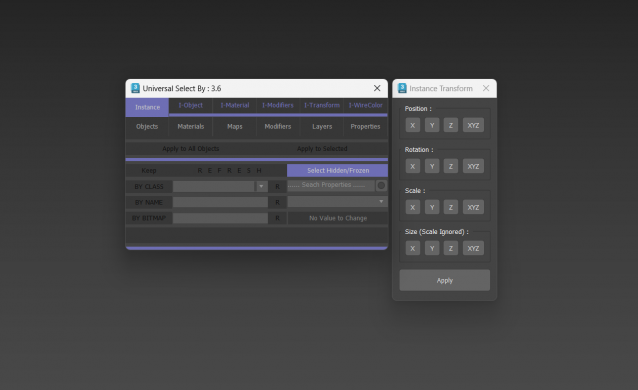
Universal Select By

9 votes

Biped Helper + Picker

7 votes

Biped Helper is a support interface designed to be used in conjunction with the main Biped panel.

It is intended to provide both quick access to existing Biped panel tools, as well as functionality that is not supported by the Biped panel.


See online guide in links section. 


Features include:

Bip2root

1 vote

Copies horizontal position of the biped onto the root object and links the biped to the root.

Two useful uses for this script:

  1. Use it to create a root for your biped (using the Static Root option) - so you can place your biped with animation anywhere in the scene without adding extra keyframes. Simply move the root instead of the biped itself.
  2. Some game engines require a moving root to calculate biped's position in the game environment space. With a moving root the biped itself actually stays in place and only the root moves.

Delete UnRemovable Layer

2 votes

You might encounter a situation where you want to remove an empty layer that you created earlier, but the delete option is grayed out in the layer manager. and you are unable to remove that layer. After all you have to remember that 3Ds Max never allows you to delete a layer while it contains nodes or the default layer called “0”. But in some rare situations, even an empty layer that you created and then finished with, may not be deletable in 3Ds Max. This happens because of some unclassified nodes that come with your imported models from other programs. These nodes are not visible in the viewport or the layer manager. The only way to eliminate them is to select those nodes using MaxScript and delete them manually, so the layer’s delete option becomes available again.

DesignToolBox - tools for architecture & design

4 votes

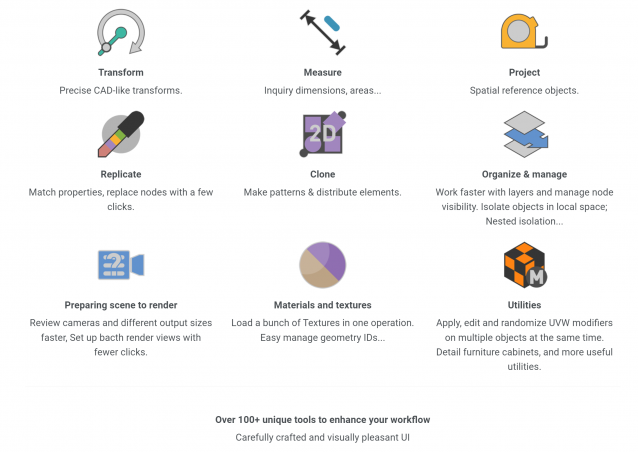
Design Toolbox is a collection of tools specially designed to accelerate and simplify basic modeling tasks for architectural models, furniture design, and other tasks where accurate modeling is needed. Professionals used to CAD or precision software will find it very familiar with some of the included transformation tools, like reference rotation, scale and position, measurement tools and reference guides.

The ability to place snapping points at polylines intersections, visual rulers, fast UVW mapping and random transform, cloning tools, scene management, panel grids, fast pivot placement, and workplanes are some of the tools included, and new ones are added with each update.

Spline Cleaner

6 votes

Clean, repair and organize thousands of splines in no time!


Description

Spline Cleaner is an advanced batch processing tool for cleaning, repairing and managing spline curves in Autodesk 3ds Max.

Select, attach, detach and delete multiple shapes using smart filters: by size, by length, by proximity, by similarity, by wirecolor, by layer, etc.

Syndicate content