3ds Max | Scripts

Custom Attrubute Animation Copier

8 votes

This script copies the animation on custom attributes and adds it to another object with similar custom attributes.

Usage:

1. Click the copy to button and select the object you want to copy the animation to.
2. Click the copy from button and select the object who's animation you want to copy.
3. Select the custom attributes to copy from the list box.
4a. Hit the do it button
4b. Or you can do an incremental copy which places a key on every frame for a specified range.

Notes:
1. Make sure the custom attribute is applied to an attribute holder modifier.

Install:

Custom Controls

1 vote

Custom Controls will help you during Rigging, to create custom shapes for your animation controllers.

It will help create animator-friendly rigs with easily selectable and beautiful controls.

You can Create new splines and add them to your library, replace the existing objects with these custom shapes, change their size, orientation, and colors.

It only replaces the base object, so everything else like modifiers, animation controllers...etc stays untouched.

Custom Graphic User Interface Modifier

10 votes

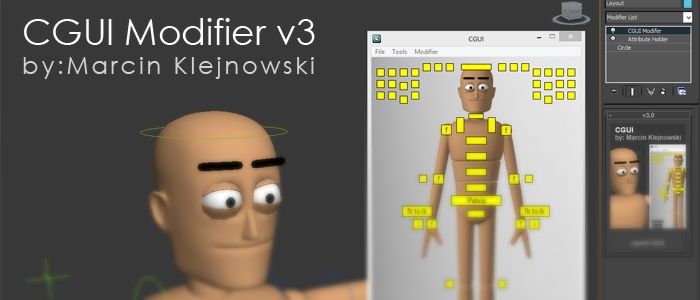
Custom Graphic User Interface

Custom Icon Maker

15 votes

Render the current scene to a set of icons. Create libraries - copy icons from one library to another.

Custom Normals Tool

3 votes

Custom Rigger

22 votes


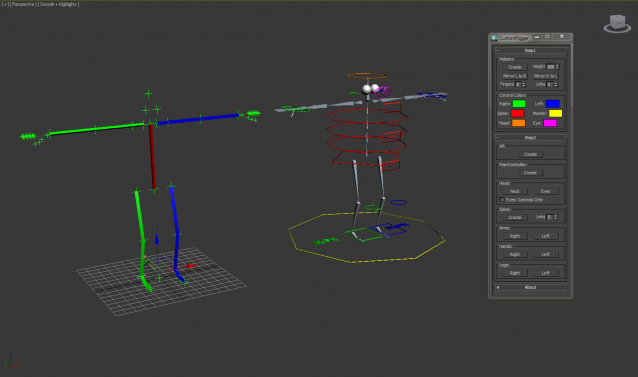
CustomRigger is a tool to create a rig in a matter of seconds.

You've got two steps in the process:

Step1

A setup off all the joints

Step2

Create the controls/bones you want

Custom Shortucts List

7 votes

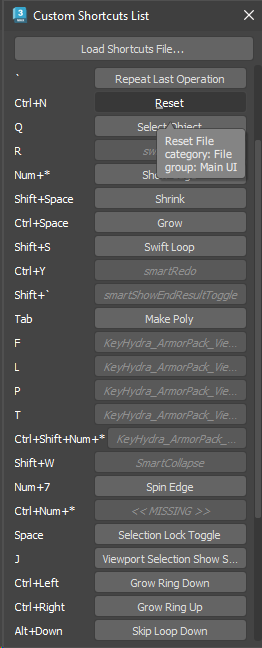
Simple dialog that shows all user-set hotkeys in one list. Hovering over each button shows the category and group of the action. Clicking the button executes the action - unless the button shows as disabled, which means that the action is not available (the macro might have got lost or it may belong to a plugin which is currently not installed).

Hotkey list

CustomAtt+

9 votes

Do you need add a custom button in your charator skin modifier - which when you click it - it'll run any types of maxscript. like move your charactor to skin pose(for cs)....
currently the custom attribute feature in max couldn't do this.
You can use this enhanced version to run any kind of script you input which your custom ui

CustomOutliner

3 votes

This is a tool designed to give the user more control than the default Select-By-Name dialog that ships with 3d Studio Max. It allows users access into grouped objects (searching through closed groups for objects - opening groups in scene on selection - etc.) along with multi-object renaming - moving - scaling - etc. A powerful object lister - and organizer.

CustomRCMenu

4 votes

Adds Coordinate System - Pivot and Scale/NU/Squash switches to the Control-RightClick Menu. Copy into STDPLUGSSTDSCRIPTS and restart MAX 3.

Syndicate content