3ds Max | Scripts

Fast Vray render tool

1 vote

Make a fast render of the model with just one click!

Features
- 4 vray materials are created for make some different test.
- Support for fast preview rendering and high quality test render.

This is my first script, any kind of report are welcome.

Faster File merging into 3ds max

1 vote

3ds Max always saves a backup file when merging file into it.
Disabling the Auto-Backup function does not solve the issue.

To stop the saving behaviour of 3ds Max at opening/merging a scene file:
Open the Scene Converter at: Rendering > Scene Converter
Disable the function Backup Original Files:

BUT, some max versions just do not save this settings, so you have
to, always for every scene, over and over, check this settings.

This small startup scripts save the time and nervs!

Just put it into

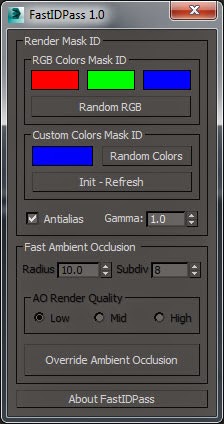
FastIDPass 1.0 - Released for free!

1 vote

FastSkyDome

4 votes

My second script. The only thing it does is creating & setting one of those annoying skydomes from the old tutorials (still very usefull for people like me). I haven't seen other people skydome tutorials so i cant comment on them(though theirs are probably better than this one) - but i like mine it saves me some time - and hopefully yours too.

Cheers!

Faustics

4 votes

Faustics is a MaxScript for creating procedural water Caustics effect in 3ds Max, easily and quickly. Faustics produces beautiful Caustics effects and these are extremely fast to render.

Update: Minor update.

Favorite Scripts

32 votes

.
v1.39
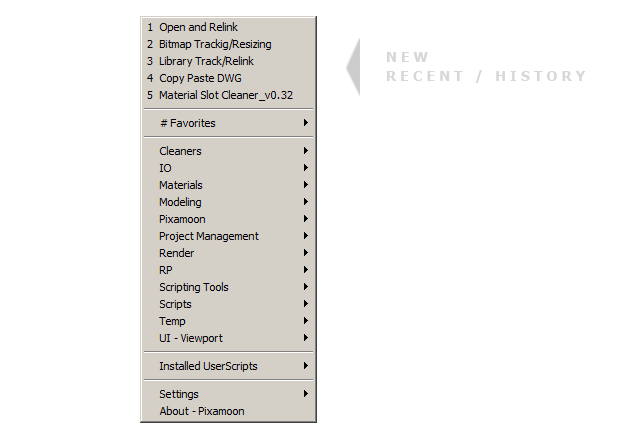
New: Recent / History of last picked scripts (only Full version)
.
.

Automatic Scripts Menu for .ms and .mse scripts.
.
From Office Network location, Local or Dropbox ( same scripts on every machine and all max versions )

Favorite Transforms [Smart Tool]

4 votes

Define move/rotate/scale tool and the coordinate system (world,parent,local,gimbal) per object and let Max automatically switch based on your selection.

After years of manually changing tools and coordinates and wasting my energy, I thought its about time to change that. I hope you find this as useful as I do!

Introducing my little "Favorite Transforms" tool.

Store your favorite tool (move, rotate and scale) and coordinate system settings ONCE into the objects user property via the SET button.
(Rightclick the buttons to open the object properties to check.)

Favorites / Quick Folders

12 votes

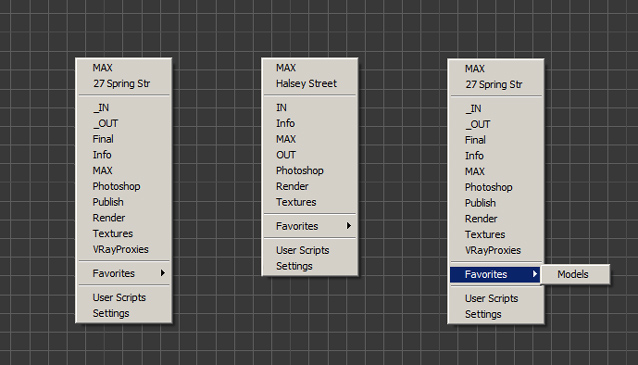
Favorites / Quick Folders it's a popup menu for easy access to:
 -  Project folders
 -  Favorites
 -  User paths

It can Open folder in new window, Open Max file (Ctrl) or Merge model (Shift)

It automatically search for project root folder and subfolders.

fbx into layers by revit category

1 vote

fbx into layers by revit category

0 votes
Syndicate content