3ds Max | Scripts

P_Layers

2 votes


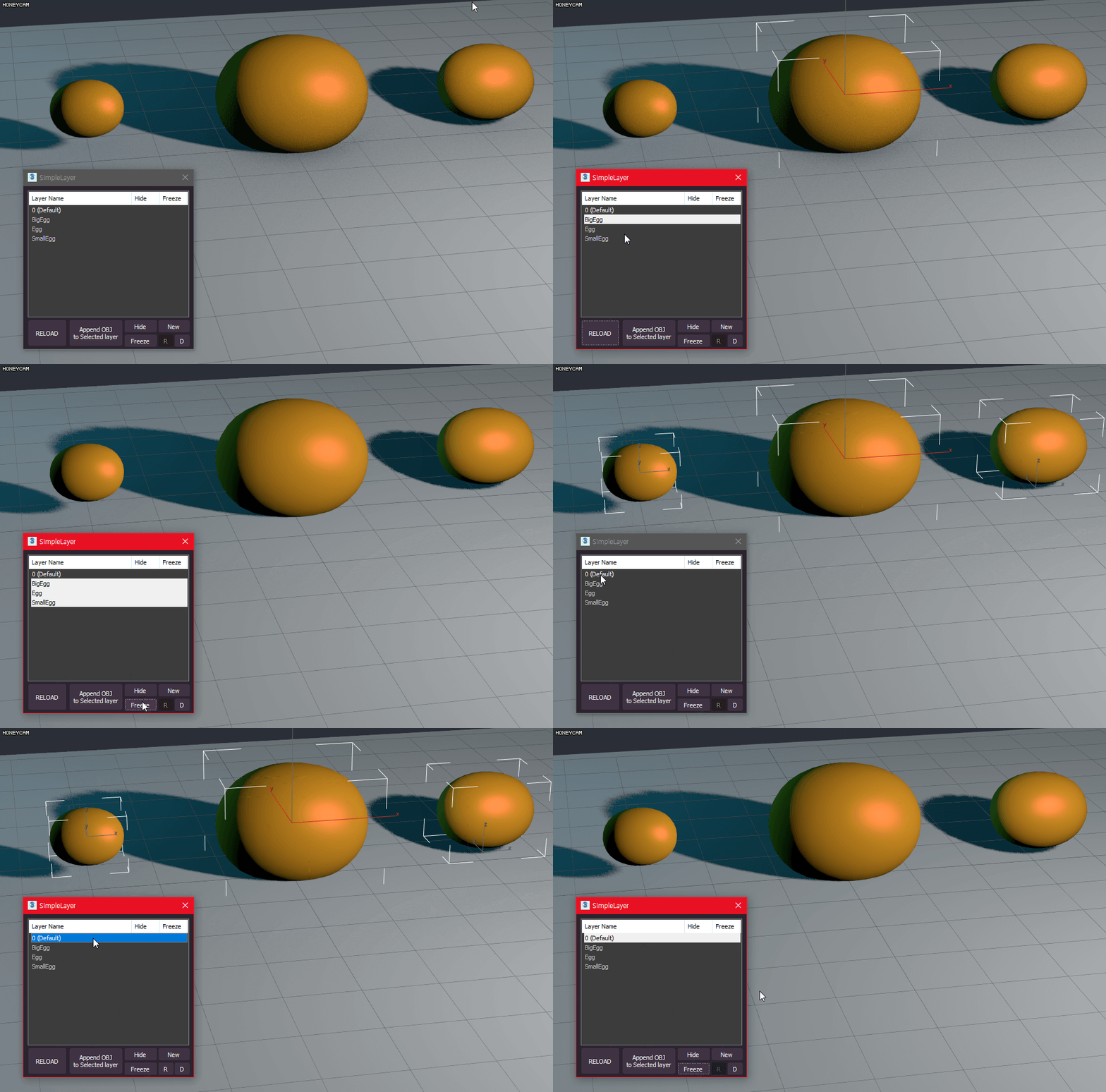
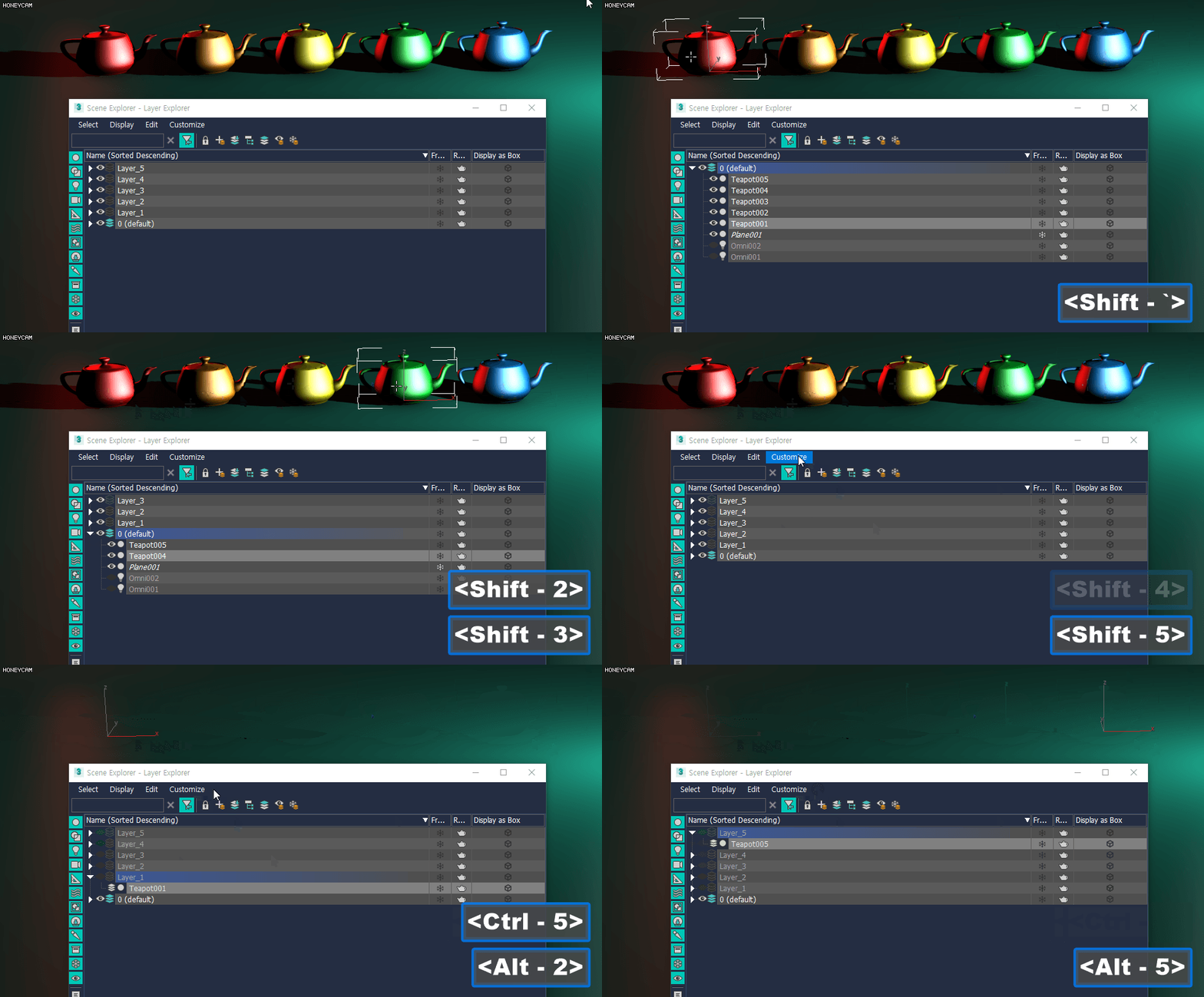
P_Layers is a script for easily registering, selecting, and hiding layers

How to install
- Drag and Drop Script to 3ds Max Viewport
All functions are registered as macro scripts
(Customize User Interface - Category - P_Scripts)

Features include: (recommended shortcuts)

Append Layer (Shift 1~8)
- Append the selected object to the layer of that number

P_LockSelection

1 vote


P_LockSelection is a script that changes the LockSelection function to the Hold method from Toggle. At the same time, these are auxiliary scripts that match this. As a result, users will feel more comfortable operating the gizmo from a distance.

This might be helpful to anyone who manipulates gizmos.

For more information
https://www.canva.com/design/DAF1tIV5nMA/jGyhAjAuOzgx6ynRYqaUfg/edit?utm...

P_MorpherHelper

2 votes

P_Morpherhelper is a listener that provides quick access to Morphers. You can also configure sets.

-Easy&Fast Morpher Listener
-Morpher Channels Sets

You can have direct access to the scene's morpher channel
You can also create categories to organize morpher channels and save multiple channels as a set.
For example, you can save and use the channel values of 30 left eye / 90 right eye / 80 mouth as a set.

This script is free. (Includes all features)
If you have any questions, ask me.
https://discord.gg/MUGhNgu
[email protected]

P_ObjectRenamer

1 vote


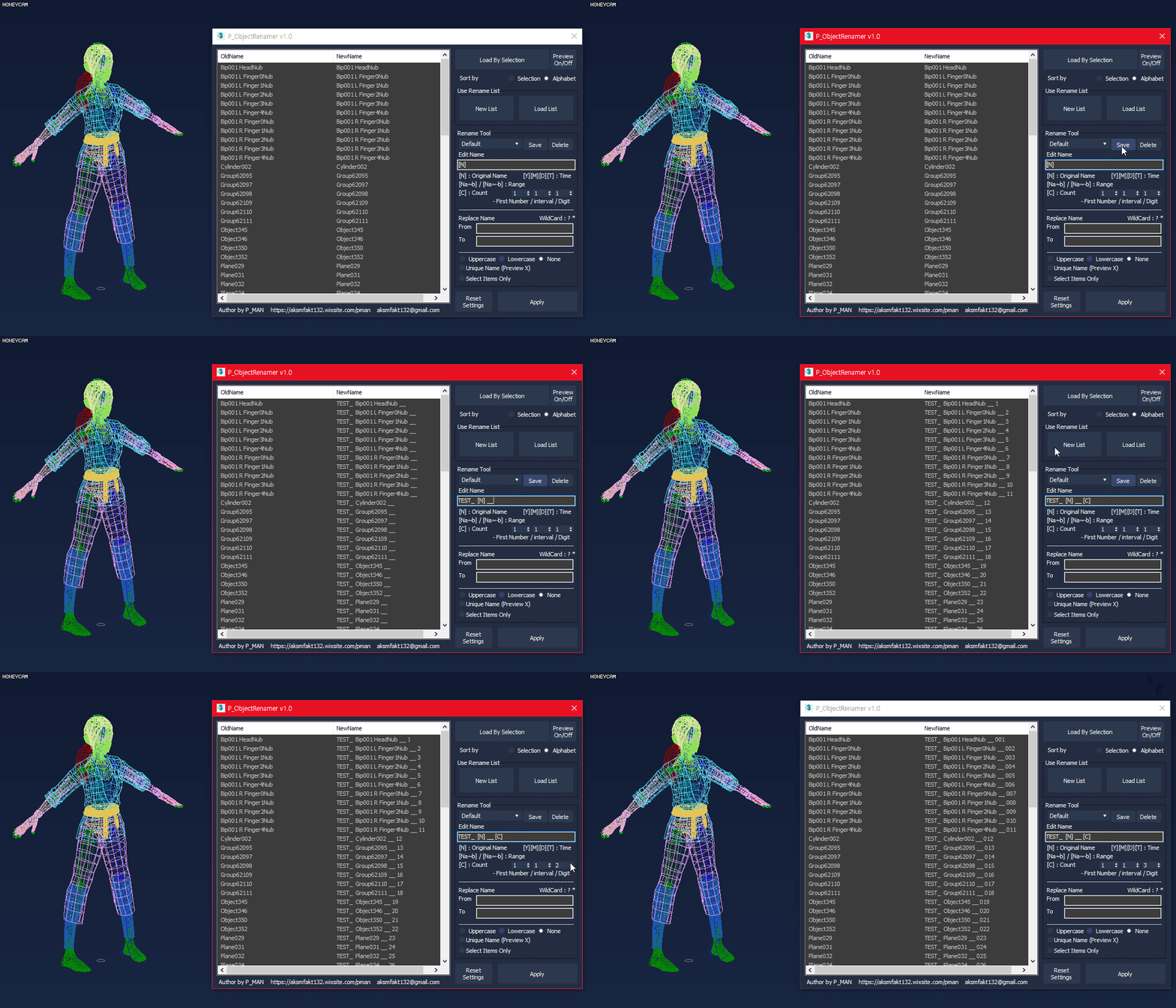
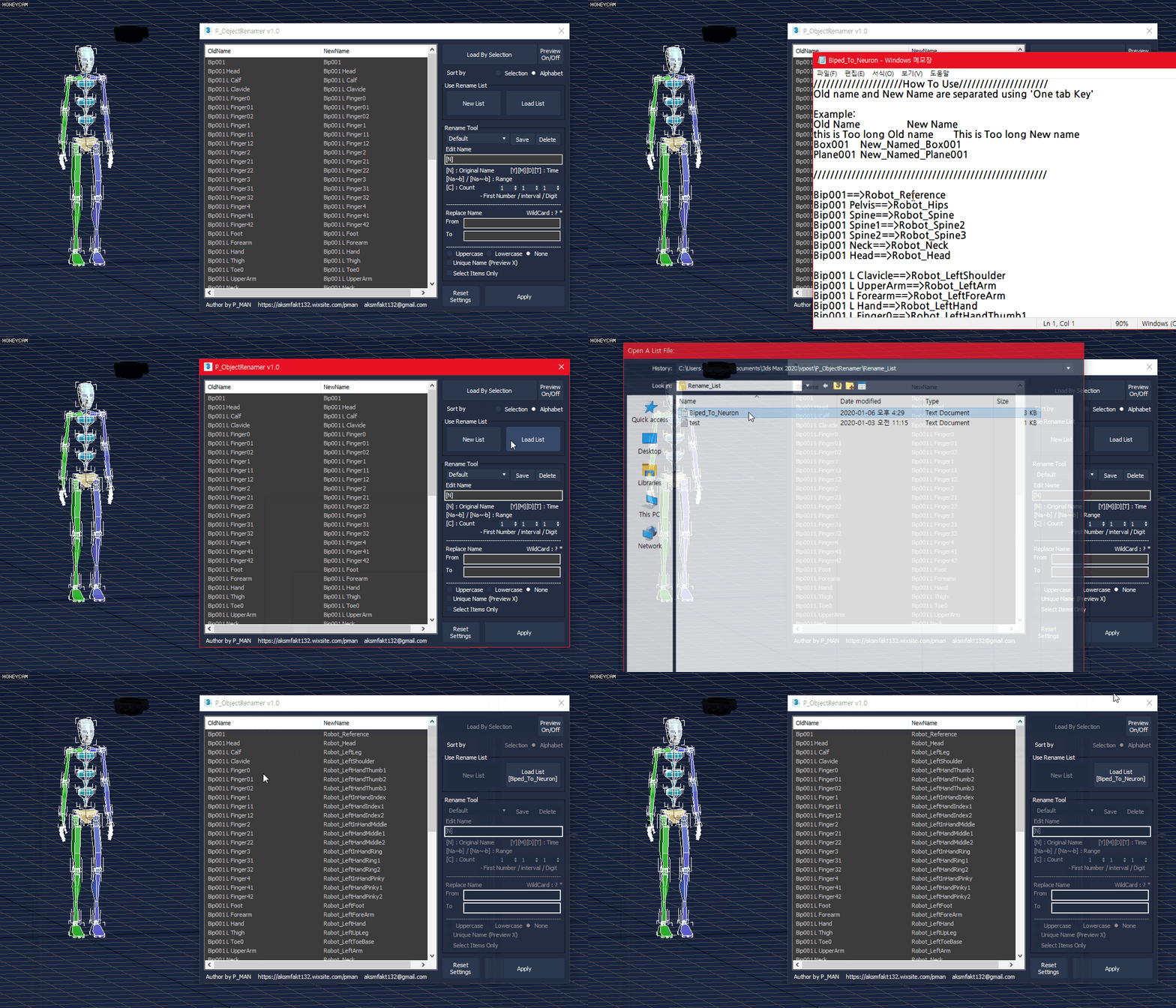
P_ObjectRenamer is a tool for object rename

- Rename Preview
- Rename preset
- List Rename
- Various options(date / time / range / count / etc..)
- Replace Name
- Uppercase / lowercase
- Unique Name

This script is free.
If you like my script and want to sponsor me, please purchase this script
https://gumroad.com/l/PTEXTURE

If you have any questions, ask me.
https://discord.gg/MUGhNgu
[email protected]
Welcome comments and feedback

P_Scripts (Scripts & Shortcut Management Tool)

3 votes


P_Scripts is a 3ds Max Script & ShortCut Management tool.

P_Scripts displays a list of buttons based on the type, status, and modifiers of the selected object.
Hotkeys for using buttons in P_Scripts are independent of the shortcuts in 3ds max
It also contains the majority of the scripts you can see in the video

You can download the Full version here.
https://gumroad.com/l/PScripts
(It's FREE)

If you have any questions, ask me.
https://discord.gg/MUGhNgu
[email protected]
Welcome comments and feedback

P_SkinWeightTool

4 votes


P_SkinWeightTool enhances the functionality of the 'WeightTool' in the Skin modifier.

features

- Bone Select + (Parent, Child, Mirror)
- Weight Draw Gradient (Line, Circle), Hammer, Avarage
- Copy Weights from closest
- Lock Weights
- Save/Load Selection, Save/Load Weights
- Display support options / Script for bone management
- etc...
(Be sure to read the readMe.txt file before use.)

--DEMO Version is free and includes all features.(Try this first before purchasing the paid version.)
http://pman.gumroad.com/l/qttfyz

P_TexturePathManager

6 votes


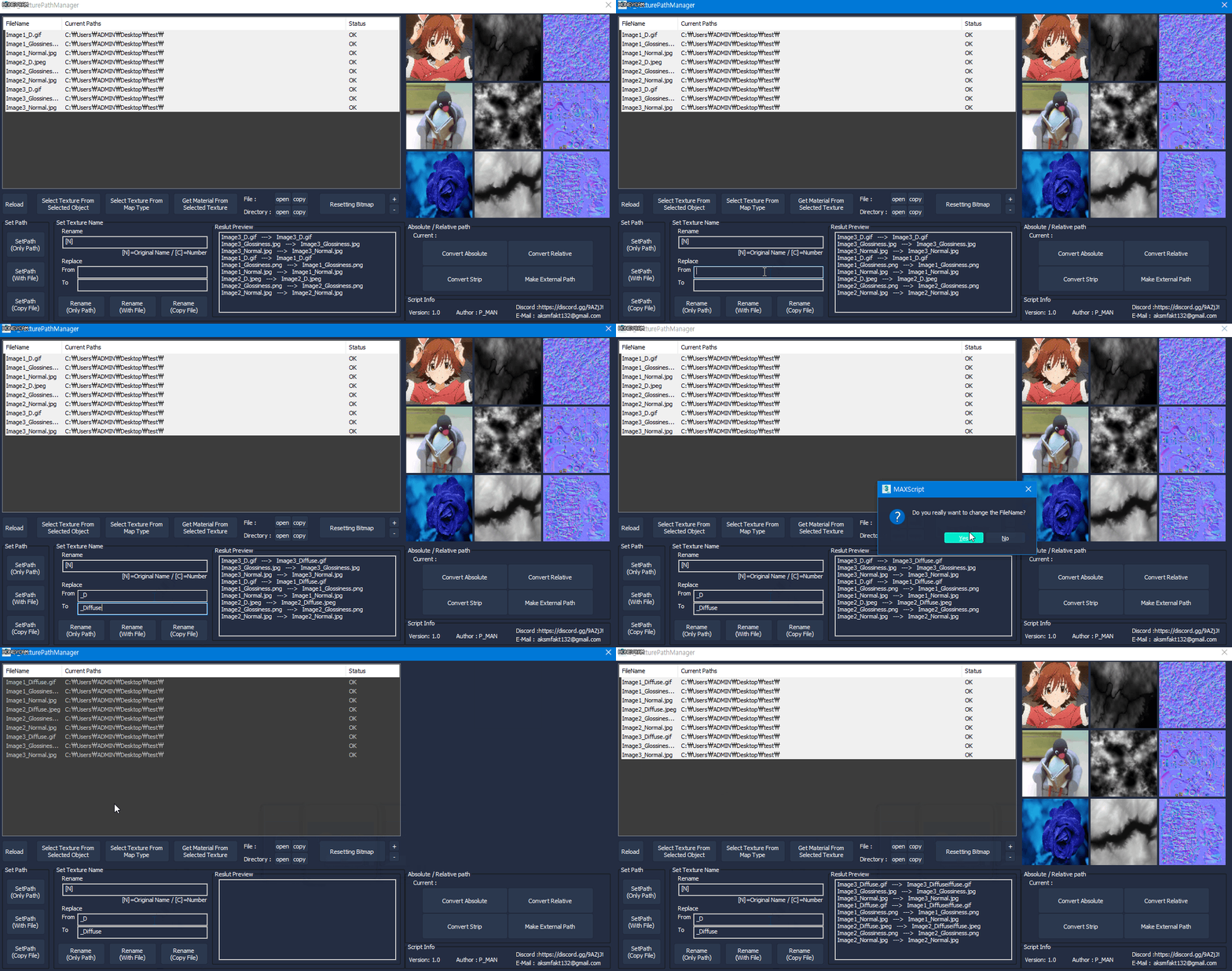
P_TexturePathManager is a script that manages the texture path.
The basic functionality is similar to Asset Tracking, but provides some distinctive features.

- Texture Preview
- Texture selection from map type (ex: Normal map texture Select etc.)
- Select material From texture
- Set multiple file paths (path only / with file / copy file)

Q-Proxies

1 vote

Q-Proxies 3dsmax plugin - banner

Instant Proxy Meshes for Scene Optimization


Description

Automatically create multiple proxy objects that replace your high-poly meshes to speed up your work on heavy scenes.

Q.A.C. (Quick Assign Color)

11 votes

This little and funny Script, allows to change Wirecolor and Standard Material to a selected object without open and change the diffuse color in Material Editor. Very useful for quick application of basic colors on the object.

Q.a.c.

Qbify

0 votes

Qbify is a simple tool that can transform an object with closed mesh into aproximation of its shape in a form of cubes, behaving analogicaly to pixels.

Script supports animation.

Syndicate content