3ds Max | Scripts

3D Printing Exporter and Organiser

0 votes

This is a beta script to export the contents of a build platform that you have organised in 3Ds MAX. Currently it only functions for scenes setup in millimeters, but I plan to set up and test auto scaling of all possible system unit combinations in MAX.

You'll notice a number of greyed out buttons, particularly if you don't have makerware installed. This just means that these features are dependent on content you don't have, or that I haven't completed them yet.

outrender

2 votes

Outrender lets you work in 3ds max during rendering.
It uses the standard command-line utility 3dsmaxcmd.exe to render current scene.
Just press outrender macroscript button and continue working - last saving of your scene will be automatically loaded and rendered in another special 3ds max window.

Octane CamTools

3 votes

Red&Cyan Octane Tools

What do they do?

- Create free Octane cam:

Obviously creates a free octane cam. You can decide wether you want to use a focus plane or not.
the focus plane affects the focal depth and vice versa.

- Create octane cam from view:

Works exactly as the usual "create camera from view".
You can also add a focus plane, wich is linked to the focalDepth.

- Replace with octane cam:

Select the camera/s that you want to replace and run the script. for each selected camera an octane cam will be created.

Mirror Geometry Tool

3 votes

A simple mirror tool which allows users to create mirrored morph targets provided the mesh is perfectly symmetrical.

Putting it up as request from a vimeo user. Some early work so it can cause crashes and might have some bugs with it. Play with the script how ever you like.

Mirror Geometry Tool

0 votes

A simple mirror tool which allows users to create mirrored morph targets provided the mesh is perfectly symmetrical.

Putting it up as request from a vimeo user. Some early work so it can cause crashes and might have some bugs with it. Play with the script how ever you like.

EchOoo PRO

3 votes

This tool is inspired from tools you can find in 2D animation softwares, like the Onion Layers in Flash or the Echo effect in After Effects. It's a new max object where you can pick different sources and offset their time animation, but alsodivide this time offset by the number of source copies you want. Creating nice animated duplication effects, for motion graphics or simply to check your animation without using trajectories.


LazyBridge

0 votes

A simple tool to save a lot of time if bridging a lot of polygons is part of your workflow.

[V1.2] UPDATE!

Now LazyBridge works even if the editable poly in question has modifiers on top. Also, the GO button is no more, now the script will automatically select an bridge polygons when you click the direction button.

-------------------------------------------------------------------------------------------

Light Painter 1.0

7 votes

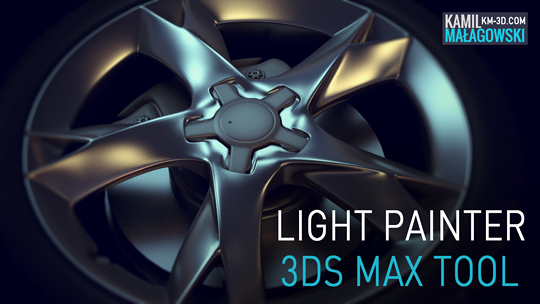
The Light Painter script was created to help you with lighting your scenes and setting the reflections on your objects using v-ray lights. You can place the reflections from different lights exactly where you want by picking points on your objects.
Watch the video below and see how fast you can create amazing renderings!

Load Multiple Bips

0 votes

I created this script to speed up my daily work with crowd animation. If you have a lot of character studios rigged bipeds and need to load the same animation (walk loops, conversation...) on all of then, so this script might help you.

It's a .mzp file that you can just drag and drop into 3ds Max or run through the MAXscript menu. After that you will find the script at: Customize > Customize User Interface > Toolbars tab > Category: MMScripts > Load Multiples Bips".

To use the script you just need to:

Sal Facial Auto Rig

1 vote

Sal Facial Auto Rig V1.0Beta
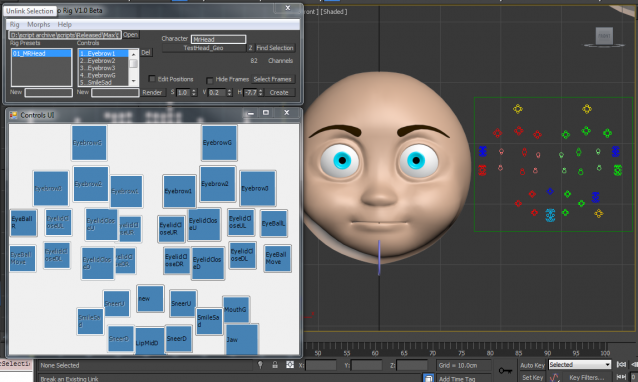
Sal Facial Auto Rig provide fast and easy way to create facial rig in 3Ds Max, all you have to do is to create your morphs and connect them to your setting file and your rig will be ready in seconds

Syndicate content