3ds Max | Scripts

mmRegions

7 votes

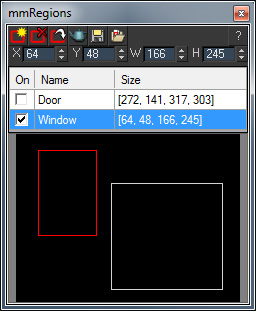
mmRegions is a free script which helps you manage the render regions in your scene. Use is to save/load different regions, and to batch-render multiple regions.

See the download link for installation instructions and additional info.

 V1.15 New Features:

  • Fixed: X/Y spinners had a wrong minimum range of 1, it has been fixed to 0.

V1.1 New Features:

Cryengine 3 export preparation

0 votes

This script is specific for use with Cryengine 3. So if you don't intend to use this with Cryengine 3, this script will not work and be of no use for you.

It creates all the appropriate layers for the lods and main object, creates the dummy and linking the mesh to the dummy. Creating the proper material, submaterials (4 by default) for the model and the proxies, assigning the crytek shader and the physicalize (no draw) to the proxies.

Left for you is assigning the proper IDs manually to the correct submaterials (if needed).

create stairs

22 votes


GlobalVrayLightsProperties

0 votes

this simple scripts allows you to change the common properties of all vray lights in the scene. works with Vray light Plane,Vray light dome,Vray light sphere,,Vray light mesh

hope you find this useful

tested in 3ds max 2013.. should work in lower versions of max


Uploaded with ImageShack.us

Stretchy Chain Connect

0 votes

v0.2
Creates a Stretchy Bone Chain between two picked helper objects.

have fun

Game Models Tools

4 votes

This script lets you perform various texture map batch operations and batch import and map various game object formats. You can batch populate and rename the filepaths for different map slots ( as well as set other common properties ). If you have many bitmaps named according to a naming convention, you can quickly populate the appropriate maps accordingly.

At the current moment, there is no help documentation.

Simply run the script from the maxscript menu.

Works with Standard and Multimaterial

Best Regards joqqy

SaveToPrevious

7 votes

SaveVersionHandler V1.10:
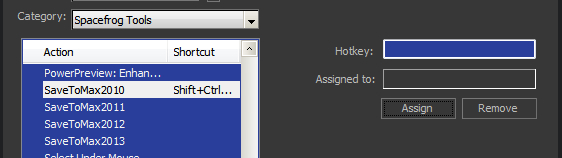
Making save to previous max version a bit easier to handle for the users was a thing i had on my mind for some time now. So finally a request by Nicholas Fox motivated me to put something together Laughing

See more details below...

Extended Cylinder+Cog

4 votes


3ds max scripted plugin's

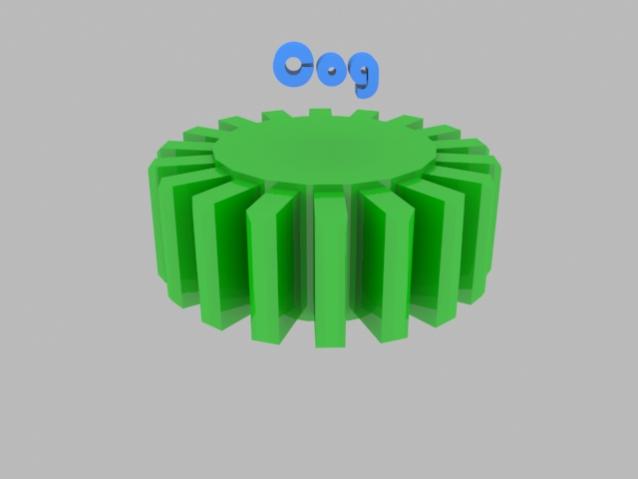
Cog:

Creates cogs, with easy to use settings:

  • Radius, Height, Sides
  • Gear Height-Scale
  • Gap
  • Inset, Chamfer
  • Angled
  • Smooth edge-top/bottom (!)Removed in latest version, hopefully will be added back soon(!)

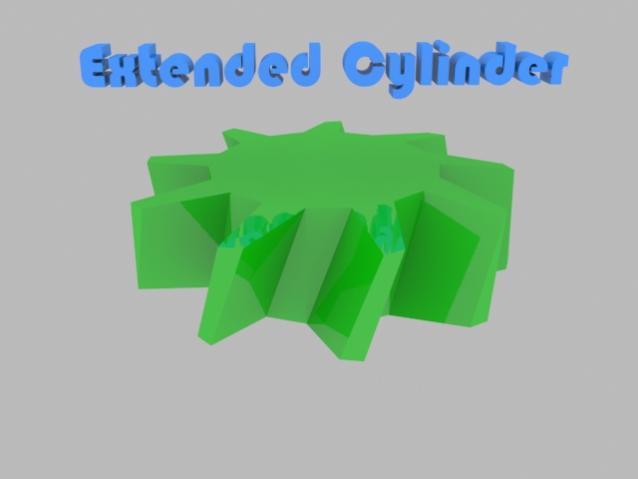
E-Cylinder:

Trackbar Mod Filter

6 votes

A small script that will install a trackbar filter which only shows the keys belonging to the currently selected modifier on the stack. So if you have 10 animated modifiers on your stack, you can now easily edit the keys for just one of them without opening the curve editor.

Run the script to create the filter (put script in /scripts/startup/ folder to make it stick)

To activate: rightclick on trackbar -> filter -> modFilter.

Enjoy!

noMissingUV

1 vote

Do you ever get the "Missing Map Coordinates" window popping up while you're trying to render?

We all do.

This script will add simple UV's to all Editable Poly and Editable Mesh objects that either lack UV's or have corrupted UV's.

Please, use caution when using this script. It may screw everything up. So, save a copy of your scene before use.

Syndicate content