3ds Max | Scripts

Wheel Align

16 votes

Hi,

This script animates a parented wheel, it's rotation along travelling path, and a steering rotation.

Greets,
TAS

Select By Size / Volume

16 votes

This script allows you to select objects by their size or volume, by checking their
- bounding box size (= bounding box volume) or
- the actual volume of the mesh (the calculation function for this is taken from the MAXScript manual, I think Bobo is the genius behind it ! :-) )

Warp Control

16 votes

An updated version of Warp Toggle. Turns off Space Warp bindings to speed up viewport work (a lot!). Turn them on or off with one click. Works on All objects or Selected objects. Also has a button to (permanently) remove Space Warp bindings from objects.

savePreviewToMaxfile

16 votes

Saves a jpg file containing your last render everytime you save a max file. Helps to keep track of your changes.

Change Pivot to selected vertices

16 votes

Maxscript for changing the pivot of an object to the selected Vertex.

Gamma On&Off (shorcut)

16 votes

New version with the enhanced user interface (1.2)
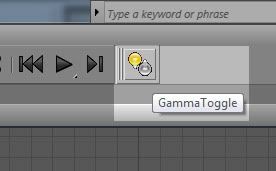

This is a simple script to facilitate the work of users, it creates a shortcut to be placed in the inteface of the 3ds Max for turning on or off the gamma 2.2.

The gamma adjustment is pre-configured but can be easily changed according to the needs of each user.

2D Tree/People Object

16 votes

Creates planar faces to be used as opacity mapped trees or people. You can get a sample and some maps in VIZ 3 Sample Scripts.

Swatches

16 votes

Swatches 'loads' .ase files created from the Adobe Kuler website (http://kuler.adobe.com/).

Here's a screenshot of the UI:

swatches


Ignore the 'save name.. folder.. save.. indexr..?' buttons - they were added for personal use.

Renamify

16 votes

Rename the selected objects and preview the changes before committing. Replaced by Renaming Army Knife

RH Script Manager

16 votes

Designed for big teams where you want to make sure that all the artists have the macroScripts they need and that all of them have the same version.By just running the installer from inside Max it will ask us to specify a name for the new menu that it will create later, a remote folder from where the scripts will be sincronized and a local folder where the scripts will be installed.

Syndicate content