3ds Max | Scripts

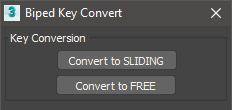
Biped Key Convert

0 votes

This script will convert all keys for the selected biped limb along the timeline to either sliding keys or free keys. Can be useful when making adjustments to mocap animations which typically have keys on every frame.

Furniture maxscript plugin

5 votes

FurnitureEdit: Demo version is available on our download page.

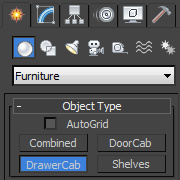
Furniture is a collection of four scripts for 3ds max that makes easier creation of furniture elements within 3ds max software package.Furniture plugin consists of four sub-scripts with which you can easily create, modify and manipulate:

 - cabinets with doors,

 - cabinets with drawers,

 - combined cabinets,

 - shelfs (vertical or horizontal)

by Albero Art

Kitchen Cabinet Creator

156 votes


Kitchen Cabinet Creator is a script for 3ds Max which is intended to automate process of making kitchen cabinets.

Version 1.01 is available.

Cabinet Creator
Albero Art Studio

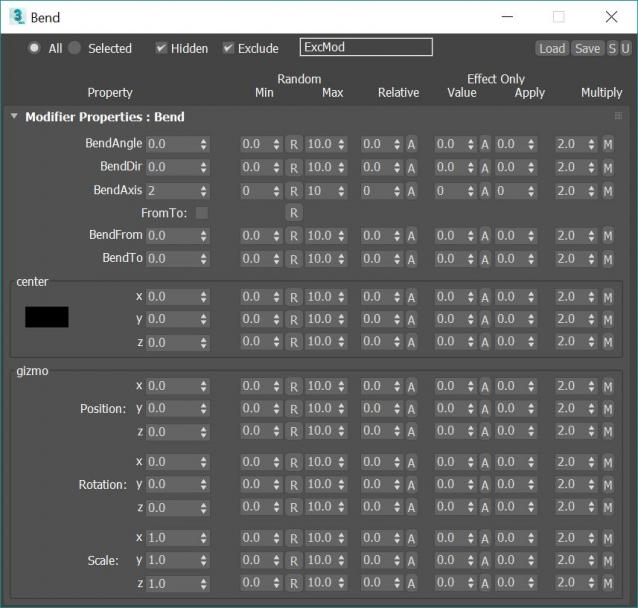
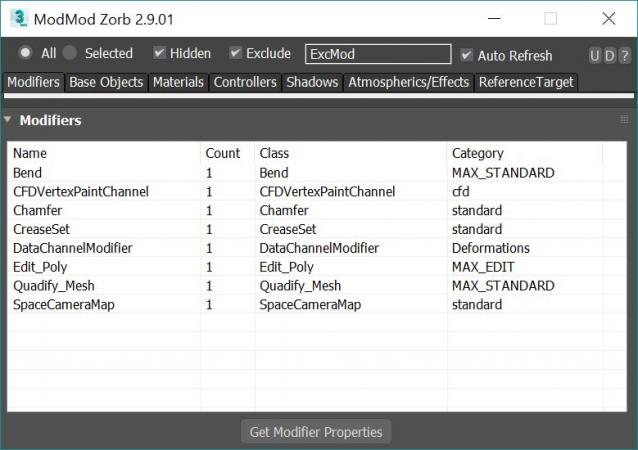
Modifier Modifier Zorb

283 votes

v 2.9.03, Added property dialog filters. Save Property window position and size, Changed "coorinates" prop to "coords" to fixes Vray HDRI map

v 2.9.02: Added Octane and extra Final Render Lights to On/Off and Multiply Right click Menu

v 2.9.01: Added Multiply option to ALL modify properties window. Can now multiply existing values by a chosen value

v 2.8.03 Fixed Save preset bug (for plugins like ky_trails)

v 2.8.02 Fixed ini file bug stopping wondow for opening a 2nd time

v 2.8.00 Added Exclude text field for filtering by name. Editing Refrence targets Tab now working!!! This means you can mass edit FumeFX object settings such as speed multipliers and other FumeFX and TP properties that were previously impossible to edit!

Edit ALL modifiers, ALL objects, ALL Materials, All Controllers, ALL Shadow types and ALL atmospherics/Render Effects. Work in max from a "Class-centric" way rather than a per object way. Edit thousands of object's parameters, randomize thousands of seeds, enable thousands of modifiers and more with a few clicks!

General Features (applies to all modifiers, controllers, materails, shadows, atmos and render effects):

MASS EDIT: Mass edit one property on all nodes at once, You can specify an absolute value, a relative value, apply an absolute value to modify, or multiply a value

MASS RANDOMIZE: Randomize one property on all nodes at once

SELECT/DELETE BY CLASS: Select all objects with a meshsmooth, or all spheres or all objects with a path constraint etc

FULL INSTANCE/REFRENCE TOOLS: Make all objects/modifiers of a class or selection instances. Make Base object refrences. replace base objects with another obj (eg make all selected boxes an instance of a vrax proxie.) Available for Modifiers and Base objects only ATM.

LOAD/SAVE PRESETS: Load and save presets in xml format for modifiers, objects, etc.

Specific Features (Can be done to All or selected):

Modifiers: Enable, Disable, Enable in viewport, Disable in viewport.

PointCache Modifiers: Set ranges, Set path, Flush path, Reload, Record.

FumeFX: Simulate, Load settings

Lights: Turn all, selected, selected classes on or off. Multiply all light vlaues.

Xref Object: Merge object

Materials: Show/Hide In Viewport:  Shows the material in the viewport. Doesnt work with texture maps yet.

Bitmap Gamma: Mass edit the bitmap load gamma settings. Choose auto or an overide value. Max 2014+

Spring Controller: Modifyspring controller settings (Needs its own section as springs are controlled differently with maxscript).

Merge Xref Controller:  Merges All/Selected controllers
Batch Loader

75 votes

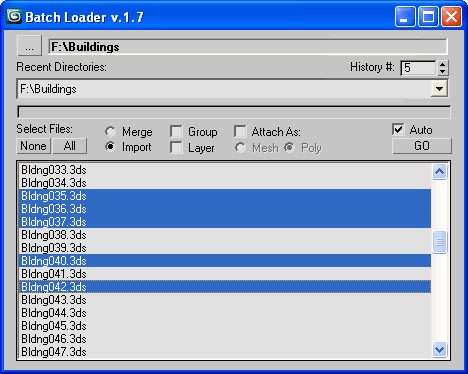
Quick Merge/Import multiple files.

UI v.1.7

Features:

  • Merge multiple .MAX files
  • Import multiple .* files (ie all that can be imported)!
  • Log all files where failed to load to Listener (if any)
  • Multiple history for recent used paths available
  • Limit count of recent paths to keep in history added
  • Group option available
  • Layer option available
  • Attach option available
  • "Auto" option (if is checked no prompt for Merge/Import) *

Image Comp Helper

3 votes

This is my updated version of Christoph Bülter's awesome imageCompHelper script (http://www.scriptspot.com/3ds-max/scripts/imagecomphelper) for displaying composition guides in the active viewport.

This new version has a couple of additions to the original:

Quick Boolean

1 vote

A set of tools to quickly perform ProBoolean operations on current selected object with preset profile such as Union, Intersect, Hollow, Trim, Subtract, Split and Knife.

It works very similar to SketchUp’s Solid Tools, where you can create complex boolean blocks in just a few clicks.

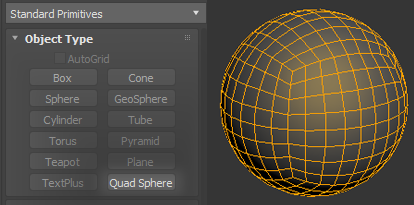
Quad Sphere Primitive

3 votes

This script adds Quad Sphere in your standard primitives list.

You can modify radius and segments count.

Tested on 3ds Max 2013, 2019 and 2020

Version 1.1:

Added ability to set settings as default

Defaults are saving to *.ini file. So they will be loaded even if you restart 3ds max.

3DS Max - Plugin - CopyPasteDWG

0 votes

This plugin allows the user to copy-paste objects from an opened AutoCAD file into 3DS Max.
The plugin works with multiple opened CAD files, it recognizes the last copied objects.
The script offers many filtering options for the imported objects like:
1-removing the prefix "Layer:" and this will make it easier to select objects by name
2-remove any material applied to the imported objects
3-remove the Block/Style Parent hierarchies
4-select the imported objects when importing is done
5-turn the imported objects into a group

V-ray maps baking script

9 votes

Features:

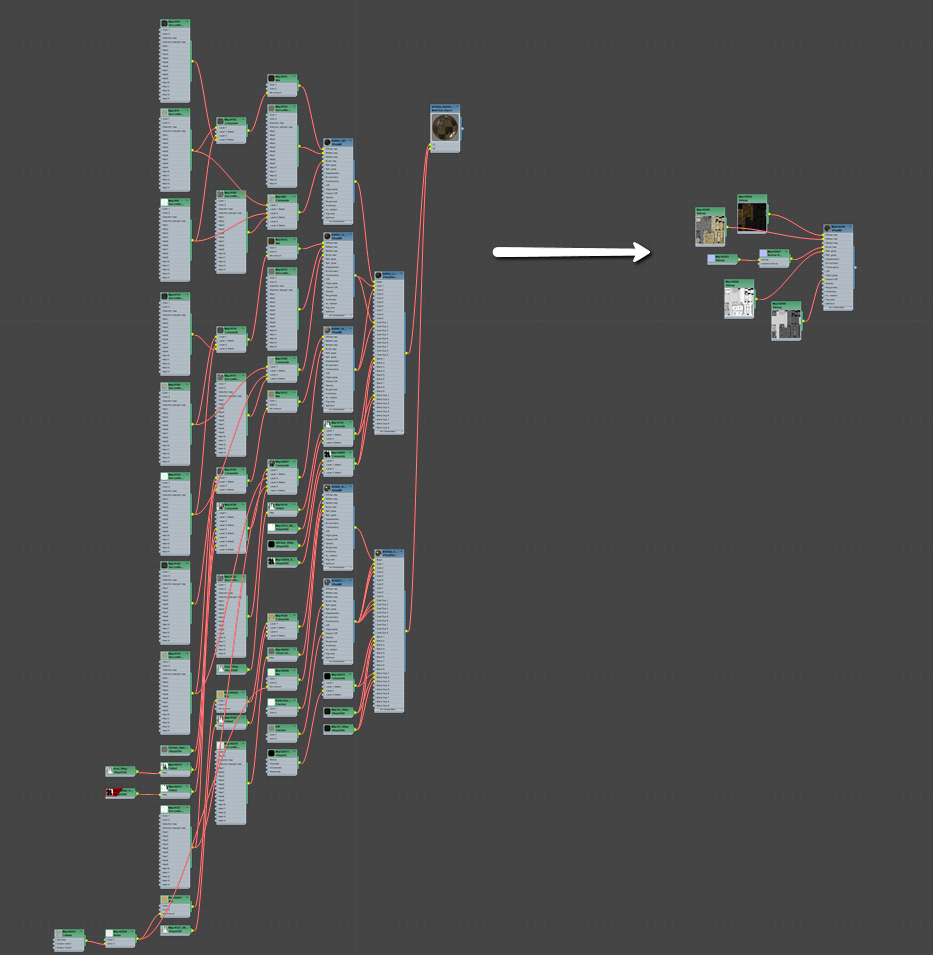
Bakes texture maps: Diffuse, Reflection, Refraction, Reflection Glossiness, Refraction Glossiness, Normal Bump, Fresnel IOR, Opacity, Illumination.

Creates VRayMtl with all textures correctly assigned.

Can convert exr to jpg using djv_converter.exe ( part of the http://djv.sourceforge.net/ )

Ability to load custom render settings preset for baking. It reverts back to old preset.

After Baking:

Syndicate content