ScriptSpot is a diverse online community of artists and developers who come together to find and share scripts that empower their creativity with 3ds Max. Our users come from all parts of the world and work in everything from visual effects to gaming, architecture, students or hobbyists.
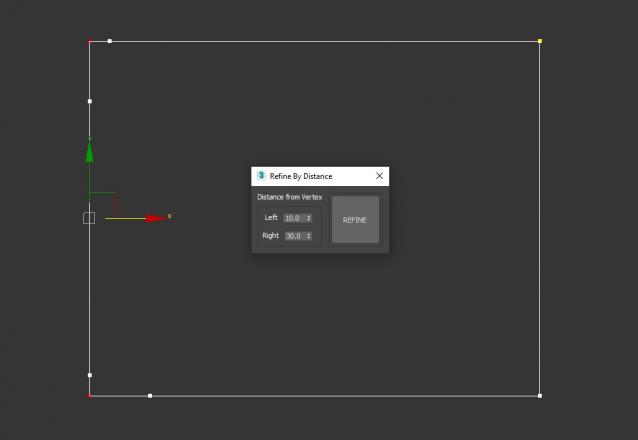
3DS Max Script to Add 2 Vertices on each Selected Vertex by Specific Distance or to All Vertices if no Vertex Selected . Left of the Vertex will be Towered the Previous Vertex . Work on Multi Selected Shapes .
With this script you can select splines' segments by matID.
There are two methods of selection:
- "Use IDs of selected segments" - select some segments and press the [Select] button. The script will find the matIDs of the selected segments and will select all other segments with the same matIDs.
- "Use IDs typed below" - type as many matIDs as you want in the field(separate matIDs with comma) and press the [Select] button. The script will select all segments with the matIDs entered by you.
Submitted by Univerpix Studio on Sun, 2010-01-10 09:07
63
votes
This script is very useful for car exterior modelling. It allows you to create really smooth polygonal surface using splines or NURBS curves to control the shape of the surface. Also allows you to control the edge loops of the surface. With this script you have to draw only the borders of the surface you want. Watch the video or the help page for more information!
Helps to draw a spline - like a AutoCAD Polyline tool by free or precisely coordinates - but works faster. Syntax of the coordinate input is the same as AutoCAD Command Line.
New features:
1. Correct button-trigger to turn script on or off.
2. Freehand mode to draw splines by hand on XY-plane or surface of the Base-object (Hotkey F).