3ds Max | MCG

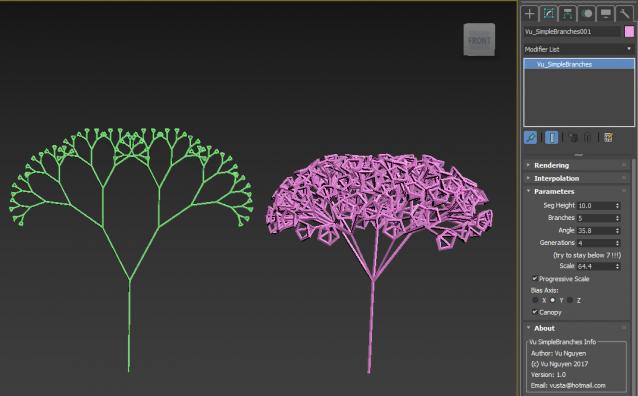
MCG Simple Branches

1 vote

No....not L-system. Instructions here, don't ask me to hold your hands...the very least you can do is read a bit... http://area.autodesk.com/learning/mcg-whats-new-2018--sample-pack

If you're ultra lazy, you can just drag 'n drop the mcg into the viewport.

(of course, it can be done with 2016/17 too..but I ain't going backwards..)

MCG Mirror Morph

3 votes

This MCG will mirror the form of your geometry across an axis for creating morph targets. The Form/Shape is mirrored, not the geometry itself or vert IDs as this would render the targets useless. The geometry's form/shape should be symmetrical (pivot centred) but vertex distribution does not have to be symmetrical, as can be seen with model with one eyebrow. Modify your target and the mirrored result is updated live, not like some static, dead end mirror/skinwrap method.

Requirements: Max 2016/17/18

Installation:

MCG Fit BBox

2 votes

This MCG will auto fit one mesh to the BBox of another. A simple usage would be a toy soldier and the plastic container. Either object could be the 'controller', ie. the toy should be a tiny bit smaller than the container...or the the container should be slightly bigger than the toy.

MCG Shell Be Right

2 votes

If you use Shell on a noisy surface, you'll get self penetrations. Even with Edit Normals, it will not correct it coz Shell uses face normals rather than vertex normals (I think).

This MCG will correct the Shell with a surface that is the same with the underlying geometry, you can do this manually with an Extrude using Group Normals rather than Local Normals. This MCG provides the convenience so you can change the Shell and not having to redo the Extrude.

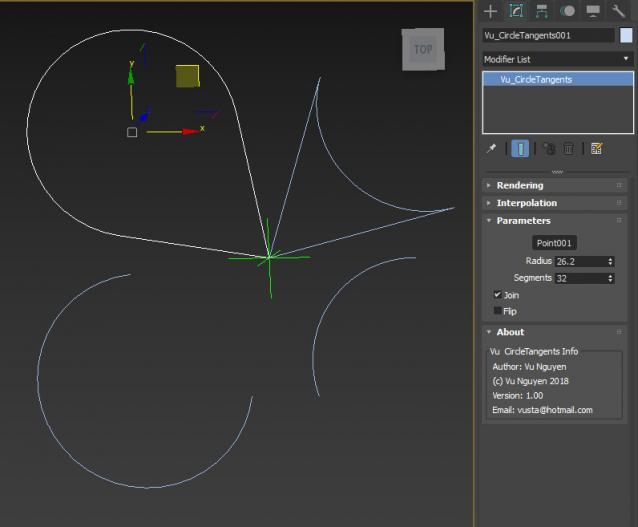
MCG Circle Tangents

2 votes

This MCG creates a circle that is cut off at the tangents to a point

Installation:
https://knowledge.autodesk.com/support/3ds-max/learn-explore/caas/CloudHelp/cloudhelp/2016/ENU/3DSMax/files/GUID-086875CC-4C32-4215-BFEC-2B356F9D2A53-htm.html

Then can be found under Create>Shapes>Vu

MCG PathConstraintAxis

3 votes

This MCG gets rid of the flipping problem as with the default Path Constraint. It also allows the constraint to be based on an axis of a controlling object.

Supports multi-spline path.

Installation:

https://knowledge.autodesk.com/support/3ds-max/learn-explore/caas/CloudH...

Then controller can be found in Motion Panel>Assign Controller

Ver 1.01: now includes Arc Length (Distance) mode

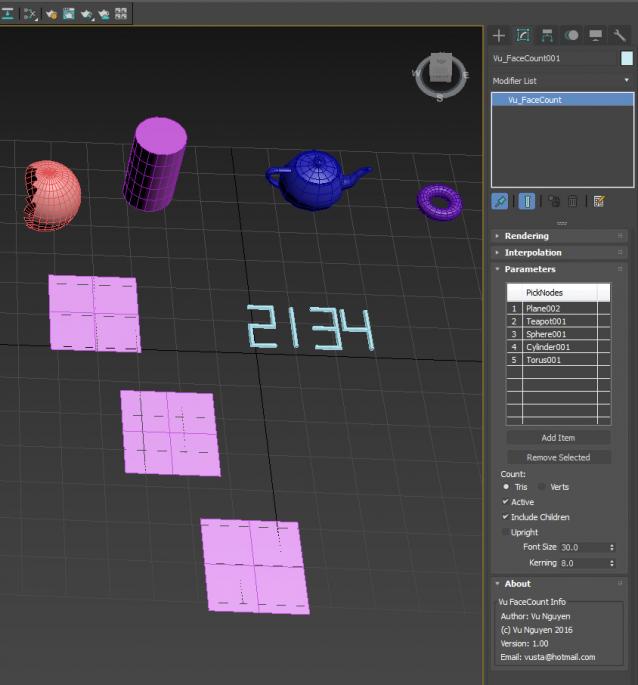
MCG FaceCount

1 vote

A simple Face/Vert Count MCG. This is in response to a user request here:

http://www.scriptspot.com/forums/3ds-max/scripts-wanted/triangle-count-b...

I'm sticking to a simple pick list as the user mentioned, it doesn't have any advanced layer managements. It may not be very useful...dunno...but the graph is quite simple and can help beginners to get into MCGs.


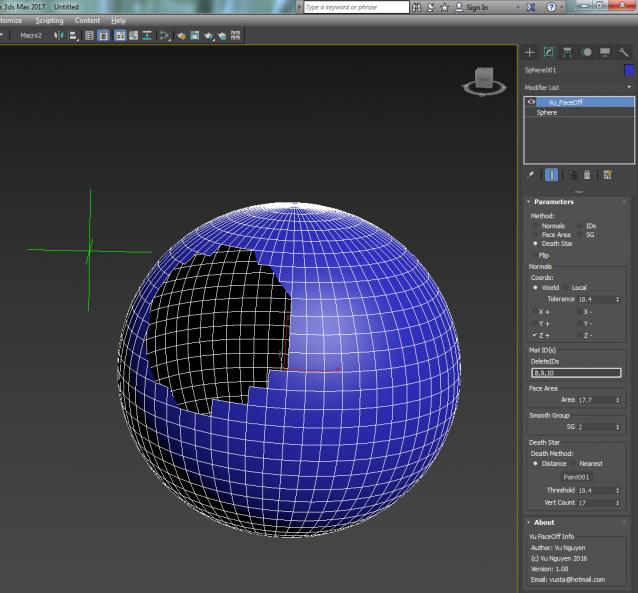
MCG FaceOff

1 vote

Filter Faces (Tris) based on various categories:

- Normals, World or Local..any combo of the six axes

- Mat IDs...one or more

- Face Area

- Smooth Group (does anyone see the point of doing multiple?)

- Death Star....what more can I say ??? All are topology independent.
ver 1.01: fixed iso verts bug

Donations: paypal.me/vusta

MCG Stripper

1 vote

Installation:

https://knowledge.autodesk.com/support/3ds-max/learn-explore/caas/CloudH...

Then can be found in modifier dropdown list.

You'll have to watch the stripper video. Feel free to 'tip' me while I work my abs...

Donations: paypal.me/vusta

ver 1.01: supports multi-curve spline

MCG Blower

0 votes

Orig thread here:

http://forums.cgsociety.org/showthread.php?f=6&t=1476428

Installation: (Max 2016 must have Extension 1/2 + SP3)

https://knowledge.autodesk.com/support/3ds-max/learn-explore/caas/CloudH...

Then can be found in Create>Shapes>Vu

Donations: paypal.me/vusta


Syndicate content