3ds Max | All

Paint and Effect Shell Launcher - Macroscripts

13 votes

Icons and MacroScripts to Launch Paint* and Effect* directly from Max toolbar. Edit the script to set Paint* and Effect* paths...

Dynamic registration with mxscom

12 votes

If you are like me - you have multiple max installations on your machine - but you want to use your favorite 3rd party text editor (via rezn8's mxscome bridge) with all of them. However if you are like me - you are probably tired of manually pointing mxscom to your particular installation of max everytime you want to switch.

Favorite Transforms [Smart Tool]

4 votes

Define move/rotate/scale tool and the coordinate system (world,parent,local,gimbal) per object and let Max automatically switch based on your selection.

After years of manually changing tools and coordinates and wasting my energy, I thought its about time to change that. I hope you find this as useful as I do!

Introducing my little "Favorite Transforms" tool.

Store your favorite tool (move, rotate and scale) and coordinate system settings ONCE into the objects user property via the SET button.
(Rightclick the buttons to open the object properties to check.)

LoadSaveAnimation

5 votes

"A maxscript to export max animation curves to digital fusions .spl format and to import either max-exported .spl or fusion exported .spl files. Can be used to bake procedural or layered max animation out."

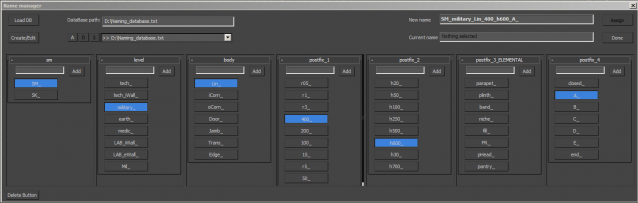
Name Manager

2 votes

Tangent Utility

0 votes

This is basically Grant Adam's tangent utility script from a few years back that's had some minor features added onto it. It now supports auto key tangents and is a more compact size.

GTVFX-SCA_VRproxiesReplaceWithMesh

2 votes

Brings in the geometry mesh of the VRay Proxy at the same position and with the same hierarchy as the proxy container.

CoronaIesPresets

0 votes

the idea is from the "vray ies preset" so i build a similar script for Corona.

Hope you find it useful.

update:
v1.02 -- support for corona 1.1

UI_Rename_Selected_Object_Materials.ms

3 votes

Use this script to rename selected objects materials. Notes:Search and Replave Function based on Rename tool by John Burnett

Path Snapper

7 votes

I needed to make a row of teeth once so I wrote this script. It will take an object and create copies of it along a spline. You can then move the spline to control the positions of all the objects. Very handy.

Syndicate content