3ds Max | All

UI_Align_Position_X_Choose_Type.ms

4 votes

Align Position Rotation and Scale of selection to target from Center to Center

FilmAge

1 vote

Old Movie filter - adds scratches - dust particles - color and frame effects to animations. Updated:Implemented AVI and FLC movie saving. Added Width and Height controls for Dust Particles.

CameraMapApplier

5 votes

Applies the camera map modifier to all selected objects - and applies parameters to them. Useful because if you apply an instance of the camera map modifier to a bunch of objects - the map isn't ligned up properly - and it takes too much time assigning individual camera map modifiers to several objects.

SelectBIP

7 votes

Selects the biped skeleton.

GC Merger

2 votes

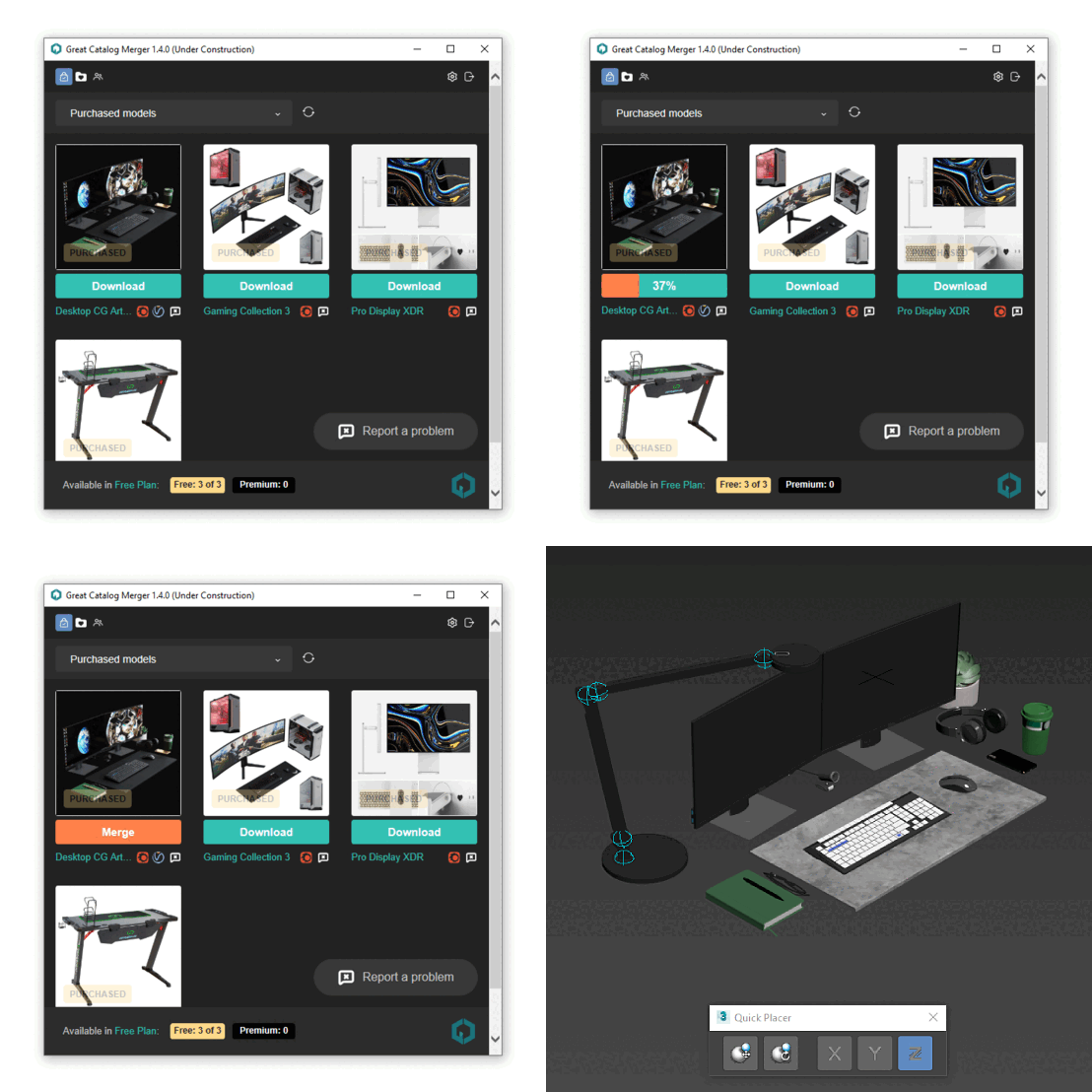
GC Merger – is a script to quickly insert a 3D model into your 3ds max scene directly from the Great Catalog site. You no longer have to download and unzip files, or deal with the chore of preparing a 3D model before merging it into your scene.

https://greatcatalog.net/en

The script does all of this automatically. You press the Download button in the script and after a few seconds the 3D model appears in the scene…

3D Printing Exporter and Organiser

0 votes

This is a beta script to export the contents of a build platform that you have organised in 3Ds MAX. Currently it only functions for scenes setup in millimeters, but I plan to set up and test auto scaling of all possible system unit combinations in MAX.

You'll notice a number of greyed out buttons, particularly if you don't have makerware installed. This just means that these features are dependent on content you don't have, or that I haven't completed them yet.

3DS Max Rotate A Polygon Around An Edge

0 votes

In this tutorial, we will learn how to rotate a polygon around an edge.
We will demonstrate two scenarios, in the first, we will use the Hinge From Edge feature, and in the second one, we will use the Working Pivot feature.

Create_HI_BoneChain.ms

2 votes

This script is for use with the naming convention described in the Tutorial section.It lets you create a bone chain based on the orientation of a selected object.Once creation is complete you will be prompted for the name of the part that the bone chain i

Create_Skel_Objects_From_Ctrl.ms

3 votes

This script creates Skel Objects from Ctrl objects. This script requires the use of the naming convention described in the Tutorials section.Required File: TiM_Lib.ms

LightControl

4 votes

A lightboy type interface that lets you change multiple parameters in your scene lights quickly and easily. This is basically our LightUtilities script but without the extra floater - to be used in case you don't want all the other utilities - just the LightControl Floater.

Syndicate content