3ds Max | All

Inheritance_Rotation_On_Y_Toggle.ms

2 votes

Toggle Y Rotation Inheritance for the selected objects

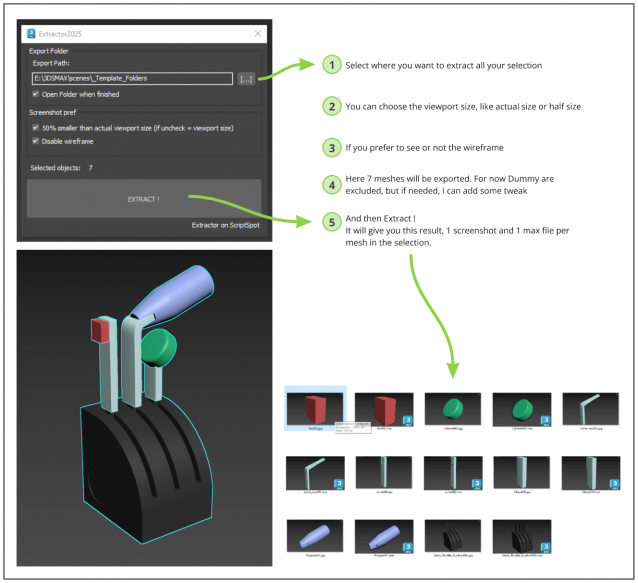
Extractor

2 votes

Script allowing you to extract into separate Max file and Screenshot all selected meshes in your Max scene.

Just Select, and Extract.

3DS Max - V-Ray - VraySwitchMtl Explained

0 votes

In this tutorial, we will take a look at a powerful and useful V-Ray material called Vray Switch Material (VraySwitchMtl). We will see two ways on how to use it, a simple straightforward way, and a more advanced way.

Inheritance_Rotation_Z_Off.ms

5 votes

Disable Z Roration Inheritance for the selected objects

3DS Max - Plugin Update - CopyPasteDWG V1.5

1 vote

*Description:
This plugin allows the user to copy paste geometries from AutoCAD into 3DS Max.
The plugin works with multiple opened AutoCAD files. It recognizes the last copied objects.
The script offers many filtering options for the imported objects like:
1-Removing the prefix "Layer:" and this will make it easier to select objects by name.
2-Removing any material applied to the imported objects.
3-Removing the Block/Style Parent hierarchies. (You might encounter name LinkComposite, it's the same thing.)
4-Selecting the imported objects when importing is done.

Inheritance_Rotation_Z_On.ms

0 votes

Enable Z Rotation Inheritance for the selected objects

UI_FileProperties_and_Lookat_FileNameUpdate.ms

6 votes

This script will update the file properties and the LookAt label to show the current max file name

Drive_files_Renamer

1 vote

Simple script for renaming files on HardDrive.
It also collects all the bitmaps in the scene.
Default collection folder is "new folder" on "D" drive.
If folder is not there script will create folder "new folder" on D drive.
Also you can choose custom folder to collect and rename files.

To install script
1. Run script "Drive files renamer_v1.0.ms"
2. Go to Customize - Customize User Interface
3. Find "Drive_files_Renamer" under "Sharad Tools"
4. Assign shortcut for it.

3DS Max - Compound Objects - Loft - Part 3

0 votes

In this video, we will continue with the Loft series, we will see some additional features in the Scale feature, plus we will learn about another feature called Twist.

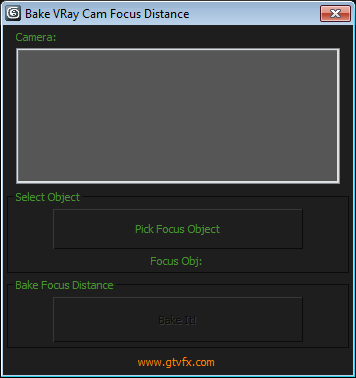
GTVFX-ANM_bakeVRCamFocusDistance

1 vote


Constains a point to a selected object and bakes the cameras focus distance to that point.

Useful if you're rendering with Depth of Field and want to keep an object in focus throught a shot. Or if you want to do a rack focus you can animate a point helper to visually set your rack focus speed and then bake the focus out to that object.


Syndicate content