3ds Max | All

Biped_KneeElbowLock

0 votes

Another Maxscript Tool for Biped Animator. Its a quick solution to fix common problem when animating arms and legs. With this tool you can lock the knee or elbow in specific time range.

3DS Max - Relation Between Modifier Stack And Transforms

0 votes

This tutorial will give you a basic understanding of the under-the-hood relation between the modifier stack and the transform engine inside 3DS Max. This will help you understand some of the issues that may occur, that look weird.

_

1 vote

3DS Max Plugin Update - Lights Switch V2.0

1 vote

This is an update for the plugin I wrote 6 years ago, called Lights Switch.
The reason behind the update was an e-mail from a user who had a small issue with a scene full of Cororna lights, where the script managed to turn all lights OFF, but for some reason failed to turn them ON again.
After inspecting the script, I recognized the bug and fixed it.

Basically, the script, when clicked, will go through all lights in the scene, and if any light is ON it will turn it OFF. On the other hand, if the script sees that all lights are OFF it will turn them all ON again.

3DS Max - Convert A Procedural Map Into A Regular Texture

0 votes

In this tutorial, we will learn how to convert a procedural map into a regular texture map. This is useful when you try to export your model to another software, since those procedural maps belong to Max, and they are generated using an algorithm.

Isolate By Material V2.0

0 votes

An update of the script called Isolate_By_Material. This new version uses the Isolate functionality as opposed to the hide functionality used in the first version, which is more logical since sometimes you have some hidden objects before you isolate the objects and you don't want to unhide them just to bring back the objects.

You can download the script from the description area on YouTube

FFD_controlPoint_to_Dummy

0 votes

script allows you to rig FFD modifier

Aligned Box

2 votes

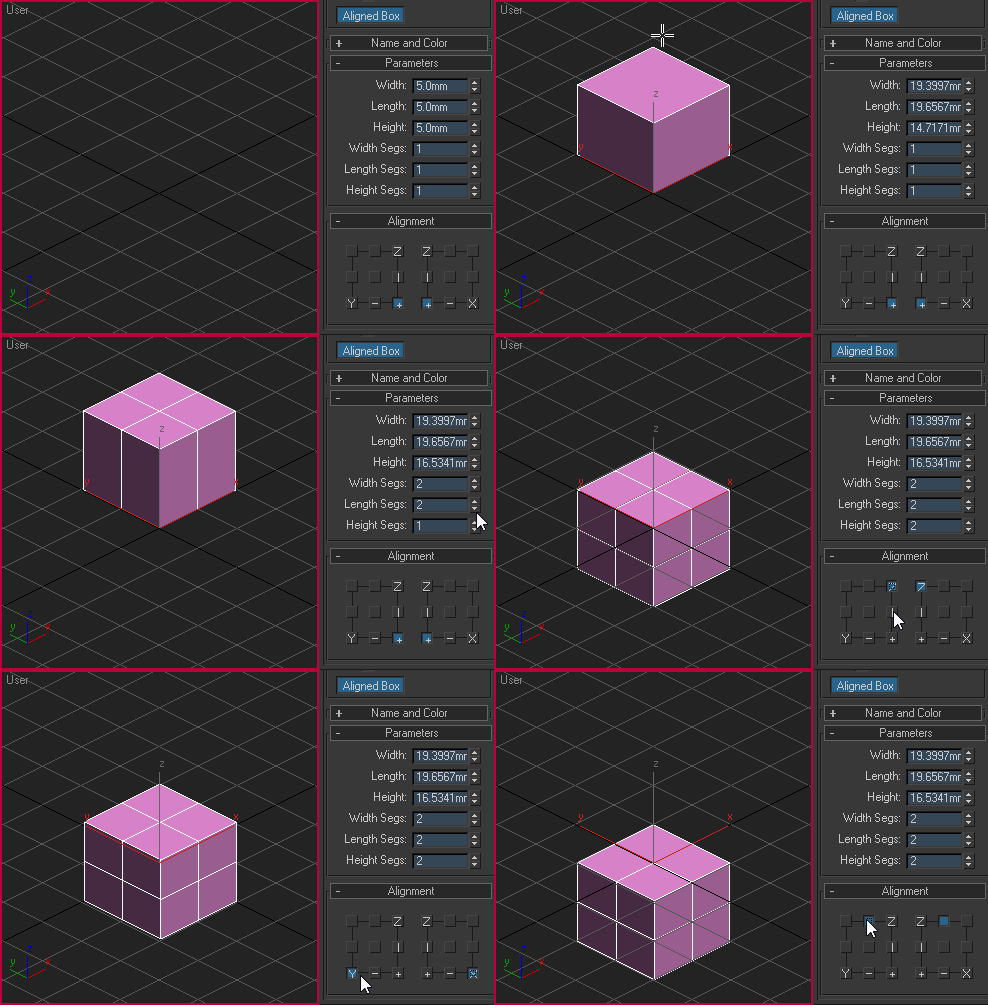
Custom box primitive where you can choose where the pivot point will be located while creating the object. You can place the pivot point visually by picking the location on YZ and XZ plane:

Aligned box

SceneShutter

0 votes

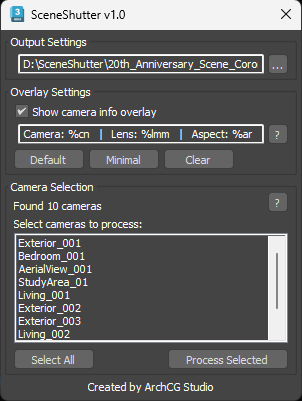
SceneShutter — Camera Viewport Export Tool for 3ds Max
Batch export clean, safe-frame camera previews with overlays and flexible aspect ratios — in seconds.

What is SceneShutter?
SceneShutter is a powerful yet lightweight tool for Autodesk 3ds Max that allows you to quickly export clean, safe-frame viewport previews from multiple cameras — without rendering.

miauu's PinMyFiles

0 votes


Syndicate content