3ds Max | Scripts

Stretchy Bones Creator

10 votes

Stretchy Bones Creator allows a user to quickly create chains of stretchy bones, mirror them, project them onto an arbitrary mesh, and add them into a skin modifier. This allows a user to get right into weighting the vertices and fixing the skinning envelopes.

Follow the development here:
http://forums.cgsociety.org/showthread.php?f=6&s=f5e2e1005c682c1c0037a5f...

Bend Randomizer Control

10 votes

Bends the selected objects with a random value.

Feel free to expand on this script and build from it.

UVW to Poly

12 votes

Generates editable poly object from UVW chanel. Face and vertex indexes are the same as UVs.

Mesh Baker

8 votes

Changes animated mesh modifiers to vertex animation. Useful for game exporting.

Reverse Animation

38 votes

This simple script reverses the animation of the selected objects. It uses the current time range as the beginning and end point for reversing the animation.

Just run the script and make a selection then hit Reverse Animation!

Enjoy!

Poly-G

22 votes

This script has been completely re-written and is now known as AutoMat. Part of the script is now available here as Automat Image Tools:

http://www.scriptspot.com/3ds-max/scripts/automat-image-tools

I'll link to the full version of Automat from here when available.

AO Render with alpha support

22 votes

-- update -

The script only rendered single frames - it is now written to look at common parameters and render either activetimesegment or range (depending on what is set) the frames will be saved to whatever is defined in Render Output but it will append "AO" to this in case you want to quickly render to the same location.It will of course still do single frames as well

Also slight other things fixed - also it will keep whatever sampling quality you have set in the render panel.

Automat Image Tools

13 votes

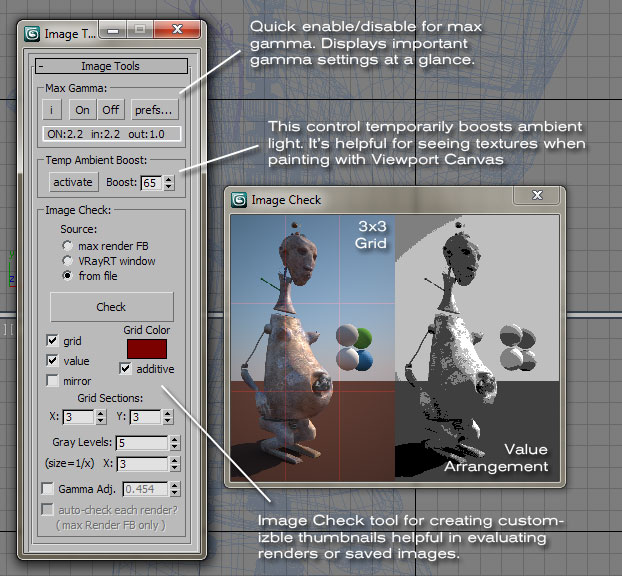
AutomatImageTool

VRay path cleaner

14 votes

Hi, sometimes we may save maps(ie. irradiance map) when rendering with VRay, and then load them. But, the load and save path will be visible forever, untill you restart your max.Someone may feel not well for that, like me. So I have created this script to clean them,it's time to say goodbay to the unusable paths.Enjoy it!

Super Detach

25 votes

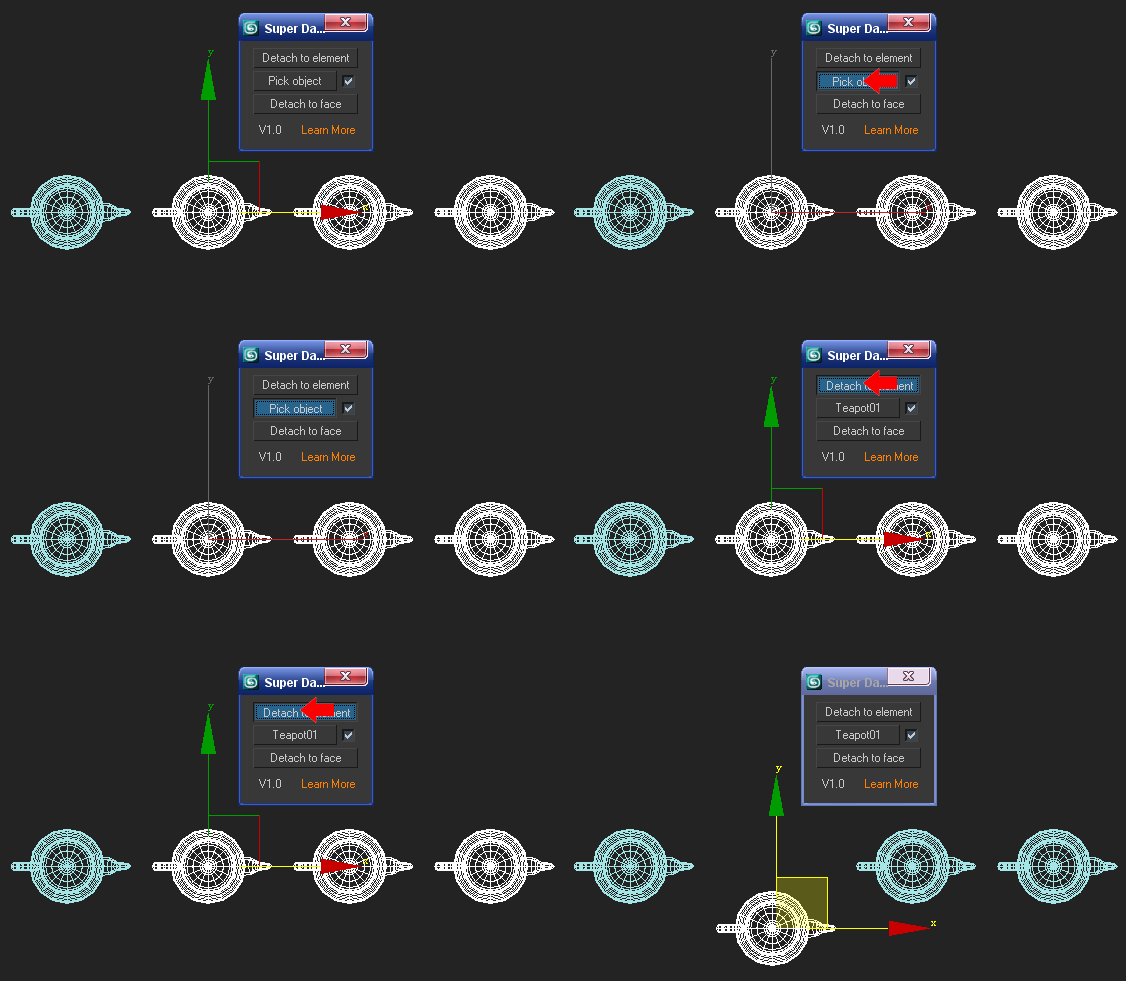
You may be used to detach poly or mesh to elements when modeling,so it is easy to detach each element of a polygen.But what about detach each part of a polygen as a reference to another polygen? For example: there is a teapot which is converted to poly or mesh, copy 3 new teapots and attach them as one,then press "Pick object" to pick the first teapot,and press "Detach to element" .What does it appear?

Syndicate content