3ds Max | Scripts

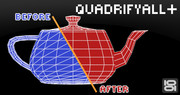
QuadrifyAll+

24 votes

•••••••••••••••••••••••••••••••••••••••••••••••••••••••••••••••••••••••••••••••••••••••••••••••••••••••••••••••••••• VERSION 1.2

With this script you can easely clean old .3ds models, imported Onyx trees and other types of geometry(mesh) with triangular faces.

dwAssignIDs

0 votes

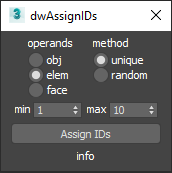
UI screenshot

Allows you to assign random/unique material IDs to objects/elements/faces.

Expects selection of one or more Editable_Poly objects.

Smart Material Select

0 votes

This script streamlines the process of selecting similar objects based on material in your 3dsmax scene. It automatically opens the group, eliminating the need for manual opening. Additionally, it can handle the selection of multiple samples. For instance, you can select a window frame and then add glass to select both window frames and similar glass objects.

Roof Window Generator

0 votes

Roof Window Generator is a script that is efficient in automatically creating 3D roof window models in 3dsMax. With 3 styles of roof window, it can be applied flexibly in Archviz projects while saving a lot of time for 3D artists.

.: Compatible with 3dsMax 2018 & higher

.: Compatible with Vray Renderer & Corona Renderer

.: Version: 1.0

Faster File merging into 3ds max

1 vote

3ds Max always saves a backup file when merging file into it.
Disabling the Auto-Backup function does not solve the issue.

To stop the saving behaviour of 3ds Max at opening/merging a scene file:
Open the Scene Converter at: Rendering > Scene Converter
Disable the function Backup Original Files:

BUT, some max versions just do not save this settings, so you have
to, always for every scene, over and over, check this settings.

This small startup scripts save the time and nervs!

Just put it into

Scene Notes Pro

3 votes

Adding notes directly in scenes(.max files) can be useful in many ways - to remind you something about any aspect of whole process of 3d work, for future reference, about whys or hows, for a colleagues(who are going to use the scene). 

FilePathFinder Pro & Light versions

410 votes

Using the FilePathFinder you can be sure that you have complete control over external links into your scenes.

Asset tracking features include support for XREF files and easy linking with external files.

Using the FilePathFinder (and Batch Render&Relink), you can search for missing assets and relink external files.

In addition, files that are linked to selected objects are displayed in Interactive Mode, and bitmap textures can be toggled and placed within the Material Editor.

Also with this tool, you can easily make an archive a 3ds Max scene.

Note that FilePathFinder supports the highest number of asset types of any plug-in.
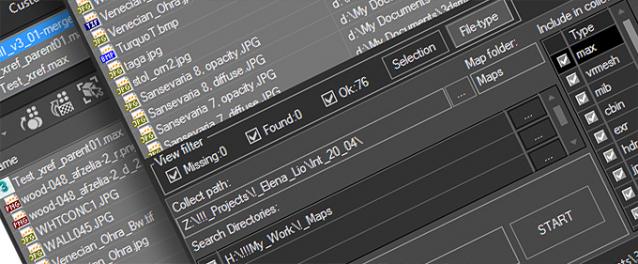
 

The Batch Render&Relink tool helps manage your asset files into the 3D model and material libraries in Batch Mode.

BR&R is capable of rendering thumbnails for 3D models, materials, and IES photometric files.

Batch Mode makes for an easy way to gather and compile many assets at once.


The new version of FilePathFinder is released with support to 3ds Max 2026

and many new features that improve managing scene assets

FilePathFinder Pro version 4.17.01

  • Adds support to 3Ds Max 2026
  • Play IFL, and animated GIFs directly in the list view
  • Play IFL and animated GIFs in the external Asset Viewer
  • Ability to change selected assets directly from the Asset Viewer using keyboard shortcuts
  • Adds an ability to include/exclude search directories by filename
  • More accurate material/texture placement in SME
  • Drops support to light theme
  • Fixes an issue with including/excluding search directories by filename
  • Fixes an issue with searching, relinking, collecting, and archiving the content of IFL files
  • Fixes an issue with relink assets in batch mode for Demo version [Batch Render&Relink]
  • Fixes an issue with renaming external scene links with status #Found
  • Fixes some issues with relink assets using exclude directories
  • Fixes a bug with relinking assets in huge scenes
  • Fixes a bug when using the tool together with Materials Manager and Models Manager
  • Some other optimizations, fixes and speed improvements

Subobjects Converter

9 votes


v3.07
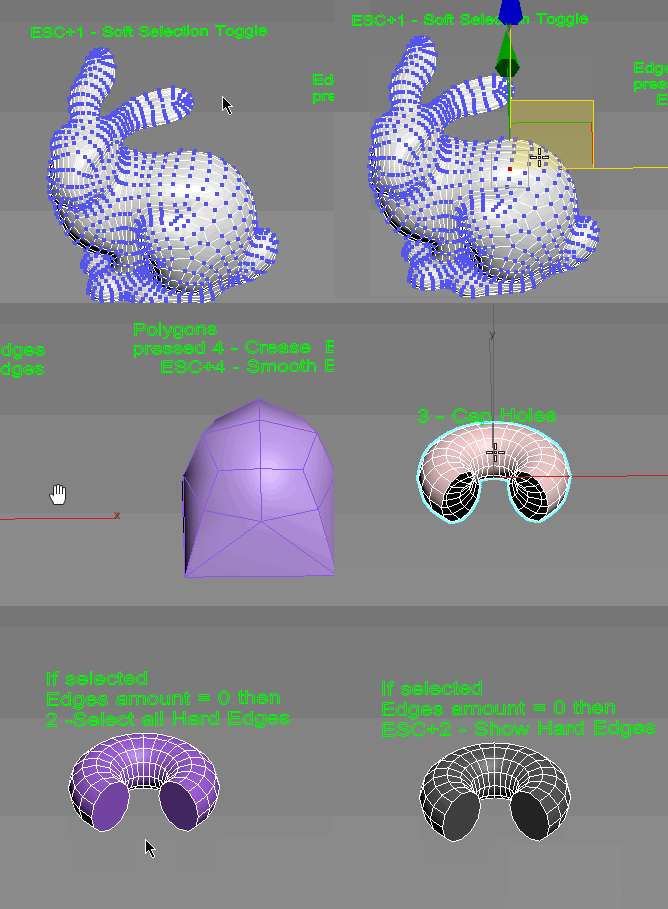
Fixed Shift+1 Shift+2

v3.01
If Esc+Key of script keyboard pressed and current subobjectlevel is 4 or 5 (Face or Element) and selected all faces then will run Smoothing Groups floater (a separate special window)
Если нажата Esc+кнопка скрипта и текущий подобъект 4 или 5 (Грани или Элементы) и все грани выделены, то будет запущен Smoothing Groups floater (отдельным специальным окошком)

Fixed bug of switch from subobject 5 to 4
Added Extended Subobjects:

All for UE5

3 votes

Description:
This MaxScript is designed to save time working with Unreal Engine 5.
For UE5.4 and newer, use the console command: Interchange.FeatureFlags.Import.FBX 0
For UE5.0–5.3, no console command is needed.

AllForUE5

Features:
- Create folder structures based on the layer names;
- Export objects from 3ds Max to Unreal Engine;
- Copy the Position/Rotation/Scale;

miauu's Script Pack vol.2

18 votes


Syndicate content