3ds Max | Scripts

PFlow Baker

78 votes

Bakes particle flow particles into meshes and/or helpers.

NOTE: This script bakes only the viewport particles, so in order to get the amout of particles set in your system, set the viewport count to 100%.


Version: 0.71 (2010-06-02 17:25:44)     Compatibility:MAX 9,MAX 2008,MAX 2009,MAX 2010,MAX 2011    

Viewport Align

20 votes

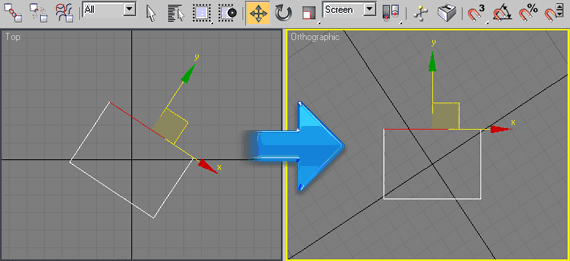
Rotates your top view to your selection. Go to top view, select 1 edge or 2 verts, run the script (and switch to coordinate system "screen" if you like). Click once to align horizontal, click again to align vertical. Good for architectural modeling with non-orthogonal walls.


Copy/Paste Object Properties

5 votes

This script allows you to copy and paste properties from one object to another (or multiple at once).

This is useful for copying camera settings from one to another. Although it will do any type of object you copy from. You can easily include/exclude any properties you DONT want copied (like FOV, focal length, etc).

Run the script:
1. In Max goto "Customize -> Customize User Interface -> Toolbars tab -> Category: ColinScripts->Properties (Copy)" and "Properties (Paste)" and drag them to a toolbar.

Prepare Model 3DDD

6 votes

Requirements : 3Ds Max 2011 and greather, WinRar.

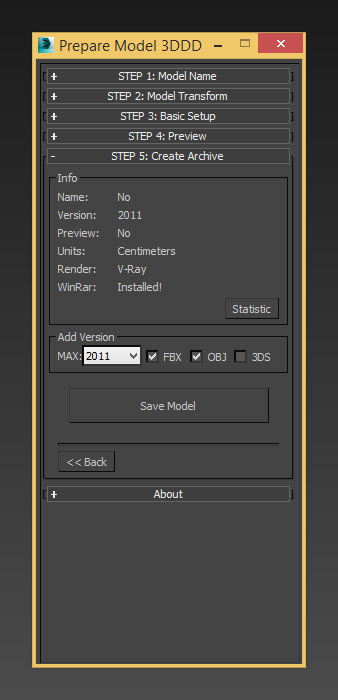
This script helps to prepare model before upload on 3ddd.ru/3dsky.org . With this script you can fast set model in center of scene, do Reset XForm, set pivot, create archive with all textures, and add export formats *.fbx, *obj etc.

Features:

Hair Cards Tool

1 vote

HairCards Tool is a 3dsmax tool that will speed up your work for realtime rendering hairs creation. You can create layers of hairs much faster than usual. This tool is working only with 3dsmax 2021.3 (Update 3) and up.

How to use it: https://youtu.be/2dvY10fV9WE (for easier navigation use youtube chapters playlist)

Check demo video 01: https://youtu.be/sahmdIRfLrI
Check demo video 02: https://youtu.be/_LDA7GdfM78

Few animated gifs:

P_ObjectRenamer

1 vote


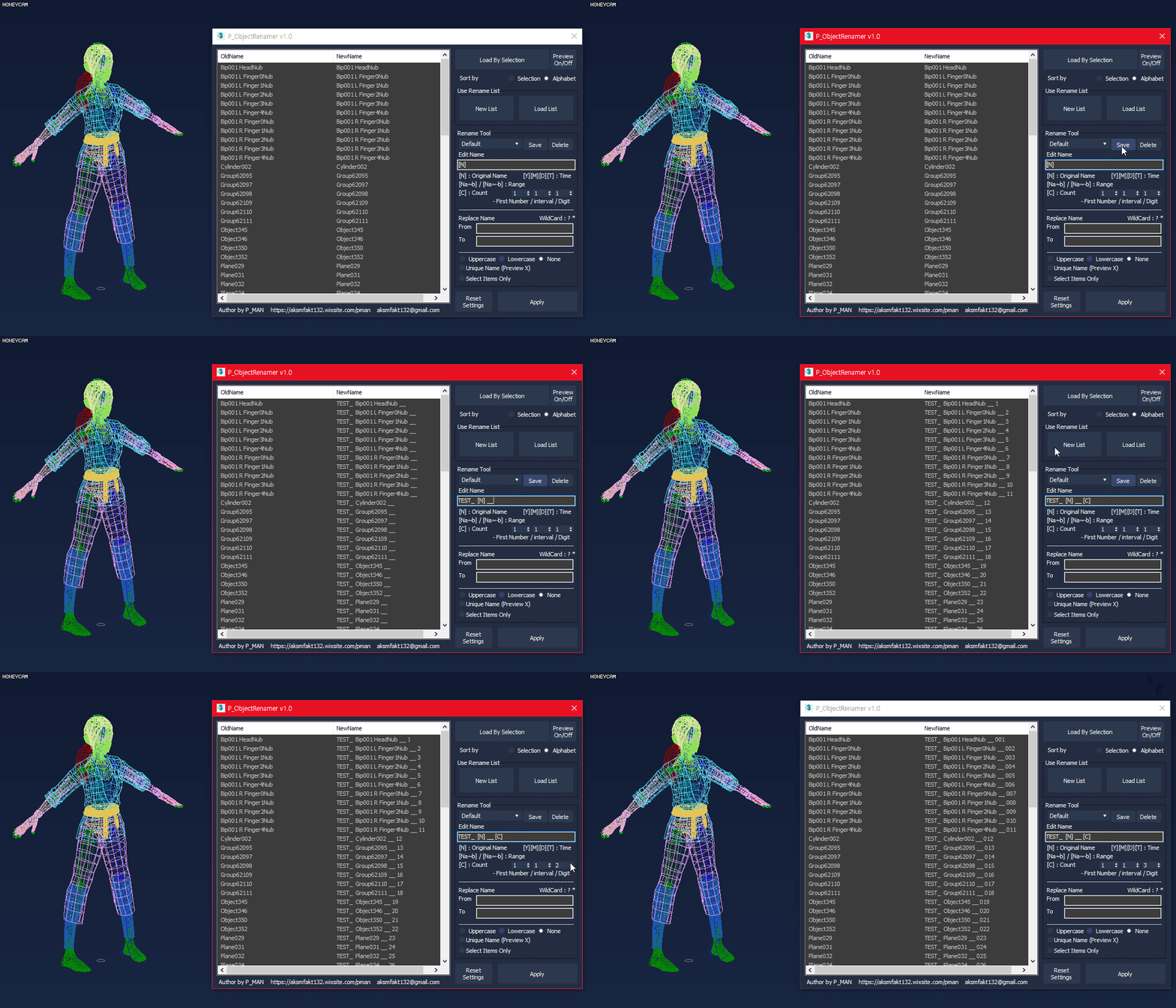
P_ObjectRenamer is a tool for object rename

- Rename Preview
- Rename preset
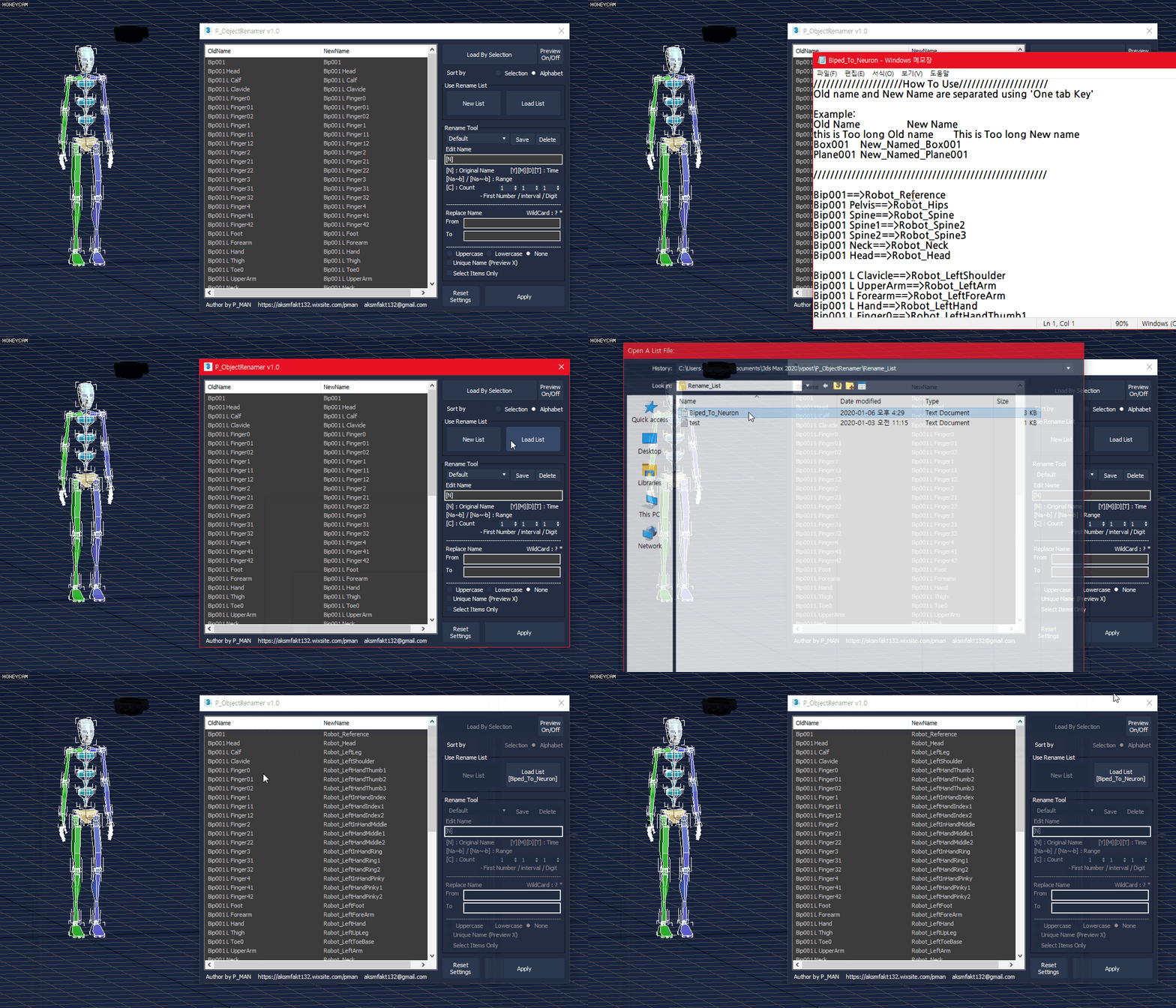
- List Rename
- Various options(date / time / range / count / etc..)
- Replace Name
- Uppercase / lowercase
- Unique Name

This script is free.
If you like my script and want to sponsor me, please purchase this script
https://gumroad.com/l/PTEXTURE

If you have any questions, ask me.
https://discord.gg/MUGhNgu
[email protected]
Welcome comments and feedback

Delete Empty Layers

0 votes

* Title: Delete Empty Layers

* Description:
-- Deletes Empty Layers

Teague Scene Checker (for V-Ray)

11 votes

Changelog: 1.03 -

  • The previous version did not fully correct the issue 2009/2010 users were having.  This one does.  Apologies.

Changelog: 1.02 - 

PhysX Painter

6 votes

pX Camera Zoom Extents

4 votes

The definitive "Zoom Extents selected" that supports 3ds Max cameras. If the active viewport is not a camera it calls the default "Zoom Extents..." Max action ... So you can replace the default keyboard shortcut (Z) with this macro! When Zoom extending with Camera, it only takes into account GeometryClass objects. Ignore anything else, like other cameras and lights. It keeps the FOV and rotation fixed, only moves camera position in space to fit them all.

Syndicate content