3ds Max | Scripts

dotnet Quicktime Movie Player

2 votes

A simple maxscript quicktime movie player. I only have 1 monitor, so switching between max and quicktime was annoying. Just click the button and pick your movie. It's based on the 3DS max dotnet tutorials. Install into the 3dsmax\UI\Macroscripts folder.

Accelerate

-2 votes

This script is here to speed up our workflow. A combination of scripts put together to quickly access animation, rendering, lighting, fumefx, frost, vray, Krakatoa and other utilities. more info coming soon

Interactive Rollout Builder

13 votes

The visual maxscript editor has issues... doesn't make nice code and is generally useless.  So instead I made this...

Visit my facebook page for more info

Run the mcr file and find it in your customise user interface windows under 'DW Tools'

Version 1_0 - Release
Version 1_1 - Bug fixed which could allow nested groups, which maxscript doesn't like and would therefore crash.
Version 1_2 - Released unencrypted so that it works in 3dsmax 2017 and well... because who doesn't like to learn (judge) from other people's code....

Light Detictive

2 votes

Light Detictive is a Tool designed to mange complex lighting setups. --not only control include and exclude by selection or sets fast , but olso investigate the lights on the scene see exclude and include lists , --olso investigate objects which light affect them of not. -- fast Group Lighting specific objects .
support Vray.


Create-Modify switcher

4 votes

The only one hotkey toggles Create mode and Modify mode. Works as cycle.

Convenient to exit / enter the edit mode of the object.

Только одной кнопкой переключает Create mode и Modify mode. Работает как цикл.

Удобно для того чтобы выйти/зайти в режим редактирования объекта.

deconstructor

30 votes

deconstructor cuts an object into cubic pieces, while leaving
the hull intact.
it uses a freely definable three-dimensional matrix in the world
coordinate system (fixed axis).

Free Helper Tool: Object Inspector for MaxScript beginners

3 votes

Hi,

so you want to learn more about MaxScripting?

Then you should know about the kind of objects, their properties, methods and interfaces.
It can be quite time consuming to search about this everytime or type  showProperties $ on selected objects and switch between the Listener and your editor.

Entering: My little MaxScript Object Inspector.

I was tired of typing and have cluttered output in extra scripts for properties, interfaces the class and superClass of objects.

Custom Attribute Editor

7 votes

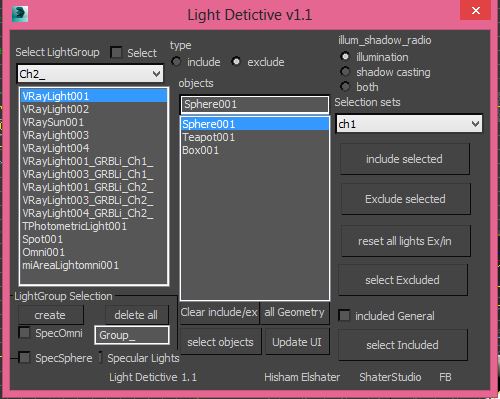
This one allows you to fairly easily edit your custom attributes. It also allows you to build a rollout using VMS and then use that as your custom attribute rollout so layout is in your hands. On redefining a CA stuff like wired parameters etc. are preserved (as long as you don't change Paramblock and UI control names - editing captions as seen in the rollouts is fine).

Border Fill

36 votes

Fills a border with quads. Selects the newly created faces (sometimes you want to do an inset afterwards) and verts (sometimes you might want to relax them)

Grid Fill

Kloner - a Handy Cloner

3 votes

This is a handy cloner that i made for a job. Max has the MCG Cloner and the built-in Clone tools, but this one goes straight to the point for fast interaction.A with the cool feature of auto-offset the copies using the BoundingBox size.
And you can change this offset + Make group clones in any 90 degrees direction.
You can change it to transform/move mode to only move objects around, not cloning, which is handy too for building blocks when you have modular parts to build structures...

Syndicate content