ScriptSpot is a diverse online community of artists and developers who come together to find and share scripts that empower their creativity with 3ds Max. Our users come from all parts of the world and work in everything from visual effects to gaming, architecture, students or hobbyists.
Tracks Simulator is sctript simulation tracks on spline or KeyFrame animation
-- Auto creation track
-- Auto animation tracks (forward,back,left,right)
-- Bake simulation or simulation realtime
-- Left or Right tracks side change
Steamroller unwraps every objects in a selection using Max's built-in flatten function based on the specified parameters. Steamroller is mainly intended as a quick and dirty method of quickly unwrapping lightmap UVs on large sets of objects, similar to the automatic unwrap in Render to Texture.
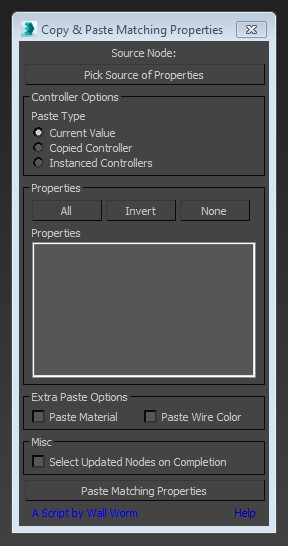
This little script will help you transfer arbitrary properties from one object to another. All properties that you selected that have matching names and types in the destination nodes will get the property values of the source node. You also have the option of instancing the source value's controller across the updated properties.
Just a simple modifier to connect edges selected with the previous "edit poly" "editable poly" or "poly select" modifier. Currently I tested my script on 3dsmax 2020, I will try to test it on older version of 3ds max and update this page if I can. If you have any question or any requirement, don't hesitate to ask me or to contact me. I will be happy to answer you.
Spline Tangent Aligner is a simple macro that aligns the tangents of selected spline knots and makes them parallel. Useful when working with knots with the Bezier Corner type.