3ds Max | Scripts

pX Camera Zoom Extents

4 votes

The definitive "Zoom Extents selected" that supports 3ds Max cameras. If the active viewport is not a camera it calls the default "Zoom Extents..." Max action ... So you can replace the default keyboard shortcut (Z) with this macro! When Zoom extending with Camera, it only takes into account GeometryClass objects. Ignore anything else, like other cameras and lights. It keeps the FOV and rotation fixed, only moves camera position in space to fit them all.

Move/Clone to cursor

3 votes

Hi, this is simple script which move or clone selected objects to surface under cursor. You can bind it to any hotkey (I usualy use Alt+S and Alt+C).

1.0.1

- initial releas

1.0.2

- settings can be binded to hotkey

- possibility to turn on random rotation in Z axis

1.0.3

- multiple object selection can be treated as object list, so in clone mode random object will be selected

- cloned objects can be automaticly moved to active layer


UVW Mapping Paste Channel Switcher

2 votes

Adds a map channel switcher spinner to the currently selected UVW Mapping Paste modifier.

Fast Housing

6 votes

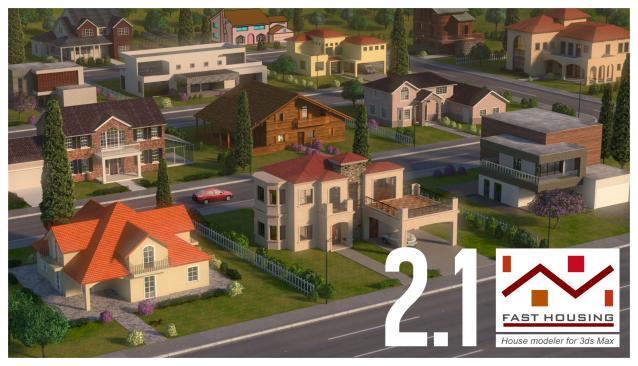
Fast Housing generates an architectural structure through a custom procedural mesh object, you can change parameters and watch the results in real time. It's an easy and intuitive way to create a house at a simple level, its versatility allows you to create your own style, usefull for the creation of urban backgrounds.

This script creates a FA_House primitive object which works as any 3ds Max object: any deformer can be applied, renderable, can be converted to mesh etc ...

Jiggle

6 votes

Jiggle is a modifier plugin for 3ds Max that adds quickly and easily realistic jiggle motions to parts of animated characters and objects. It can simulate fat and muscle movements and skin sliding effects.

Change Listener Color Scheme

8 votes

Hi there..

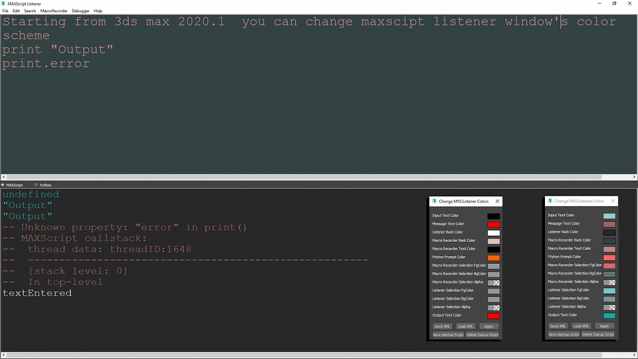
The script is for 3ds max 2020.1 and higher versions of 3ds max. It can change listener's colors save them in .xml format for share or future usage. For now I could not find an .ini file to write those settings in so there is a save startup script button on the bottom of the dialog.

AEI ToolBar

2 votes

Notice:

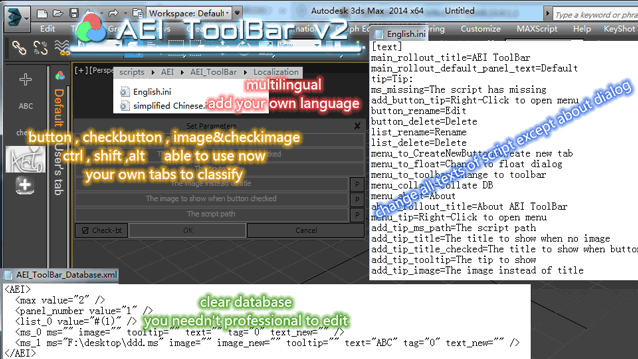
Some errors has feedback  , and now  3 notices  to read , them will be fixed next release .

1、as  windows10 some systeminfo value are changed ,  the mzp will throw out error , if  you want to install with  the mzp ,  please change  .mzp to .zip , and open  "AEI_ToolBar_installer.ms" with any text editer  ,  find and delete string at 5 and 6  line , that's "if findString (sysinfo.getLanguage() as string) "chinese" > 0 then
version = 1" ,and then saved , change back .zip to .mzp , and drop in max to install .

2、don't use "Collate DB"  , there are  something  wrong ,  I will  rewrite the function .

3、if  you use windows10 , the buttons may disappear  until you  move mouse on  them , it  is right on windows7  ,  I will find the windows10's API to fix .

ExplodeSpline

13 votes

Select spline and run the script. It will explode every spline to separate spline object.

rp_CameraRig

1 vote

Move/Clone to cursor

0 votes

Hi, this is simple script which move or clone selected objects to surface under cursor. You can bind it to any hotkey (I usualy use Alt+S and Alt+C). In this current version additional settings are avaiable only by hidden function call ObjToCursorSettings() which can be called via MaxScript Listener.

Syndicate content