3ds Max | Scripts

Wacom Holy Grail

3 votes

If you are like me and use a Wacom with 3ds max, you have definitely encountered this issue with selecting objects!

Scenario:
You select an object and it moves it!!!!!!!!!!!! this is no good!!

So what i wanted was to use Q to select an object, move it with W then go back to Q when deselected. So with some hardcore googling and experimenting i found a solution.

Behold the holy grail for all Wacom users!

Usage:
if max is opened, close it.
Copy the script to your scripts/startup folder
run max

or if max is opened.

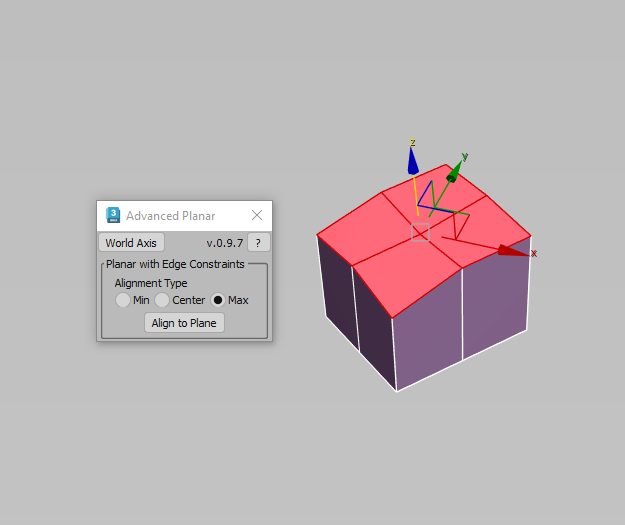
Advanced Planar

0 votes

Description: This script makes sub-objects coplanar using Min, Center, and Max extremes, similar to what the standard Planar does, but much more flexible. The "Align To Axis" routine lets you align sub-objects by a specified world axis.

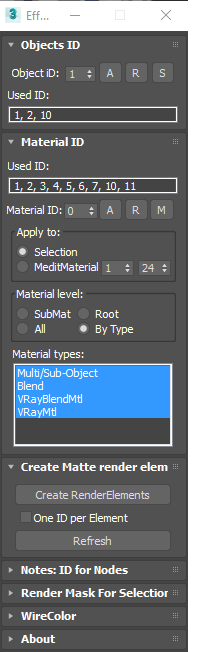
EffectsChannelSet

79 votes

  • Management the Material ID and Objects ID.
  • Assigning a wirecolor for objects.
  • Automated creation MultiMatteElement for V-Ray renderer.
  • Automated creation MatteRenderElement for Mental Ray renderer.
  • Automate the creation of CMasking_Mask for Corona Renderer.


EffectsChannel 1.67.4

  • Some fixes and speed improvements

EffectsChannel v1.64

  • Fixes an issue with assigning ID to sub-materials in the version 1.62

EffectsChannel v1.62

  • This version speed-up opening on complex scenes. The time of opening on a very big scene decreased from 16 sec to 0.094sec.

EffectsChannel v1.60

  • Adds support to Corona Renderer: Automate creation of CMasking_Mask.

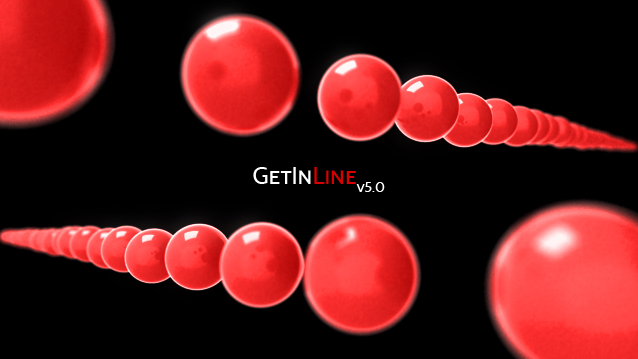
Get In Line! (May 9,2011)

35 votes

This script evenly distributes the selected objects based on the start and end target objects.

Anyone is more than welcome to add to this.
Things you could potentially add are qsorting, transform, scale, and rotation sorting as well.

Right now it just does position.

Select Active Camera

30 votes

Simply selects the active camera from the current viewport (even if cameras / layer is hidden). If you've ever been frustrated because you're working full screen looking through the camera lens then need to change something about your camera, this script is for you. In that case you just run the script and bam you're able to edit camera properties in the stack or adjust keys in the time slider all with a single keystroke instead of having to hunt around in the select by name dialog...

Usage:

RappaTools3

36 votes

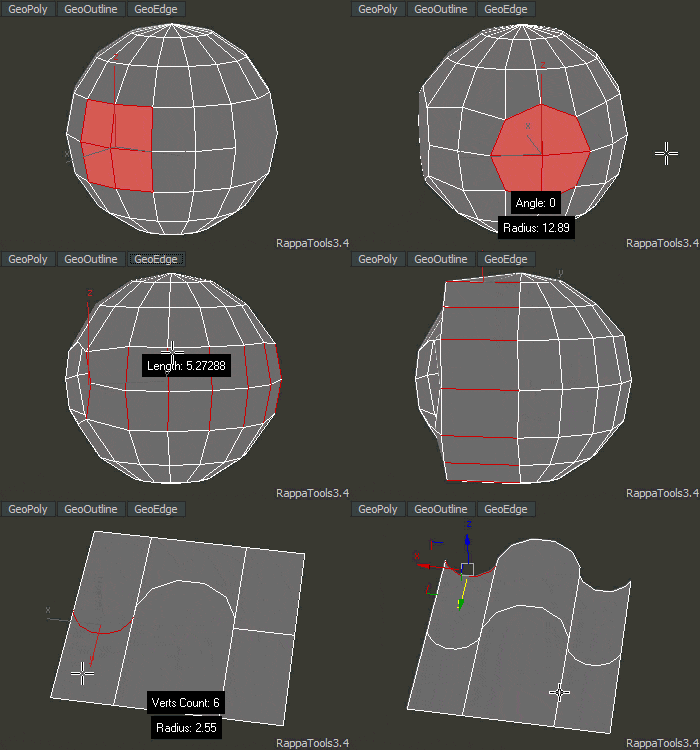
RappaTools3 is an advanced toolbox that comes with a great variety of tools for the artist working in 3ds Max. The main focus is to speed up the workflow and to reduce the click count. It offers a wide variety of tools, everything from selection tools to rendering tools. It can help you through the entire process of creating a 3D art piece.
rappatools3 bridge

miauu's Materials Reducer

2 votes

EPassword

1 vote

EPassword – Premium File Lock for 3ds Max

miauu's Live Measure Pro

12 votes

Pattern Engine For 3ds Max

2 votes

Pattern Engine is a scripted tool for 3ds Max that can generate and edit a variety of 3D geometry types—such as parametric patterns, 3D tiles, partitions, shelves, wall art, upholstery, and more—much faster and more easily than other approaches.

Syndicate content