3ds Max | Scripts

Quad Connect

10 votes

Quad Connect is a 3Ds Max script that produce all quad connects, unlike the normal 3ds Max connect which produces a lot of triangles.

Nudge Keys

12 votes

Move objects or subobjects with the keyboard. subobject mode currently works for editable splines - lines - meshes - and polys. if you try it on an edit mesh/poly/spline modifier - it asks you it you want to collapse the stack up to that modifier or cancel.

Rotation Order Tool

17 votes

This tool allows you to quickly change the rotation order of any object in max. You can select multiple objects and change their rotation orders all at once, or you can copy the rotation order from one object to another.

To use:
1. Select all the objects whose rotation order you would like to change. Then use the dropdown list and select which rotation order you would like to choose. The transforms for each object will be preserved as long as it has not be animated.

Disable Specular On All Scene Lights

20 votes

This is an extremely simple and small script that disables Specular on ALL of your scene lights. It will ignore any incompatible lights such as Skylights.

This is useful particularly for Mental Ray renders. I personally never use Specular in any of my MR projects, since it often creates unwanted speckles and other issues.

Check the listener window for any errors once run.

To use simply run the script.

If you want to enable Specular on ALL your lights again you can simply open the script and change "off" to "on" and run it again.

Mesh Project

15 votes

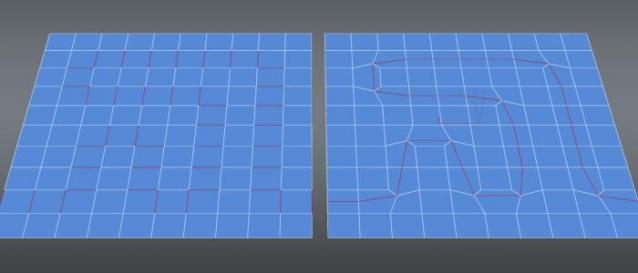
Projects the verts of one mesh onto the surface of another. Projects along the vertex normals of the first object. USAGE:select one object to project - press the button. Click another object to project onto.

Tank_tread_maker

18 votes

It simulates an automatic tank tread with auto wheel rotation. I got the idea from one of the 3ds max master classes.

Custom Rigger

22 votes


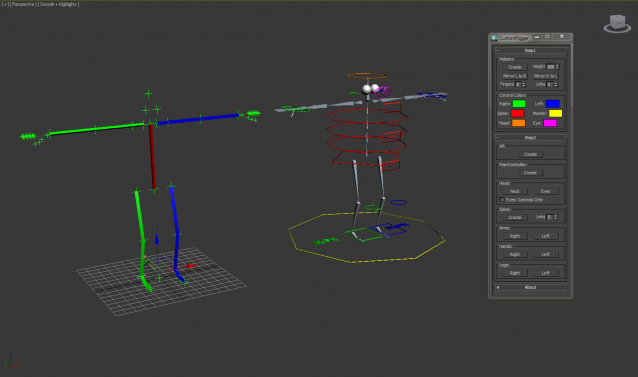
CustomRigger is a tool to create a rig in a matter of seconds.

You've got two steps in the process:

Step1

A setup off all the joints

Step2

Create the controls/bones you want

Material Manager

51 votes

Material Manager


A new version of Material Manager is done.

New features:

Search function, Save to separate matlibs, Render any thumbnail, Render missing thumnail, Render with "ctrl" held down, renders liquid stuff, Saves screen position and many more.

Stereoscopy

20 votes


Scene Bracket

13 votes

SceneBracket simply allows you to set up a pair of frame tags that store the current time frame you are working in. If you need to move the timeslider range to see some other animation keys, you simply press the set button to return to the stored range. This is an invaluable time saver in animation production as ranges change for each shot in a length of scene audio.

Syndicate content