3ds Max | Scripts

delete empty layer in the Layer manager

37 votes

hello this one i wrote just now to clean 3dsmax file the office sent me.

thanks 

bernardo


it erases all empty layers

Delete Empty Layers

0 votes

* Title: Delete Empty Layers

* Description:
-- Deletes Empty Layers

Delete Faces Modifier

2 votes

The DeleteFaces modifier allows you to delete faces on a mesh without having to add topology dependent modifiers like Poly Select.

V2 is now a compiled C++ plugin for Max 2015-2018.

Changelog:

Version 2.1

* Added support for Max 2018.

* Fixed some problems with Delete Faces.

* Fixed isolated vertices not being deleted.

* Added button in Custom Attribute to delete the rollout when it persists after the modifier list has been collapsed.

Version 2.0

* Adds new options for how to handle smoothing groups: match any, match all, match none.

Delete Invisible Polygons

1 vote

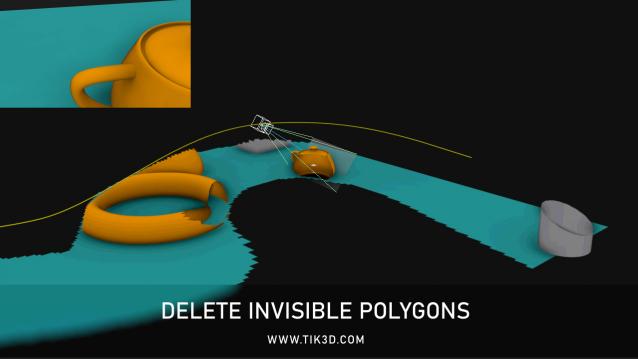
Simple and free script for deleting invisible polygons.


Delete Keys Range

0 votes

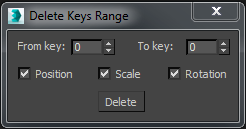
This script deletes all animation keys of a selected object in a time range. It allows choosing what type/s of key is going to be deleted (position, rotation, scale).


Delete Minor Versions

3 votes

"This utility allows you to easily delete minor versions saved with the safeSave Minor Increment tool. (Idea by Dave Stewart)
1.1 Update: Added the option to archive the files (using MaxZip). Fixed some minor bugs."

Delete Modifier Utility

6 votes

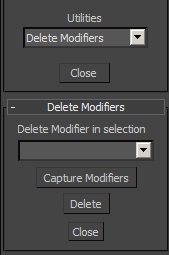
This small utility allows to delete any modifier in a selection. First, it captures the modifiers in the selection. The group of selected objects can be of different types (geometry, shape...). Then select which modifier you want to delete and click on "delete".

Delete Modifiers

10 votes

••••••••••••••••••••••••••••••••••••••••••••••••••••••••••••••••••••••••••••••••••••••••••••••••••••• VERSION 2.0
This little tool provide advanced way for modifiers deletion, especially in complex scenes. Second version can be also used to:
- select group of object that share same modifiers
- turn on/off modifiers by user choise
Requested by draging

Delete Render Elements Output Path

0 votes

If you take a file that already had a defined save path, and you want to change the output path, it does not work with the path of the render elements and you have to use Asset Tracking and press the Strip Path option to delete them before putting the new path. .

Now with a simple button click you have it. Click on the button and you will see that the Output Path of your render elements will be deleted and now you can define the new path.

Works with Corona Renderer only.

Delete Selected Keys

1 vote

This script is just if you want to have a delete selected keys button in the trackview. It's basically the script equivalent of hitting the delete key but it stops you accidentally deleting your selected object by mistake if you unwittingly change window focus.

Syndicate content