3ds Max | Scripts

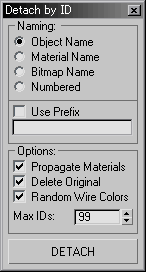
Detach by Material ID

36 votes

Detach Polygons based on its Material ID

Detach Elements

69 votes

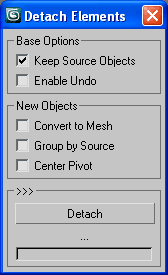
Detach all elements on multiple objects with a few options for better scene arrangement,
including convert to mesh, group by source or link to source or point helper.

Detach Elements

Detach faces V2

10 votes

with this script, you can detach all the faces of selected objects as separate objects.
with pivot aligned to their center.
You also can detach only selected faces, with pivot and parent options.
You can detach faces from edges selection, if you check align pivot, it will align pivot to the center of each edge.
You can align pivots or parent after, on objects selection.

Detach Splines

8 votes

Breaks the selected shape object (Line or Editable Spline) into as many objects as there were splines in the original object. Unlike the other explode scripts, this one doesn't try to rebuild the splines point by point and instead duplicates the object and deletes all the other splines, which means they all keep the original attributes like material, material ID, interpolation settings, renderable settings and so on.

DetachElements

23 votes

Seperates all the elements of a selected object into seperate objects themselves. Will work on editable polys - editable splines and editable meshes. Renames the newly created objects based on the originals name. Detaching function for splines is different from that of meshes and polys (does not center pivot/reset object)

DetachPlus

7 votes

detach-Plus

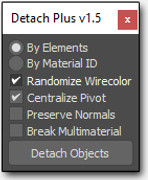
This simple tool allows you to detach Editable Poly and Editable Mesh objects in a specific way.

Detailer

5 votes

Detailer Plugin

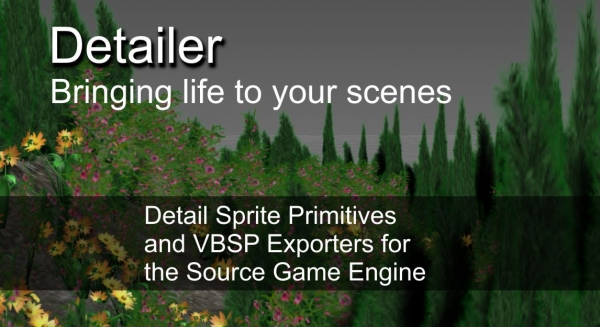
Detailer is a commercial scripted plugin for 3ds Max to generate billboards. Its main focus is creating billboards that can be exported into the Source Game Engine.

This plugin will add a new category in your create tab called Wall Worm and add three geometry objects that you can create:

Detail Type
Detail Group
Detail Prop

Detatch_DeformRig_Light

5 votes

Use this script to offload the deformation rig for a selected character. The character needs to be set upusing the naming convention listed in the tutorial section.Required File: TiM_Lib.ms

DetectModifiers

6 votes

Scans the scene for used modifiers. Lets you select objects based on the modifier's presence. Options include Hide the rest of the objects - Keep existing selection - Search Selection only. WORKS IN BOTH R3 and R2.5!

Detriangulate all editable meshes

16 votes

This is a handy script for artists working on imported scenes where there is a need to convert each editable mesh to poly and detriangulate it one by one.

The script is actually the modification of "Detriangulator" by InTools.

It creates the list of all Editable_Mesh type geometry in the scene, converts it to Editable_Poly and then detriangulates it with InTools algorithm one by one. Good for imported scenes with several hundreds meshes what are tedious for manual detriangulation.

In interface manager you may find it under "InTools" category.

Syndicate content