3ds Max | Scripts

Aligned Box

2 votes

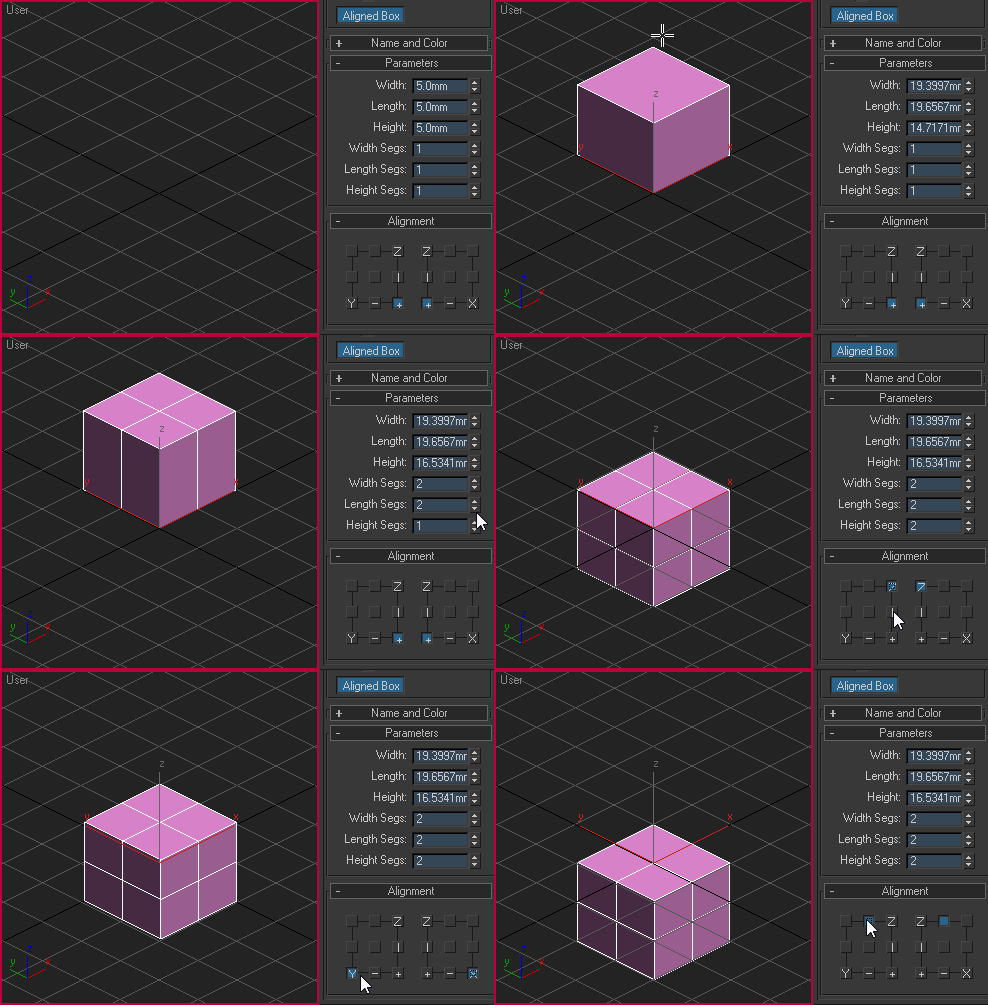
Custom box primitive where you can choose where the pivot point will be located while creating the object. You can place the pivot point visually by picking the location on YZ and XZ plane:

Aligned box

Grid Spacing Tool

0 votes

What this script do:

This script allow you to select grid type and manage its size.


How to use it:

There are three scripts included:

Garage Door Generator

0 votes

Garage Door Generator is a script that is efficient in automatically creating 3D garage door models in 3dsMax scene. With 6 styles of garage door, it can be applied flexibly in Archviz projects while saving a lot of time for 3D artists.

.: Compatible with 3dsMax 2018 & higher

.: Compatible with V-Ray 6 / Corona Renderer 9 & higher

.: Compatible with System Units: Millimeters, Centimeters, Meters, Inches & Feet

Garage Door Generator uses a paid license. 1 (one) license is valid for 2 (two) computers (Home and Work). ​

Sub-Materials ID

0 votes

Sub-Materials ID - это скрипт для 3dsmax, открывает всплывающее окно со списком материалов и их id в Multi/Sub-Object материале примененном к выделенному объекту и возможностью быстро применять материалы по id на выделенные полигоны.
пока работает только в editable poly.
- кнопка Apply - теперь копирует материал с первого выделенного объекта на остальные.
- кнопка Apply - теперь если объект не в Edipable Poly, или не в режиме subobjectLevel, то применяется модификатор Material с выбранным id материалом, если модификатор уже есть на объекте то меняет его id.

Snap to Grid

0 votes

What this script do:

Just snapping the object's pivot to a grid. Nothing fancy.

How to use it:

Select and object call the script - the object will be snapped to a grid.

Tested on 3ds Max 2023 and 2024

Installation:

Drag/Drop the script on 3ds max viewport or run it via 'Scripting-> Run Script...'. Go to "Hotkey Editor" or "Customize User Interface", search for category called 'Custom', there will be 'Snap to Grid'. Assing a hotkey to it or put it on your custom Toolbar.

Custom Shortucts List

7 votes

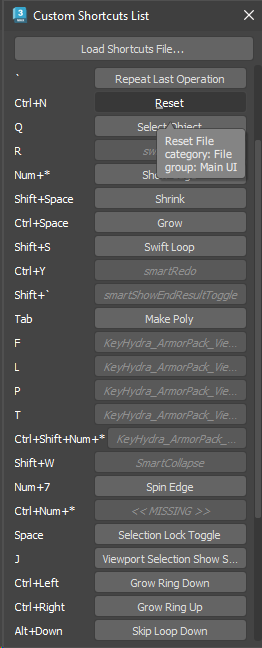
Simple dialog that shows all user-set hotkeys in one list. Hovering over each button shows the category and group of the action. Clicking the button executes the action - unless the button shows as disabled, which means that the action is not available (the macro might have got lost or it may belong to a plugin which is currently not installed).

Hotkey list

Move To Surface

2 votes

What this script do:

This script allow you to place (or place and align) objects on the surface of another object or on the grid under the cursor and snap to 3D Grid if grid snapping is enabled.

There are two scripts included in a single *.ms file:

Move to Surface - allow you to place selected objects near the cursor on another objects or on the grid.

Toggle View/Local

0 votes

Biped Key Convert

0 votes

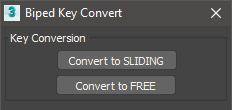
This script will convert all keys for the selected biped limb along the timeline to either sliding keys or free keys. Can be useful when making adjustments to mocap animations which typically have keys on every frame.

Script Box

3 votes

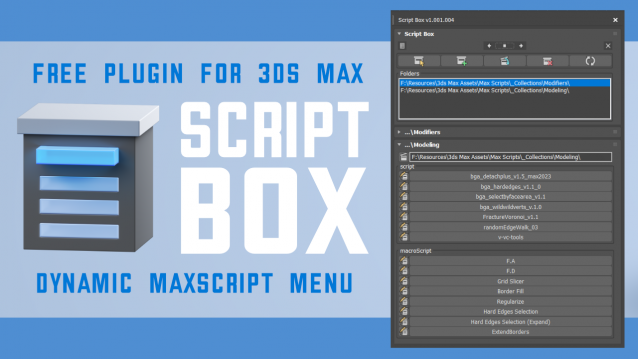
Script Box optimizes your scripting workflow by creating a dynamic dialog menu for Maxscript files.

Simplify installation and execution of Maxscripts by selecting any folder and get a menu that can launch external MaxScripts without adding custom buttons. Freely organize and integrate macroScripts, plugins, utilies and regular scripts inside 3ds max without going through a set of complicated steps.

The current version is free with no limitations, offering the same functionality as the paid version. Future updates are exclusive to paid users.

Main Features

  • Dynamic dialog menu 
  • Execute MaxScripts from any folder
  • Multi-threaded file loading
  • Organized by macroScript, plugin, utility and regular scripts
  • Configure buttons and minimize UI
  • Custom tooltips with aditional information
  • Create, archive and open MaxScripts
  • Dock, resize, and collapse dialogs
  • Launch on start-up

Syndicate content