Tagged 'auto'

Modifier Auto-Select

51 votes

This is a tool I put together because sometimes you have to work with modifiers on multiple nodes and the modifiers aren't at the very top of the stack. You’re constantly having to select the node and then selecting the proper modifier. Prime example of this is when you have a turbosmooths on top of all of your geometry while you are either skinning or modelling. It would be much easier, and save quite a bit of time, if every time you selected a node you just automatically were on the skin modifier or edit poly modifier.

Auto mesh Skinning

13 votes


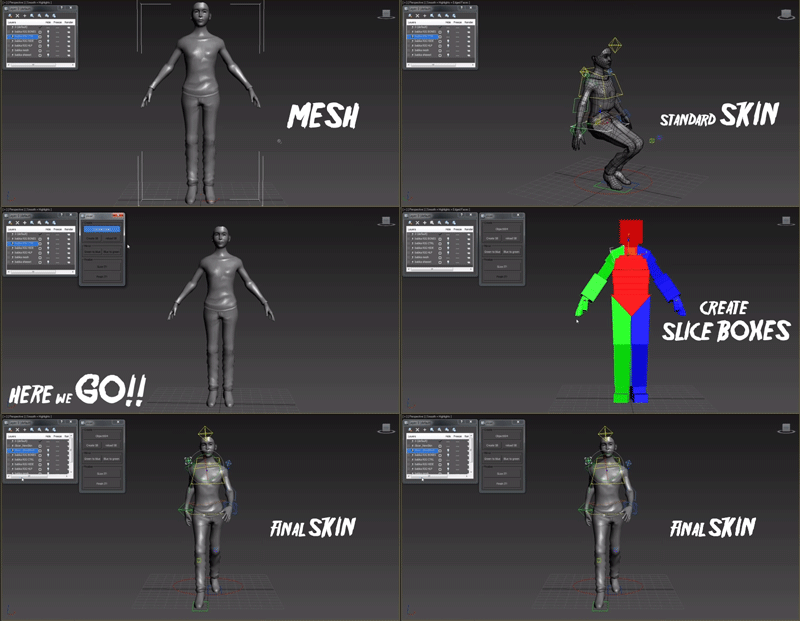
This script is for fast and accurate mesh skinning, but it won't generate skin for production ready. There will by always something to correct weights.

It's very simple all You have to do to set slice boxes. Just watch video and everything should be clear.

In version 0.6 there is simple automatic mirroring made. The rigg should be set in x=0 position.

All comments and suggestions are welcome.

------------ version 0.7 -----------

- Script didn't work with bones which had space in names - Not any more :]

Weld and Smooth

1 vote

RnQ-RenderingAndQuit

0 votes

Simple tool to turn off your PC at the end of rendering.

5 lines long script that does exactly this:

-Save the current max file.
-Launch the rendering.
-When the rendering end, close the current session and turns off the PC.

car wheel

28 votes

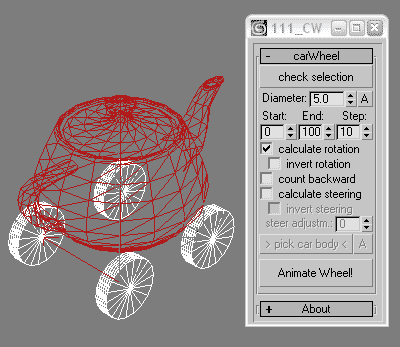
this script animates wheels for cars running along spline. it creates keys for wheels rotations and front wheels steering. probably not perfect but quick.


V-Ray Irradiance Map Pre Calc

27 votes

This is a script I created to automatically setup your Irradiance Map for V-Ray. Basically you select what camera you want to render from, select what frame range, the path where you want your Irradience Maps to Generate to and the information automatically goes into your Irradiance settings. It will even create the file for you.

This is useful for companies that send many animations via network rendering by saving time in setting up your irradiances.

If you have any questions please contact me at [email protected]

Updated -
Version 1.1

AutoRigger

3 votes

I proudly present the AutoRigger

The AutoRigger will exist of 5 parts:
LegRigger,
ArmRigger,
SpineRigger,
FaceRigger,
RigMaker 

Automaterial

4 votes

Material your scene in ONE click!

Qpreview

12 votes

This script will make preview renders from the viewport using the default 'make preview' dialog, when completed it renames the preview file to match the camera's name.

This makes it easier to generate preview files for a ruff edit, without having to manually rename the preview files again and again.

Syndicate content