3ds Max | Scripts

simpleFaceUI

2 votes


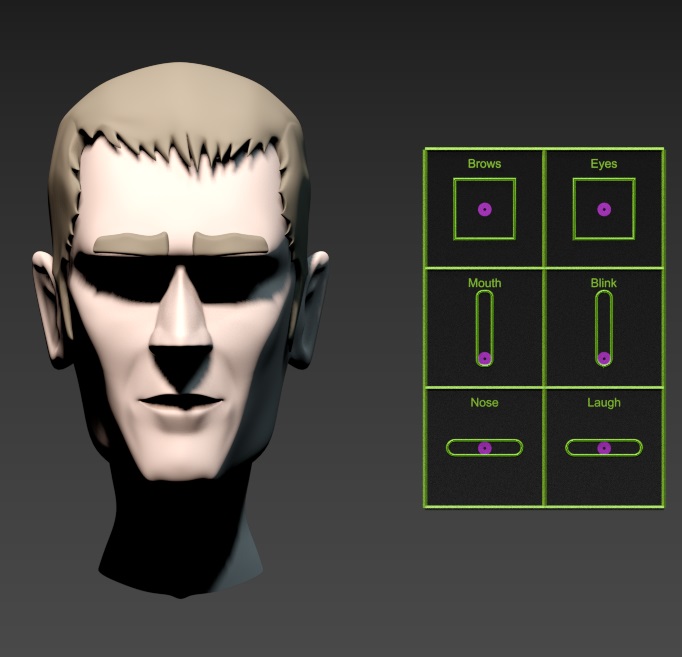
This script creates sliders for morphtargets.

VZim - Fumefx to VrayVolumeGrid

2 votes

A one-click solution for preparing Fumefx sims for rendering in Vray.

VZim is a script that will run your Fumefx default sim and post-cache sim as well as create and load a VrayVolumegrid for the resulting sim, all in one click. This allows you to utilize the Fumefxpreview window for sims without experiencing file incompatibility, while optimizing your cache files, and skipping the many mundane steps to get your sim loaded into and ready for rendering with a VrayVolumegrid.

1.4 Changelog:
- Fixed Volgrid not aligning to FumeFX grid

1.2 Changelog:

ARRI Metadata Import

1 vote

This script allows you to import your ARRI camera metadata from a csv file. Currently it's functionality is limited to importing focus distance data and making the necessary unit conversions to your 3dsmax scene.

You will need the ARRI Metadata Extract utility to extract data from ARRI footage:
https://www.arri.com/en/learn-help/learn-help-camera-system/tools/arri-m...

Mesh Surface

21 votes

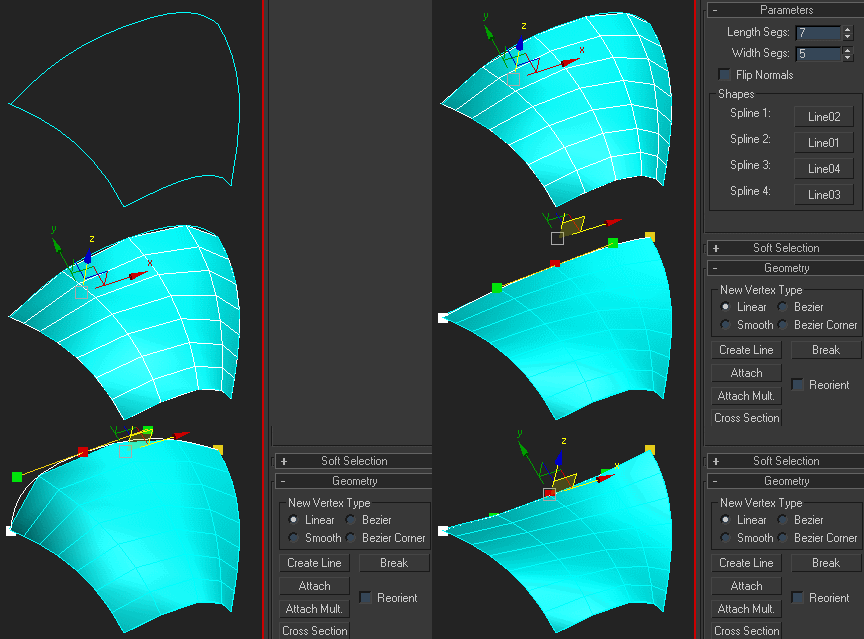
Creates surface defined by four splines. The order of picking the splines matters - they should form a closed loop. If you get a weird looking mesh, try once again starting with another of the four splines:

Note that if any of the splines are animated, the resulting mesh is animated, too.

Outline Creator

6 votes

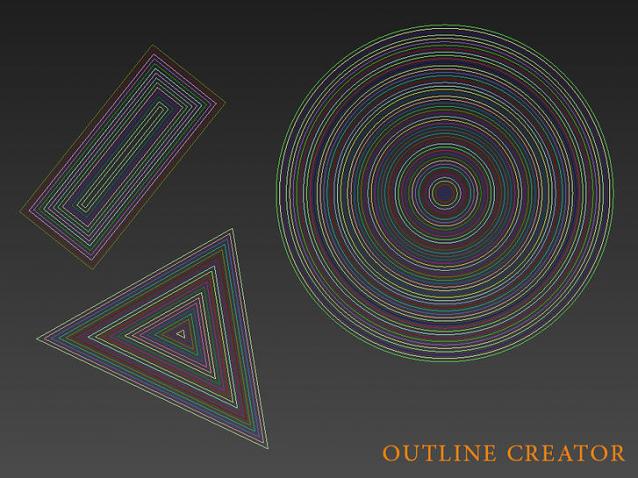
Outline Creator is a 3ds max script that will automate the process of creating outlines for shapes instead of doing it manually one by one.

Pay attention that this script only works with closed shapes for the time being.

Properties:

PLY Export

10 votes

Export utility for exporting editable meshes to .PLY ASCII or Binary format with support for vertex colors.

miauu's Measure and Select

9 votes

With this script you can:

Measure:

  • length of edges or segments
  • area of faces
  • distance between objects or points
  • size of objcets

Select:

Position Copy / Paste Toolset

0 votes

This is a set of scripts that lets you instantly copy the positions of selected objects/components and paste them to a different selection. It comes in the form of three macroscripts which you can set to hotkeys; one for copying positions, one for pasting positions, and one that opens up a floating user interface for changing options and settings. The video below goes over the details of the options available.

The script supports copying and pasting from:
* Editable Poly, Editable Mesh, Editable Spline, Edit Poly, Unwrap UVW.

PF Source Collector

1 vote

A script that stores data related to the selected Particle Flow to the specified layer.
You can organize operator and event etc. of each particle flow by layer.

How to use:
Enter layer name that you want to store PF data.
Select the PF_Source and press button.

Related Object Finder

1 vote

This script allows you to find objects that related with your selected object.
For example, by modifiers, space warps etc...
You can find objects and select by the list. This script will help you recognize object relationship and dependency easily.

How to Use:
Select One object and press button. If the object have dependency to another objects, objects name will be listed up.
By selecting the name in list, you can select object in scene.

Syndicate content