3ds Max | All

unwrapUImode

5 votes

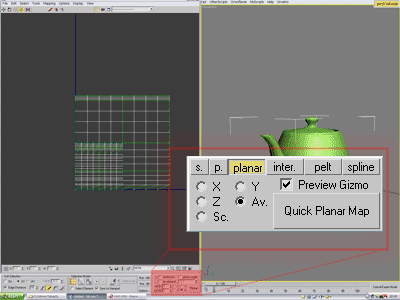
this script customizes 3dsmax user interface for working with uv's - it splits screen into 2 parts as it is used to be in majority of uv editing layouts. this version is adopted for screen resolution of 1600x1200. for other resolutions you will need to change absolute screen coordinates for custom toolbars 


Render Hold

7 votes

Stores rendered images into a slider so that you can easily compare renders. Mimics how Maya's renderer stores images.

WkCopyKey

3 votes

The purpose of CopyKey is to copy a range of transformation keys (either selected or in a given time interval) from an object to hitself or to another one. Thus it allows an animation to be reproduced and/or repeated - this in any coordinate system (world - parent - specified object...) - at any frame and with a symetry on any of the 3 axis. It also supports hierarchy animation copy.

Joystick Manipulator

6 votes

A modified version of Bobo's Joystick Manipulator supporting NonUniform Scale and compounded valueXY for reaction manager purposes

And yet another Randomizer

1 vote

creator: Philipp Hellmann
Date: 2012-03-02
www.pixhellmann.com

This Script opens as Floater Window. You can randomize within min max ranges the position/rotation/scale of one or more selected objects.
You can work in absolut or relative mode for the Position and Scale Values.
The Rotation works in absolut with Quaternions around the local axis and in relativ with euler angles set as properties for each axis.

BoxSkeleton

5 votes

Creates a set of boxes and attaches them to the bones of a biped.

Curlipse – 3Ds Max Shape Object

0 votes

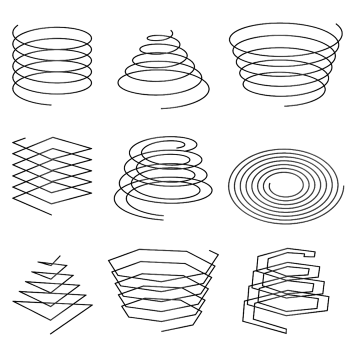
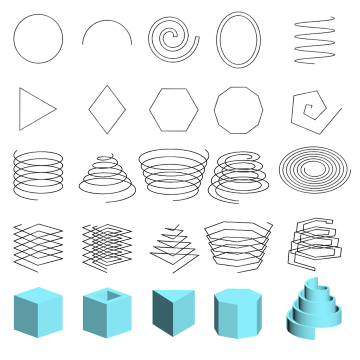
3Ds Max plugin for creating shape objects like open/closed flat or 3D elliptical or circular spline helixes.

Also, using Curlipse, you can create N-gon shapes with a lot of options.

Also, unlike the standard helix shape, Curlipse generates a valid curved shape with the ability to specify interpolation steps.

Curlipse is included in a pack with Fusion plugin
Affinity Priority Switch

2 votes

This simple switch can decrease/increase Affinity for 1 thread. Also it changes priority to low/normal.

To install just drag-n-drop into 3dsMax viewport. Then look at the NikScripts category -> Priority switch.

Checked state of button on toolbar means - low priority, thread 0 disabled.

Unchecked state - normal priority and all threads enabled.

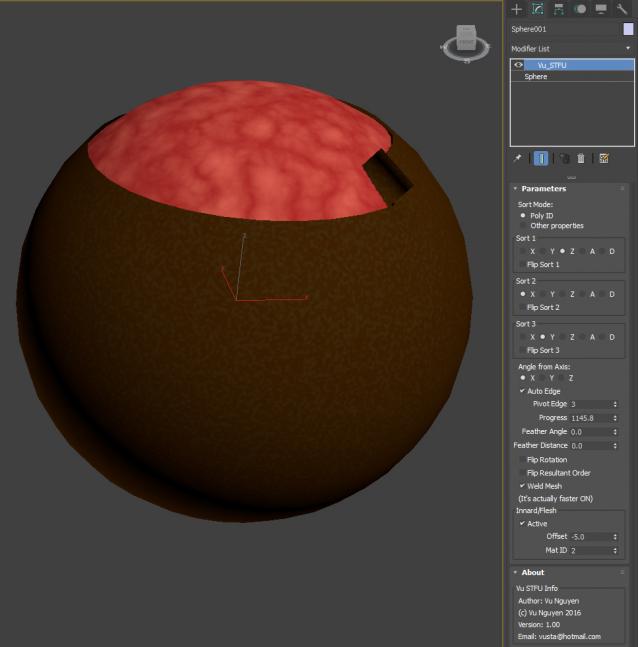
MCG STFU

2 votes

Set Selection FIlter based on selected object

5 votes

This script was requested by titane357 here: click.

What it does:

When nothing is selected and you run the script it set the Selection Filter dropdown list to All.

If Spline object is selected it set the Selection Filter to Shape

If light object is selected it set the Selection Filter to Light

and so on.

Syndicate content